How to Create a Smart Home on a Budget: The Complete 2026 Guide to Affordable Home Automation
No obligation · We aim to respond within one business day
Complimentary phone consultation
Talk it through with a local designer. Written proposal before anyone books a crew.
No obligation · We aim to respond within one business day
Start with a voice speaker and a few smart plugs. Add bulbs you can take if you move. Earlier planning allowances put that first kit at $150 to $200; check current seller prices. Buy Matter-capable gear, or stick to one app, so the next device talks to what you already own. Leave a dealer platform for the day you open walls or tie lighting and security to one keypad.
If you want a programmed house with keypads, start on the residential smart home service page. If you want a line-item project budget, use the Frisco smart home automation cost guide. This page is the shopping list: what to buy first, how to stay compatible, and when a DIY cart stops being enough.
Start with a kit you pair yourselfLink to this section
A retail kit you pair yourself is the cheap start: a speaker or phone app plus Wi-Fi or Matter devices. Matter is an IP-based (Internet Protocol) standard. The first specification runs on Wi-Fi and Thread. It uses Bluetooth Low Energy to add a device to the network. Compatible gear is meant to work with Alexa and Google Home. Siri is in the same Matter mix.
Choose Amazon Alexa if you already shop there and want a cheap speaker as the talker. Choose Google Home if your phones and thermostats already sit in that app. Choose Apple Home if you live on iPhone and will keep a HomePod, HomePod mini, or Apple TV on the network as the hub. Those three are voice and app layers. They are not the same product as a dealer system sold as a project.
A Control4 or Lutron whole-home job is the wrong first buy on a tight budget. Those platforms earn their keep when wall switches and shades need one keypad and one programmer. A security panel on that same keypad is the same class of job. Digitalholics LLC, a Plano integrator founded in 2015, designs and installs that class of system. Price for that work is a written proposal, not a cart total. This page stays on the retail kit. Start here with plugs and bulbs. Then read the Control4 dealer page or the Lutron dealer page if you are ready to open walls.
Complimentary phone consultation
Curious what lighting, shades, or whole-home control would feel like in your house?
Describe the rooms and the routines you want. A complimentary phone consultation is the first step — no obligation.
No obligation · We aim to respond within one business day
What a budget smart home actually costsLink to this section
The cost is the sum of the devices you keep, plus any electrician or programmer you hire. It is not one sticker. A renter can stop at a speaker and a few plugs. A house that wants every switch on a keypad is a different job. For a dealer-class budget, use the Frisco cost guide. The bands below are earlier planning allowances from this guide. A current price comes from a written proposal after a room measurement, or from the seller's page on the day you buy.
| Type/Tier | Cost Range | What's Included | Best For |
|---|---|---|---|
| Basic Starter Kit | $150-$250 | Smart plug, smart bulb, basic voice assistant. Starts with 1-2 devices. | First-time users, renters, small apartments, testing the waters. |
| Essential Automation | $250-$350 | Smart hub, 2-3 smart plugs, 2-3 smart bulbs, basic security sensor. | Small homes, specific room automation (e.g., living room, bedroom). |
| Mid-Range Budget Setup | $350-$450 | Smart hub, multiple plugs/bulbs, smart thermostat, door/window sensors. | Apartments or small houses needing climate, lighting, and basic security. |
| Full Budget Home | $450-$500 | Smart hub, advanced lighting, thermostat, security camera, voice assistant. | Small to medium homes desiring extensive automation across key areas. |
| DIY Security Focus | $300-$400 | Security hub, motion sensors, door/window sensors, siren, basic camera. | Users prioritizing home security on a tight budget. |
| Energy Saving Focus | $280-$380 | Smart thermostat, smart plugs for high-consumption devices, energy monitoring. | Homeowners looking to reduce utility bills and track usage. |
A $2,000-and-up band on this page meant dealer hardware and programming, plus more rooms. It does not mean a nicer plug. If that is the job, use the cost guide, not these starter bands. A useful split for a DIY cart is under $200 for a speaker plus plugs and bulbs. Spend $200-$400 if you add a camera, then a lock, then a thermostat. Spend $400-$600 if you add a hub and more sensors. Spend $600+ if you are paying someone to pull wire or program scenes.
Heating and cooling take almost half of an average American household energy bill, more than $900 a year. That figure is why a thermostat belongs on the list after the lights work. It is not a promise that a thermostat pays for itself in a set number of months. Confirm your furnace and air conditioner on the thermostat maker's list before you buy. Savings math for a named model belongs on the smart thermostat savings guide.
Which smart home devices should you buy first?Link to this section
Buy the thing you touch every day. Lights and a lamp on a plug beat a lock you will not trust yet. A camera on the porch can wait until the Wi-Fi reaches the door. A hub can wait until two apps start arguing.
- Write the one job you want this month: a lamp on a schedule, a porch camera, or a thermostat you can set from the car.
- Check the 2.4 GHz Wi-Fi name and password. Many cheap plugs never join a 5 GHz-only network. The Kasa HS103 is a 2.4 GHz plug. It needs no hub. TP-Link rates that model at 10 amp and 1200 W on a 120 V circuit, 1.50 in thick so it can sit beside another outlet.
- Pick Matter, or pick one app, and refuse the third brand that needs a fourth login.
- Read the load rating on the plug or switch. A space heater on a 10 amp plug is the wrong load.
- Change the default password. Turn on multifactor authentication (a second check such as a text code). Install software updates. CISA treats those as the basic steps for phones and smart devices.
- Stop. Live with that kit before you add a lock or a whole-house switch run.
Those allowances are planning numbers, not today's shelf tags. The Echo Dot line is included; check the seller's page on the day you buy.
| Package | Listed items (planning allowances) | Listed sum | Heading on the old list |
|---|---|---|---|
| Starter | Amazon Echo Dot $40; 4x smart plugs $50; 2x smart bulbs $25; smart security camera $35 | $150 ($40 + $50 + $25 + $35) | $150-$200 |
| Intermediate | Starter $150, plus smart thermostat $70, smart door lock $100, additional bulbs $30, smart doorbell $60 | $410 | $300-$400 (replaced: the listed add-ons are $260, and $150 + $260 = $410) |
| Advanced | Intermediate $410, plus smart hub $100, motion sensors $60, smart smoke detector $80, entertainment integration $100 | $750 | $500-$700 (replaced: the listed add-ons are $340, and $410 + $340 = $750) |
Example: if you buy only the starter line items at those allowances, you spend $150. The $150-$200 heading left room for tax or a second bulb.
A slower spend used these monthly bands: lighting and a speaker $50-$100, then a camera and a door sensor $75-$150, then a thermostat $100-$200, then a hub and extras $100-$300. That path sums to $325-$750 across the four bands ($50 + $75 + $100 + $100 and $100 + $150 + $200 + $300), against the intermediate kit's $410.
Other unit allowances from the old lists, still planning numbers: plugs as a class $10-$25; Kasa $12-$15; Amazon Smart Plug $12-$25; Wyze Plug $8-$12; Wyze color bulbs $8-$12; Sengled $10-$15; Philips Wiz $15-$20; Lutron Aurora $25-$35; Wyze Cam v3 $25-$35; Blink Mini $30-$40; cameras as a class $25-$100; Ring Video Doorbell Wired $60-$80; Eufy doorbell $50-$70; Wyze Lock $80-$100; August Smart Lock $100-$150; Wyze Thermostat $50-$70; Ecobee Smart Thermostat Essential $100-$130; Google Nest Learning Thermostat $150-$200; Fire TV Stick $25-$40; Chromecast $30-$50; Roku $25-$100; a smart speaker from $40. A Nest Mini under $50 was the old Google speaker band. DIY boards sat at Arduino or Raspberry Pi $25-$75, ESP32 or ESP8266 $5-$15, and pre-built kits $30-$100. None of those board prices is a reason to start there if you have not set up a plug yet.
Named hardware you can check today: Amazon's Echo Dot (5th Gen) is the speaker line in the starter kit. Confirm the radio list on the seller's page before you buy. Wyze Cam v4 is a wired indoor/outdoor camera the maker rates at 2.5K with night vision and a spotlight. Those are this-model ratings, not a promise about every budget camera. A smart home hub is the next read if you outgrow one app. Lighting SKUs and dimmer types sit on the smart lighting guide.
Choose a first roomLink to this section
Choose the household task before choosing a bundle. These examples are starting scopes, not priced packages. Keep the device model beside its app so a later purchase can be checked against what is already installed.
| Household task | Existing phone or platform | Device category | Hub or border router | Physical control | Internet dependency | Upgrade trigger |
|---|---|---|---|---|---|---|
| Renter: switch a reading lamp from the sofa | Phone with Kasa app | Kasa HS103 plug | No hub for this model | Plug on/off button; keep the lamp switch accessible | Remote app control needs a connection; test the intended schedule with internet disconnected | Add another device after the lamp works as expected |
| Homeowner: notice activity at the porch | Check the chosen camera’s supported phone app | Camera with the alert you need | Confirm the exact camera’s bridge or hub requirements | Keep the doorbell and ordinary porch-light switch | Ask separately about local viewing, alerts and stored clips | Improve porch coverage before extending the camera scope |
| Existing Apple household: add a compatible lamp | Apple Home | Matter light or plug | Confirm controller support; a Thread model also needs a compatible border router | Choose a model with an accessible button or switch | Test local control separately from away access | Add a hub when the required automation or away access calls for it |
Apple Home separates app control from hub-enabled automation and away access. The Matter FAQ explains local connections and remote-controller dependencies. Check those requirements for the product you choose; a platform label alone does not describe its porch alerts.
Which smart home systems have the best prices?Link to this section
If you asked for a list of smart home systems with the best prices, you usually mean cheap retail brands, not a dealer bid. The rows below are earlier per-device planning allowances from this guide. They are not current list prices.
| Brand | Price Range | Best Known For |
|---|---|---|
| Wyze | $20-$100 (per device) | Affordable cameras, smart bulbs, and sensors with cloud features. |
| TP-Link Kasa/Tapo | $15-$50 (per device) | Reliable smart plugs, light bulbs, and switches; no hub required. |
| Govee | $10-$80 (per device) | Budget-friendly smart lighting, LED strips, and basic sensors. |
| Aqara | $20-$70 (per device) | Zigbee-based sensors, switches, and hubs for Apple HomeKit users. |
| Meross | $15-$45 (per device) | Cost-effective smart plugs, garage door openers, and light switches. |
| Refurbished/Used Market | $5-$50 (per device) | Deep discounts on older generation devices from various brands. |
Zigbee is a low-power mesh (devices relay for each other). The Connectivity Standards Alliance describes AES-128 encryption and more than a billion Zigbee devices already deployed. Thread is a different radio: an IPv6 mesh on IEEE 802.15.4, built for low-power gadgets that still speak IP. Matter can ride Thread or Wi-Fi. A Thread device still needs an always-on hub on the network. Apple's Home page names HomePod, HomePod mini, and Apple TV for that job in an Apple house.
Refurbished gear at $5-$50 can be fine for a plug. It is a poor place to save money on a lock or a smoke alarm. Buy those new, from a maker with current firmware updates.
Check support before comparing sticker pricesLink to this section
A low purchase price and a manageable support burden are separate decisions. Before ordering, work through this checklist:
- Read the manufacturer’s support policy for the exact model and hardware revision. Ask what happens to app access when support ends.
- Check the app’s update history and the device’s firmware instructions. Find out whether updates are automatic or a household task.
- Locate the reset and ownership-transfer instructions before buying used gear. Ask the seller to remove account access before you pair it.
- Check which actions use a local controller and which rely on a hosted account. Try the physical button as well as the app.
- Include any replacement bridge, required service and setup work in the comparison, rather than comparing device stickers alone.
CISA’s security guidance includes software updates. Matter supports device updates, but an older model’s upgrade remains a manufacturer decision. Ask for the current instructions rather than buying on a promised update.
Start security with one camera and one sensorLink to this section
The cheapest honest start is one camera you can aim at the door you actually use, plus a sensor on that door, on the same app as your lights. Do not buy a siren kit and a lock in week one. Do not add four cameras either. You will fight Wi-Fi and unused cloud accounts.
Use the DIY Security Focus band ($300-$400) if you want a hub, contacts, a siren, and one camera in one cart. Use the camera line in the starter kit ($35) if you only need a picture of the porch. A wired model such as Wyze Cam v4 needs a cable you can hide and an outlet you can reach. A battery camera needs a charge plan. Neither is a monitored alarm. McKinney requires an alarm permit if your system summons law enforcement. A professional panel is a different product. That path is on the smart home security install guide and the DIY versus professional security page.
A doorbell at $50-$80 only helps if the existing transformer and chime match the model you pick. Read that model's install sheet. If the sheet wants a new transformer and you rent, skip the doorbell and keep the camera.
A cheap lock ($80-$150 in the old allowances) is not worth it if you will not use codes, or if the deadbolt is the wrong thickness. Leave the lock until the rest of the kit is boring in a good way.
When DIY is enough, and when to hireLink to this section
The DIY shelf of Wi-Fi plugs, Matter bulbs, and Zigbee sensors is a different product from a programmed house. A $40 speaker and a phone sit on that shelf. DIY is enough when you can plug the device in, join the app, and live with a cloud outage. It is not enough when you are replacing every dimmer. It is not enough when you are hanging motorized shades, or tying a smoke loop and locks to one fail-safe.
Choose a plug-in kit if you rent and you want to take the gear. That path fits lamps and a camera. A thermostat can wait until the HVAC match is clear. Choose a dealer platform if you want one keypad for lighting and shades, or if the house is in rough-in and you can still pull cable. We finish a room or a floor, then move on. Hire an electrician for a hardwired switch even on a DIY plan. A consultation allowance on this page was $75-$150. A single complex task sat at $100-$300. A full setup-and-program visit sat at $200-$500. Those are earlier planning allowances, not a current written proposal.
A complimentary phone consultation is the usual first conversation if you want that larger job scoped. Use the contact page when the cart is no longer the right tool.
Cheap wiring moves that avoid tearing drywall laterLink to this section
Most budget devices need no new cable. The cheap wiring ideas are the ones that keep a later upgrade from tearing drywall.
- Leave the 2.4 GHz network on. A dual-band router that hides 2.4 GHz behind a "smart connect" name is why a $12 plug never joins.
- Park the thermostat where the Wi-Fi already works. ENERGY STAR tells you to keep a Wi-Fi thermostat reasonably close to the router, or add a range extender if it drops.
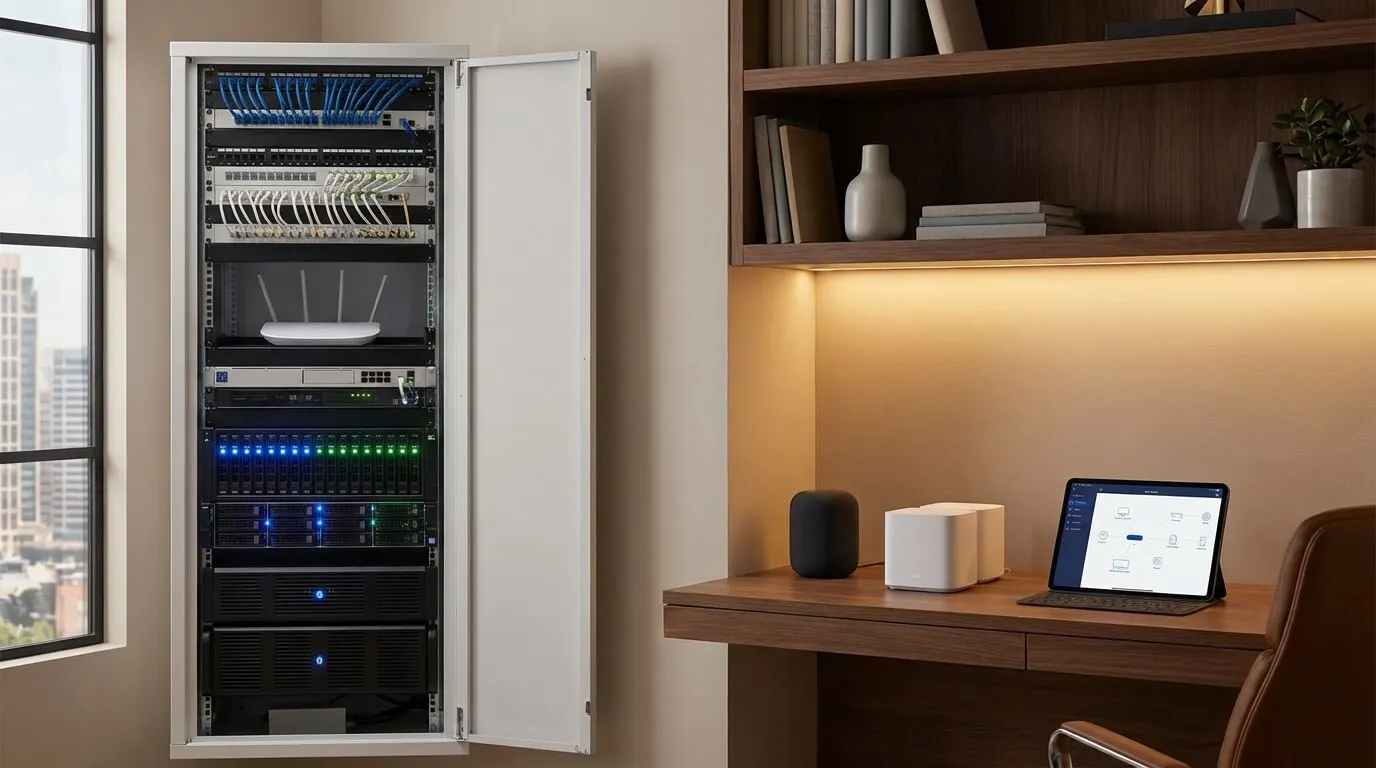
- If you can still open a wall, drop Ethernet to a closet or a hallway ceiling for a later access point. That new-construction plan lives on the Frisco pre-wiring guide. A finished house can still run one visible cable along a baseboard better than a mesh hop through brick.
- Do not fish cable for a plug-in lamp. Buy the plug.
- A Thread or Zigbee mesh wants a powered device that stays on. A bulb on a switched circuit that you kill at the wall is a dead hop. Put those radios on always-hot power or accept a weaker mesh.
We still run a short wired backbone for the controller and network, because those pieces should not depend on Wi-Fi.
Small wiring is also knowing when to stop. A $150 kit does not need a rack. Spend the next dollars on coverage for the porch camera, not on a patch panel you will not label.
Renters: keep it plug-inLink to this section
For most U.S. apartments, the affordable "install" is you and a screwdriver. Take devices you can unplug when the lease ends. Searching for a national installation service is the wrong move for a plug-in kit. Hardwired switches often violate the lease. So do doorbell transformers and drilled camera mounts. A pro truck fee will dwarf the $150 starter kit.
Stay on plug-in and bulb devices. Use the adhesive mount only if the camera maker ships one and the landlord allows it. Skip in-wall dimmers. Skip a wired doorbell unless you already have a matching transformer and written permission. Mid-Range Budget Setup ($350-$450) on the table above is the old band for an apartment that also wants a thermostat and contacts. Confirm the HVAC match first. If a landlord forbids a thermostat swap, keep the stock thermostat and spend the money on plugs and a camera.
If the apartment is a gut rehab and the owner wants keypads, that is no longer an apartment DIY job. It is a project. Book it like a house.
If the cart is no longer the right tool, the next step is the smart home service page.
Frequently asked questionsLink to this section
Can I start without a smart speaker?Link to this section
Yes. A compatible phone app can be your first control. The Kasa HS103 supports the Kasa app without a hub. In an Apple household, Home gives you accessory controls, while a home hub adds automation and away access. Check the exact device’s requirements and retain a physical switch; buying voice hardware can wait until speaking is useful to you.
Can I take this setup when I move?Link to this section
A plug-in setup is easier to move than equipment fixed into the building, but check your lease and the manufacturer’s removal instructions. Keep the pairing codes and power supplies with the devices. Before leaving, remove shared access, check the reset procedure and plan to join the new network. Leave the landlord’s switches and fittings as agreed rather than assuming permission to replace them.
Which hardware needs to stay powered?Link to this section
The devices and the controller used by your automation need power for that automation to run. For Apple Home automation and away access, keep the home hub available. A Thread accessory also needs the appropriate border-router path; confirm the hub model supports it. Keep ordinary switches usable, and test what happens if someone unplugs the hub or switches off the lamp’s supply.
SourcesLink to this section
Complimentary phone consultation
Want to keep the devices you own?
Bring your device list, rooms, and budget cap to a complimentary phone consultation — no obligation. If it is a fit, you get a written line-item proposal to keep.
No obligation · We aim to respond within one business day