

Residential solutions
Home Wi-Fi and Network Installation in Dallas–Fort Worth
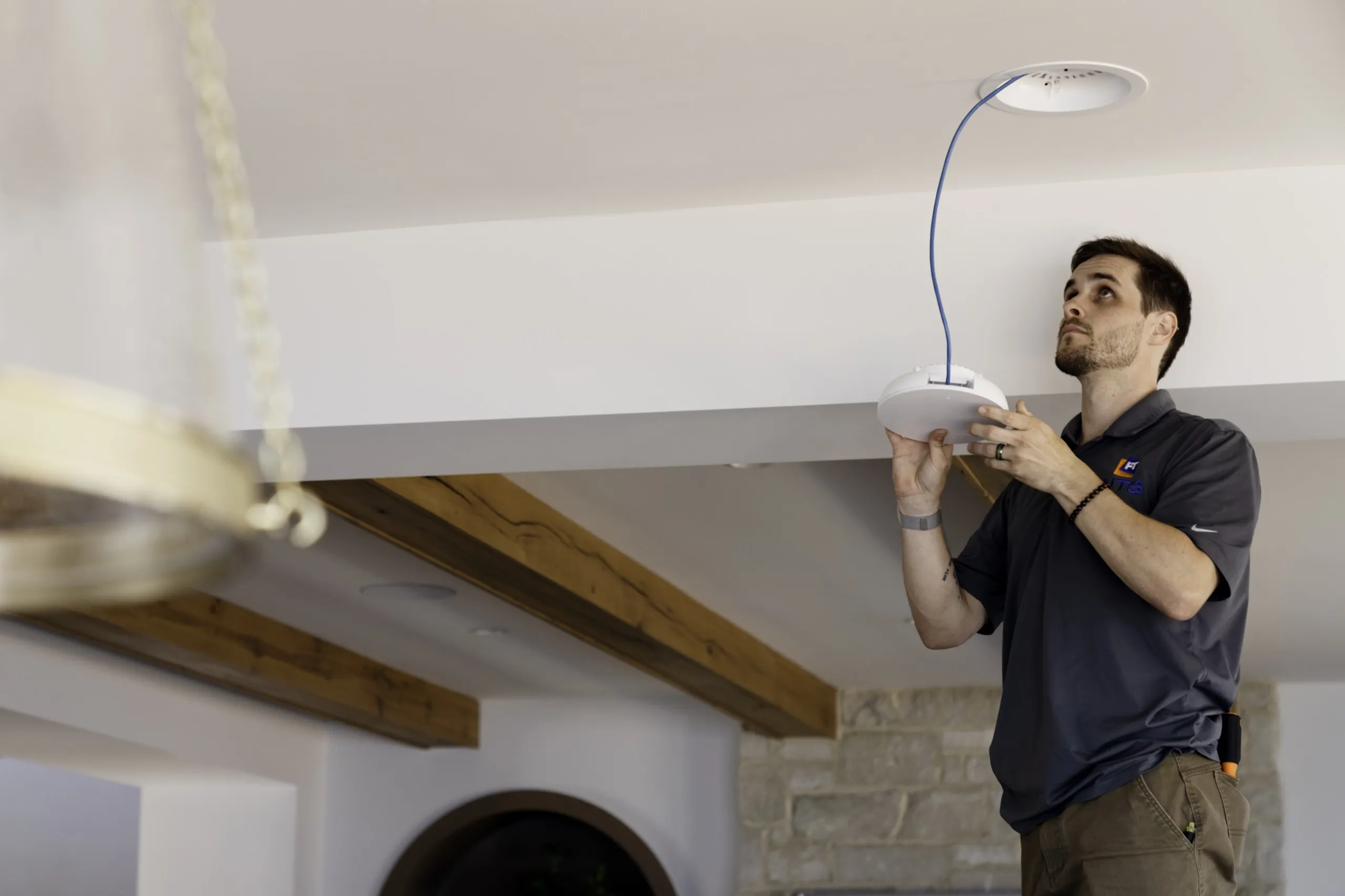
Home Wi-Fi and network installation in Dallas–Fort Worth. Wired access points, a labeled closet, and a separate guest network.
Before the proposal
What decides your project
The inputs that size the work, then what a proposal includes and what you supply.
Where does internet service enter?
Show the provider equipment and the closet that will hold the switch. The access-point cables end there.
Which rooms drop?
Mark the study, the bedrooms, and the televisions on the floor plan, and list the devices in each room.
Are the walls open or finished?
Open studs take drops before drywall. A finished house uses the attic and the chases you can already reach.
Who may reach which devices?
Name the guests and the equipment you control from your own phone. Cameras and keypads stay on the home network. A guest phone stays on the guest network.
How does this relate to lighting, shades, and audio?
This work is the wiring, the access points, and the closet that carry the connection. Smart home automation is the shared control for lighting, shades, climate, and the rooms that should follow one button. Whole-home audio is the listening zones and the shared television sources.
Scope ledger
Confirmed in writing before equipment is ordered.
- Included in the proposal
- Phone consultation, house walkthrough, wireless survey, and written proposal
- Agreed Category 6 or 6A runs, access-point mounting, and closet labels
- Connection tests, port map, guest and home networks, and closet walkthrough
You or facilities provide
- Floor plan, device list, and rooms that drop
- Internet provider and the equipment already in the closet
- Construction calendar, or access to attic and closet paths on a finished house
- Guest list, and who may reach the cameras and household equipment
Local team and service area
Local team
Digitalholics LLC
8105 Rasor Boulevard, Suite 211, Plano, TX 75024
Pricing
Typical Frisco-Plano project cost
These tiers come from our network infrastructure cost guide. Your own number comes from a line-item proposal after a complimentary phone consultation.
| Tier | Typical cost | Fits |
|---|---|---|
| Basic upgrade | $2,000-$4,000 | Small homes, light automation |
| Standard smart home | $4,000-$8,000 | Whole-home automation plus cameras |
| Advanced system | $8,000-$15,000 | Large homes, many cameras, distributed AV |
| Estate network | $15,000-$30,000+ | Multi-building, commercial-grade plant |
Overview
How we approach the work
We install home networks and Wi-Fi for Dallas–Fort Worth homes, including large two-story houses with rooms that lose coverage. We survey the layout, run Category 6 or Category 6A cable to planned access points, and label the connections in the network closet.
Mesh systems also use access points. The practical choice is whether the units connect back over Ethernet or Wi-Fi. We propose a wired layout, with Category 6 or Category 6A from each planned access point back to the closet, so the radio in the room serves the devices in the room. A wireless link is considered when a room has no path for that cable. On that wireless link, the path between units can share a radio with the phones and laptops, or it can use a radio of its own.
Each of those runs is Category 6 or Category 6A, terminated on a labeled patch panel. Power over Ethernet sends power and data on that same cable, so the ceiling does not need a new outlet for the access point. IEEE 802.3bt raises the power a device can take by using all four pairs in the cable, and the switch and the device exchange a power class when they connect so the switch can manage the budget. We total the access points against that switch before anything is mounted. If the budget is tight, the proposal says so and the layout changes.
Guest phones sit on a guest network. Phones and laptops sit on the household network; cameras and the house control system can sit on a network of their own, and guests get a separate one. On Wi-Fi EasyMesh access points, each network has its own VLAN, and that split holds on a wired backhaul and on a Wi-Fi backhaul. The proposal identifies whether the access points are Wi-Fi EasyMesh. On compatible equipment, the controller can suggest that a device change access points. Supported devices may complete that transition faster.
Handover is a labeled patch panel, a port map, and a walkthrough with the person who will own the closet. If a room drops later, call (469) 666-0747 during Mon–Fri 9:00 AM – 6:00 PM · Sat 10:00 AM – 1:00 PM. Tell us which television stalls and whether other devices lose their connection at the same time. We test the affected connection before recommending changes. Home network for 8K streaming is the note on what that picture asks of the network. Lighting and shades are on smart home automation.
You leave with a labeled patch panel, a port map, and a walkthrough of the closet that feeds every access point.
Our Process
From the internet handoff to each room
Phone consultation
Tell us which rooms lose the connection, where the internet equipment sits, and if the walls are open or finished. Have the provider name and a rough device list.
Walk the house
You show the closet, the provider box, and the rooms that drop. The survey determines access-point locations and count for your floor plan. We look at attic paths on a finished house.
Survey and proposal
The floor plan, with failed rooms marked, becomes the scope you approve. Guest access and the household devices are listed separately. The proposal names the cable runs and the switch.
Pull cable and mount
Open walls follow the construction calendar. Finished rooms follow paths already in the house. Category 6 or 6A lands on labeled ports. Access points go on the ceilings the survey marked.
Test and hand over
Every drop is tested. We explain the port labels and network diagram at handover. You keep the port map.
Support after handover
Call (469) 666-0747 during Mon–Fri 9:00 AM – 6:00 PM · Sat 10:00 AM – 1:00 PM if a room drops. Bring the room name and the port label.
Property Types
Houses and the paths the cable can take
Large two-story house
We survey upstairs bedrooms and other rooms where coverage drops.
House with open studs
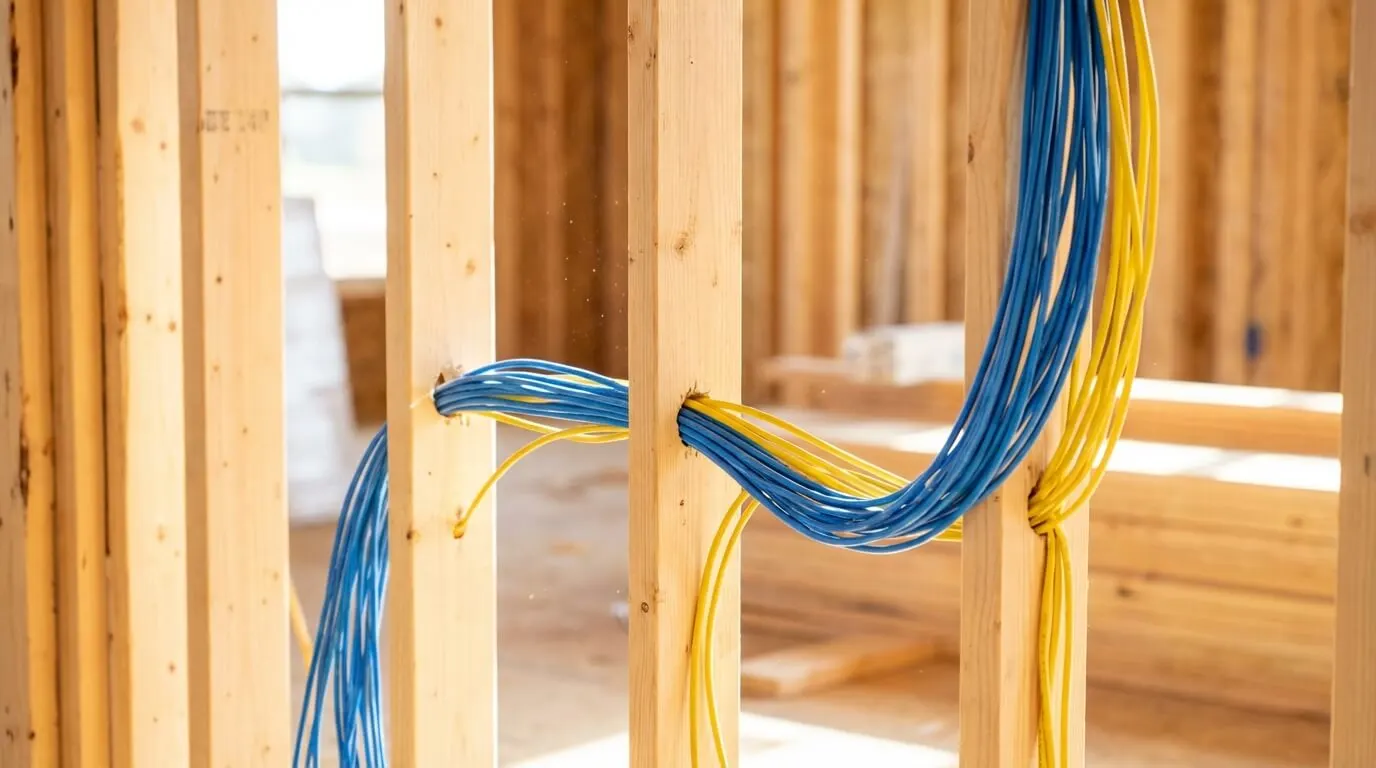
Drops for access points, cameras, and the closet land before drywall. You bring the floor plan and the construction calendar.
Finished home
The attic, a closet, and existing chases are the paths. Rooms are done in the order you pick, starting with the ones that drop today.
Common Questions
Questions about Home Wi-Fi & Network
01How much does whole-home Wi-Fi installation cost in Frisco and Plano?
Typical Frisco-Plano projects run $2,000-$4,000 (Basic upgrade) to $15,000-$30,000+ (Estate network), per our cost guide, updated Nov 2026. Where a house lands depends on how many access points and cable runs it needs, whether the walls are open or finished, and how much of the existing equipment can stay. After a complimentary phone consultation we write a line-item proposal for your house.
02Do you install whole-home Wi-Fi in Dallas–Fort Worth?
Yes. Whole-home Wi-Fi here means access points on cable, placed from a survey. The cities we cover are listed on the service areas page. You show the rooms that drop, where the internet equipment sits, and if the walls are open or finished. Call (469) 666-0747 during Mon–Fri 9:00 AM – 6:00 PM · Sat 10:00 AM – 1:00 PM.
03Mesh vs access points: which fixes a dead zone?
Mesh systems also use access points. The practical choice is whether the units connect back over Ethernet or Wi-Fi. We propose Category 6 or Category 6A from each planned access point to the closet, so the radio serves that room. A wireless link is considered when there is no path for that cable. That link can share a radio with phones and laptops, or use a separate radio for the path back. We survey the plan and say which rooms get cable.
04Does each Wi-Fi access point need a cable?
Our wired layouts give each access point an Ethernet run to the closet. Where a cable route is unavailable, we assess a wireless backhaul option during the survey. The proposal identifies the connection method for each access point and the rooms it is intended to cover.
05What does Power over Ethernet change in the closet?
Power over Ethernet sends power and data on the access-point cable, so the ceiling does not need an outlet for each radio. IEEE 802.3bt raises the power a device can take by using all four pairs in the cable, and the switch and the device exchange a power class so the switch can manage the budget. We total the access points against the switch before we mount them. If the switch cannot feed the survey count, the proposal changes the switch or the count.
06Can guests and household devices use separate networks?
Yes. Guest phones sit on a guest network. Phones and laptops sit on the household network; cameras and the house control system can sit on a network of their own, and guests get a separate one. On Wi-Fi EasyMesh access points, each network has its own VLAN, and that split holds on a wired backhaul and on a Wi-Fi backhaul. The proposal identifies whether the access points are Wi-Fi EasyMesh. You tell us who may reach the cameras and the other household equipment. We set that split at handover and explain the port labels for it.
07Can you wire a home network after the house is finished?
Yes. On a finished house we use the attic, a closet chase, and routes that are already open. The proposal identifies any access openings and responsibility for wall repairs. You pick the rooms to do first. Open studs are a different visit: the drops land before drywall. Bring the floor plan either way, and mark the rooms that drop.
08Who do I call if a room drops after handover?
Call (469) 666-0747 during Mon–Fri 9:00 AM – 6:00 PM · Sat 10:00 AM – 1:00 PM. Keep the port map. The next visit starts from the room name and the port label.
09Is home Wi-Fi installation the same work as smart home automation?
No. This work is the wiring, the access points, and the closet that carry the connection. Smart home automation is the shared control for lighting, shades, climate, and the rooms that should follow one button. Whole-home audio is the listening zones and the shared television sources. We review the existing network alongside any planned lighting, shades, or audio work and identify the wiring those systems need. See smart home automation. A streaming television that stalls is discussed in home network for 8K streaming.
More Residential
Complimentary Consultation
Ready to plan your space?
Tell us about your space and what you want it to do — if it is a fit, we book the walkthrough, then send a written, line-item proposal. You approve the scope before anyone books a crew.
- A complimentary phone consultation. No obligation.
- A written proposal before any work is scheduled.
- We aim to respond within one business day.