

Commercial AV & Automation
Commercial Audio Visual Systems in Plano, TX
Zoned audio, digital signage, and video walls for restaurants, retail, and offices.
Before the proposal
What decides your project
The inputs that size the work, then what a proposal includes and what you supply.
Which spaces need independent volume?
Dining room, bar, patio, lobby, open office, waiting area, and worship hall each become a separate zone with its own limits and schedule.
Can staff run signage?
Yes. A browser-based content manager pushes menus, promotions, and wayfinding; managers update content from a phone or browser.
Does it integrate with our network?
Yes. AV lands on your network or a dedicated switch, with network infrastructure that separates guest Wi-Fi and point-of-sale traffic using VLANs.
What if a display fails?
We program a restart path and, where design calls for it, backup playback. The Plano team diagnoses many faults remotely.
Scope ledger
Confirmed in writing before equipment is ordered.
- Included in the proposal
- On-site walk, zone map, and line-item proposal
- Speaker, display, paging, and signage installation
- Browser content manager setup and staff training at handover
- After-hours installation and remote diagnosis where supported
You or facilities provide
- Space list, operating hours, and network constraints
- Signage content and brand assets
- Existing processor health review for Crestron or AMX
Local team
Digitalholics LLC
8105 Rasor Boulevard, Suite 211, Plano, TX 75024
Packages
Scope by building
Scope by building: one room, one control system, or a campus with backup playback.
Essential Business AV
For an existing dining room, lobby, or a few meeting spaces that need even sound and screens staff can run.
- Multi-zone audio with per-zone volume
- 4K displays for presentations and signage
- Wireless presentation in one meeting space
- Phone or wall-panel control
- Browser-based content manager for the screens
- Training and a written system map at handover
Premium Corporate Experience
Whole-building audio and a signage network with one control system.
- Building-wide audio with centralized management
- Digital signage network across lobby and corridors
- Sound masking (low background hush) for open offices
- Lutron lighting and shade integration where specified
- Zoom Rooms or Teams Rooms in the primary boardroom
- Priority support from the Plano team
Ultimate Corporate Technology Center
Campus-scale AV with acoustic design, backup playback, and a dedicated project manager.
- Campus AV drawn from closet to speaker
- Custom acoustic design and treatment
- Video walls and collaboration spaces
- Redundant playback for lobby and all-hands rooms
- Dedicated project manager through commissioning
- Scheduled updates and on-site optimization
Commercial AV & Automation
Digitalholics designs and installs commercial audio visual systems for restaurants, shops, clinics, offices, and worship halls. The work covers zoned audio, paging, digital signage, video walls, and the control that runs them. We work from our Plano office for buildings in Frisco, Plano, Dallas, McKinney, Allen, and the other north Dallas–Fort Worth suburbs.
The first drawing we produce is a zone map: dining, bar, patio, lobby, kitchen. Each zone gets its own volume, source, and schedule, because a single speaker circuit cannot serve all of them. Get that map wrong and a busy service either shouts over conversation or the patio goes silent.
We design from that map. Ceiling speakers and a labeled amplifier stack cover each zone. Digital signage and video walls sit on a content manager, the browser tool that updates every screen, including outdoor displays rated for Texas weather. When a dining room or lobby needs it, Lutron lighting and motorized shades sit on the same control system. We are a Lutron Gold Dealer and a Control4 Certified Dealer.
Managers run open and close scenes from a phone or wall panel, with volume limits that stay put. Our designers hold THX professional certification. We train your staff before we leave. The Plano team stays on the system after handover.
When you compare commercial AV installers, ask who produces the design documents, who hands you cable certification test reports, how every cable and port is labeled, whether you receive as-built drawings, who trains the people who open the building, and who you call after handover. We put those items in the proposal before a speaker goes up.
A restaurant, hotel lobby, open office, and sanctuary need different zones, operating hours, and sound levels. We plan around the rooms and staff routines. Rooms that have to join a scheduled call are on the conference room systems page. The closet and the drops those screens ride on are network infrastructure.
Displays follow the room. Our scope includes 4K displays for presentations and signage, video walls for lobbies and collaboration spaces, and weather-rated outdoor displays for patios or storefronts. During design, we specify speakers, displays, and a content manager against measured acoustics and Texas daylight. The proposal lists equipment, zones, and cable paths.
For venue planning, see AV for restaurants and bars, digital signage, and video walls.
How we approach the work
The first drawing is a zone map.
What’s included
- Zoned distributed audio
- Digital signage networks
- Video walls and lobby displays
- Outdoor weather-rated screens
Start with a complimentary consultation
Start with a ConsultationNo obligation · We aim to respond within one business day
Scheduling
Installation around your hours
Yes — the work is scheduled around your hours, not through them. Evenings and weekends are the default for occupied restaurants, offices, and clinics, so lunch service and meetings keep running while the job is under way. Staff keep serving; the dining room becomes a job site after the last table leaves.
We coordinate with your contractor, electrician, and fire-alarm vendor when those systems share a ceiling.
The Craft
Every zone gets its own volume cap
A dining room and a bar fail differently — one too loud to talk over, the other dead by nine. The zone map sets levels, schedules, and caps per area before installation, so managers set scenes instead of fighting knobs.
Zones doing their jobs at service hours — lobbies presenting, bars staying conversational, dining rooms reading as architecture.
Select any photo to enlarge
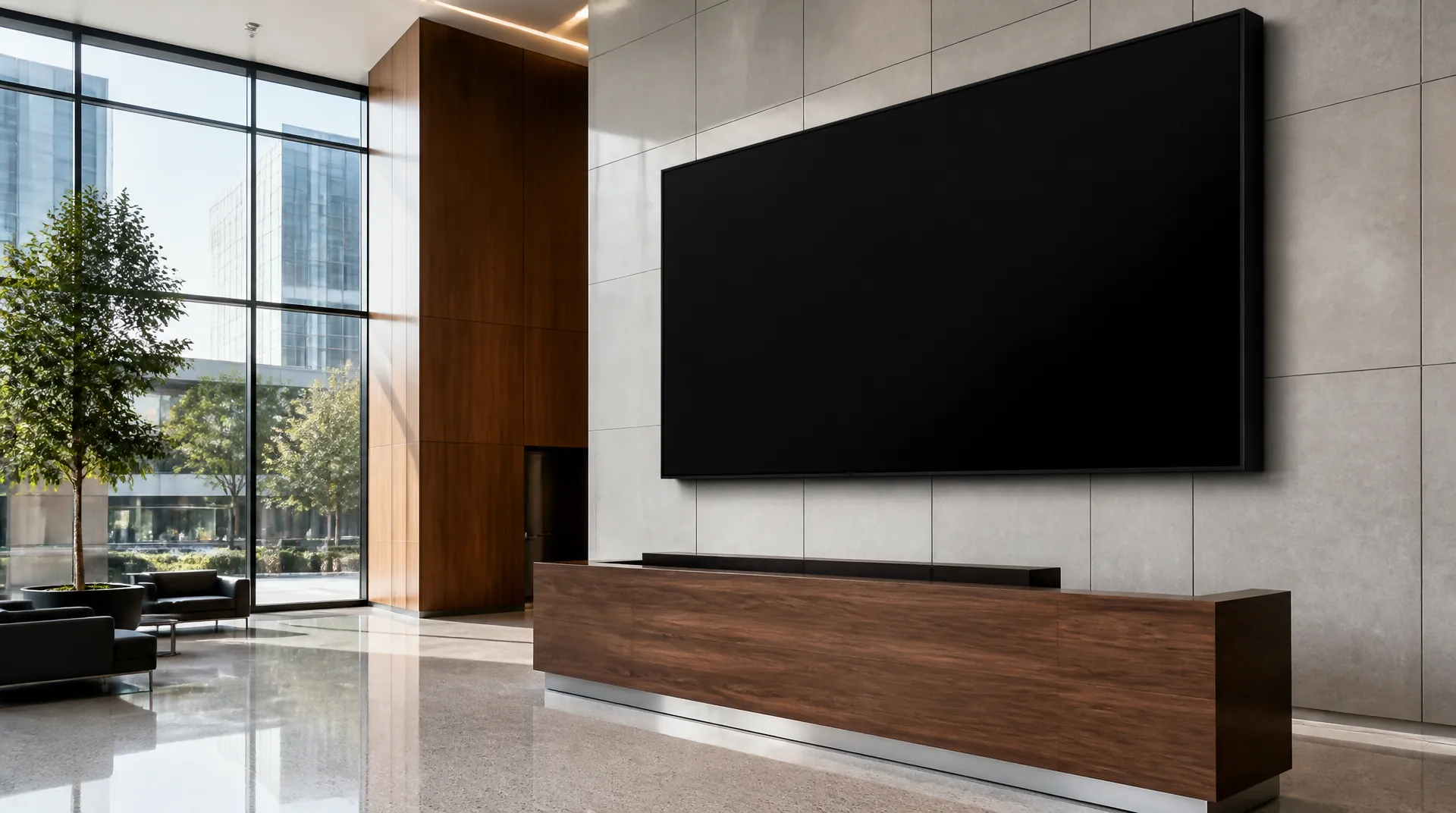
Lobby walls run presentation and signage off one system.
Bars keep their own zone and their own volume cap.
Private dining reads as architecture, not install.
Daylight is a design input, not an obstacle.
Loft plans zone dining away from the kitchen clatter.
Coffered ceilings hide coverage, not capability.
Show all 10 photosShow fewer photos
Tall volumes carry sound top to bottom.
Open kitchens hold their own background level.
Scene lighting and speaker coverage share the same ceiling.
Weather-rated displays stay out when the weather turns.
Our Process
After-hours installs, zone maps first
Zone map first, after-hours install second — the schedule bends around your service hours, not ours.
Complimentary phone consultation
We start on a call: how many zones you need, how many displays, whether we are wiring a finished restaurant or an empty shell, and which nights work can happen. No charge, no obligation. If it is a fit, we book the walk.
On-site walk
We walk the facility during service hours and map dining, bar, lobby, patio, and back of house as separate zones. We also note who owns signage content and which nights we can work after close. You leave with a written scope.
Zone map and proposal
Our designers hold THX professional certification. We specify speakers, displays, and a content manager (the software that updates every screen from a browser) against measured acoustics and Texas daylight. The proposal lists equipment, zones, and cable paths.
After-hours install
Our technicians hang displays, pull speaker and control cable, and land a labeled rack during the agreed after-hours installation schedule. We coordinate with your contractor, electrician, and fire-alarm vendor when those systems share a ceiling.
Measure and hand over
We measure coverage in each zone, set volume limits, and program open and close scenes on a phone or wall panel. Managers practice updating signage and paging one zone before we leave, so a busy night cannot blast the dining room.
Local support
The Plano team handles updates, content-manager questions, and on-site repair across the DFW metroplex. You reach the people who built the rack at (469) 666-0747, Mon–Fri 9:00 AM – 6:00 PM · Sat 10:00 AM – 1:00 PM.
Industries
Spaces we design for
A dining room, an open office, a waiting room, and a worship hall fail in four different ways. We design for the failure you are trying to avoid.
Corporate offices
Open offices need sound masking, a low background hush that covers nearby conversations, plus paging that can stay on one floor. Lobbies get a video wall or portrait displays that marketing updates from a browser. Those screens share the building control system, so a visitor does not meet a black panel in reception.
Restaurants and retail
Kitchens are loud. Dining rooms need conversation. Patios fight Texas wind and heat. We wire those as separate zones with their own volume caps and schedules. Menu boards and promotional screens sit on the same content manager, including weather-rated outdoor displays when the storefront or patio needs one.
Medical and dental
Waiting rooms and corridors need paging and wayfinding without a consumer speaker on a reception shelf. We use even, quiet coverage and screens that a front-desk manager can update from a browser. Sound masking at open desks keeps the next conversation from carrying across the check-in counter.
Houses of worship
Speech has to land in the back pew and the overflow room. We design distributed speakers and assistive listening so spoken word stays clear at a comfortable level. House lighting and lyric screens sit on the same panel the volunteer desk can run.
What we install
Brands we install & support
Displays and video
4K displays for presentations and signage, plus video walls and projection for presentation spaces.
Audio and paging
Ceiling and surface-mounted speakers with amplification per zone, paging, and sound masking for open offices.
Control
Scenes, lighting, and shades run on one system. We are a Control4 Certified Dealer and also program Savant and Lutron.





Common Questions
Questions about commercial av & automation
01How much does a commercial AV system cost?
Cost depends on how many zones you need, how many displays, and whether we are wiring a finished restaurant or an empty shell. After a complimentary phone consultation we write a line-item proposal for equipment, cable, programming, and training. There is no price list. Call (469) 666-0747 to schedule that call.
02Do we need dedicated IT staff to run the system?
No dedicated AV engineer is required. Managers update signage from a browser and run volume and scenes from a phone or wall panel. We train your team at handover and can watch the system remotely. If you already have IT, we write down the network ports and VLANs (isolated network segments) we use so they stay in the loop.
03How long does commercial AV installation take?
A single dining room or lobby signage job is often done across a few after-hours nights. A whole-building audio and signage project takes several weeks because cable, mounts, and programming have to happen around your hours. The schedule is in the proposal. We work evenings or weekends so lunch service and meetings keep running.
04Can we update signage content ourselves?
Yes. Every signage design includes a content manager, the browser tool that pushes menus, promotions, and wayfinding to every screen. Your staff can change a lunch special from a phone and schedule weekend art in advance. Multi-location businesses can update every store from one login.
05Can you integrate with our existing network and business systems?
Yes. We land AV on your existing network or a dedicated switch, using VLANs (isolated network segments) so guest Wi-Fi and point-of-sale stay separate. Signage, paging, and control can also talk to the lighting, shade, and conference systems we install. We keep a working phone system in place while the speakers go live.
06What if a display or zone fails during a busy period?
A dead lobby wall or a silent dining room is a public failure. We program a simple restart path and, where the design calls for it, a backup source. The Plano team can diagnose many faults remotely. For on-site repair you call (469) 666-0747 and reach the crew that built the rack.
07Can this work with our existing Crestron, Control4, or AMX system?
Yes. We are a Control4 Certified Dealer and we also program Savant and Lutron. If you already have Crestron or AMX, we review whether the existing processor can take the new audio and signage before recommending that you keep or replace it. If the old program is a tangle, we say so in the proposal and quote a clean control layer.
08What commercial audio visual support is available after installation?
We train managers at handover and leave a written system map. Remote monitoring, where the design supports it, watches for faults and keeps firmware current. Many issues are diagnosed from Plano before anyone drives out. For repair you call (469) 666-0747 during posted hours (Mon–Fri 9:00 AM – 6:00 PM · Sat 10:00 AM – 1:00 PM) and reach the crew that built the rack. Ask during the phone consultation what that support includes.
09What changes the scope of a commercial AV installation?
Zone count, display count, and whether the building is a finished restaurant or an empty shell change the job more than the brand on the speaker. Outdoor screens, paging, sound masking, and after-hours work add scope. Lighting and shades add scope when they join the open and close scenes. We write a line-item proposal after a complimentary phone consultation and a walk, so you see equipment, cable, programming, and training before anything is ordered.
10What should we compare when we hire a commercial AV installer?
Compare design documents, cable certification test reports, labels, as-built drawings, training, and service after handover. Two proposals can list the same displays and still differ on whether the cable was tested and whether your managers can run a zone. We include those deliverables in the proposal. The walk is where we separate a dining-room audio job from a lobby video wall.
11How do you design a commercial AV system before ordering equipment?
We draw a zone map of every space that needs its own volume, source, and schedule. Then we look at speech, noise, and daylight on the screens. The proposal names speakers, displays, and the content manager against that map. Nothing is ordered until you approve it. If Lutron lighting or shades need to join the scenes, we specify them on the same control system. We are a Lutron Gold Dealer and a Control4 Certified Dealer.
12Can commercial audio visual share a building with conference rooms?
Yes. Zoned audio and signage can sit beside the conference room systems and the network infrastructure those rooms use. Guest Wi-Fi, point of sale, and AV sit on separate VLANs. Routing between those VLANs, the access rules on that path, and capacity planning are separate design tasks. We coordinate ceiling work with your electrician and fire-alarm vendor when those trades share a pathway.
13Do you install commercial AV across Dallas–Fort Worth?
Yes. The Plano crew installs commercial audio visual systems in Frisco, Plano, Dallas, McKinney, Allen, and the other north Dallas–Fort Worth suburbs on our service areas page. A restaurant soundtrack, a clinic waiting-room screen, and an office lobby wall are the same trade with different zones. The complimentary phone consultation is where we confirm the building is in range and which nights we can work after close. Call (469) 666-0747.
14What should we prepare for the consultation?
List the spaces that need independent volume, your operating hours, nights available for installation, who supplies signage content, and any network constraints. These are the inputs we use to plan the zones and installation schedule.
Related reading

More Commercial
Complimentary Consultation
Start with a complimentary consultation
Tell us about your space and what you want it to do — if it is a fit, we book the walkthrough, then send a written, line-item proposal. You approve the scope before anyone books a crew.
- A complimentary phone consultation. No obligation.
- A written proposal before any work is scheduled.
- We aim to respond within one business day.
No obligation · We aim to respond within one business day