

Network Infrastructure
Business Network Installation in Frisco, TX
Structured cabling, managed switches, and surveyed Wi-Fi for offices and shops.
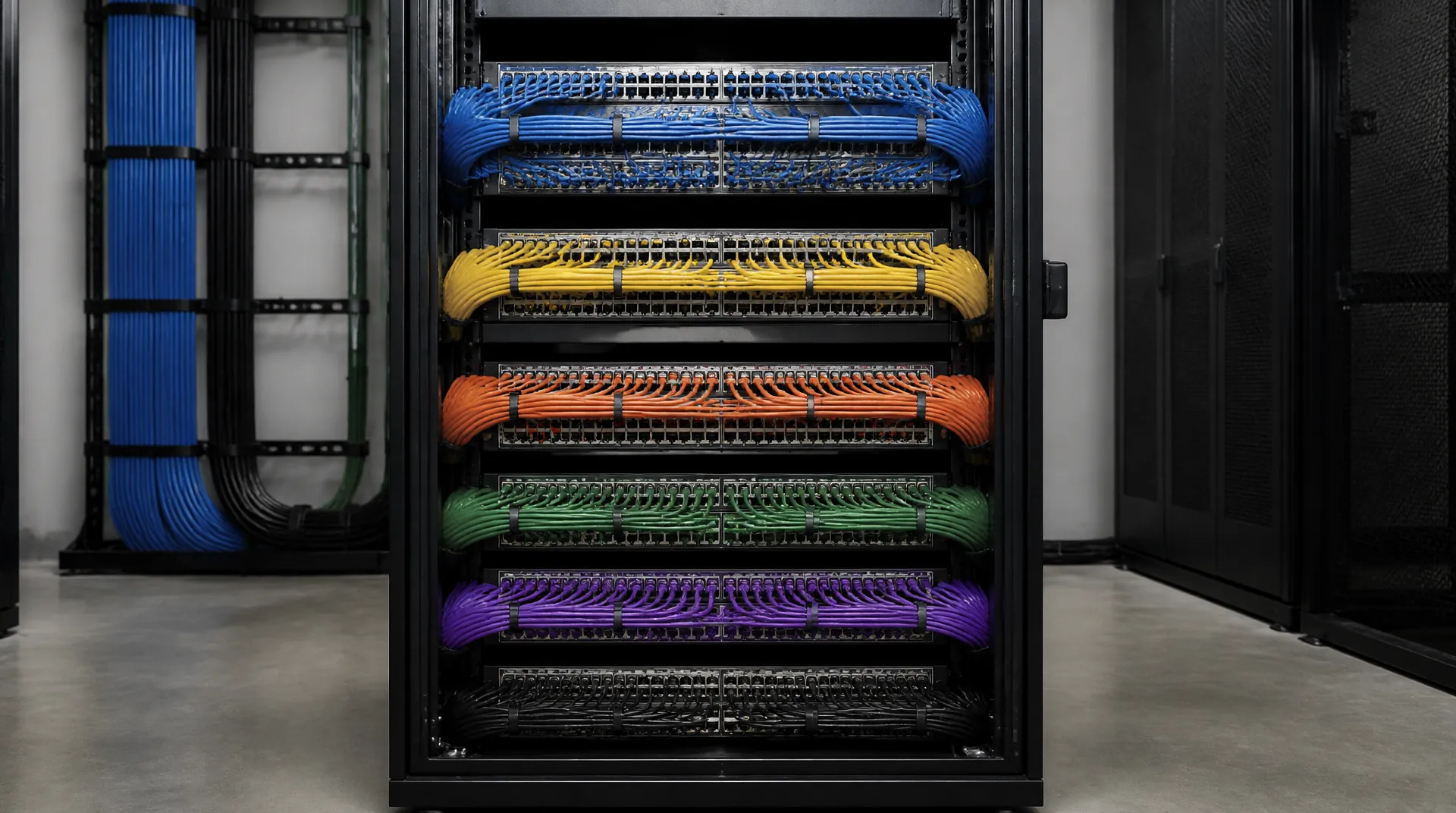
- Structured Cat6A & Fiber
- Surveyed Business Wi-Fi
- VLAN Segmentation & Firewalls
- Labeled Closets & Support
Wiring a house rather than an office? Start with planning a home network. For a business floor, read on.
Before the proposal
What decides your project
The inputs that size the work, then what a proposal includes and what you supply.
Single floor or larger plant?
A single-floor office or shop is often a few days once cable paths are open; a larger plant can run one to two weeks.
What traffic gets isolated?
Staff, guests, POS, AV, VoIP, and automation traffic ride separate VLANs. Routing, access rules, and capacity planning are specified for each segment.
Can we add a room later?
Closets are labeled and sized for additions, so adding a conference room becomes a patch rather than a recable.
What documentation survives handover?
You receive a labeled patch panel, a port map, a written list of guest and vendor accounts, plus a walkthrough with whoever owns the closet.
Scope ledger
Confirmed in writing before equipment is ordered.
- Included in the proposal
- Walkthrough, wireless survey, and written network design
- Cat6A or fiber pulling, termination, drop certification, closet dressing
- Firewall, VLAN, and roaming configuration, plus tested drops
- Two-year support on Essential scope; monitored options on higher tiers
You or facilities provide
- Floor plans, cable-path access, and existing equipment inventory
- Internet provider arrangements and failover preference
- IT ownership decisions for accounts and passwords
Local team
Digitalholics LLC
8105 Rasor Boulevard, Suite 211, Plano, TX 75024
Packages
Scope by failure cost
Scope by failure cost: a designed closet first, multi-zone second, redundant and monitored third.
Cable and closet scope
| Situation | What we pull | Handover |
|---|---|---|
| New build or tenant build-out | Cat6A to every access point and desk drop, with the closet, cable paths, and rack power placed on the drawings before the walls close | Labeled patch panel, port map, and a walkthrough with whoever will own the closet |
| Finished office | New Cat6A where paths allow, keeping the existing plant the proposal says we can keep; staged so the floor keeps working | Updated port map and the network diagram of the closet you now own |
| Floor to floor | Fiber between floors or buildings when copper is the wrong span | Labeled termination, with each run on the port map |
Essential Workplace Network
A designed closet and whole-floor Wi-Fi for a single office or shop.
- On-site walkthrough and written network design
- Business-grade router and managed switch
- Surveyed access points with guest isolation
- Separate VLAN for staff and guests
- Labeled cabling and closet documentation
- Two-year support after handover
Premium Connected Property
Multi-zone design for a larger office or mixed-use floor.
- Multi-zone architecture across the property
- Automation traffic (Control4 or Savant) on its own segment
- Enterprise firewall and outdoor coverage
- Climate-controlled equipment rack
- Network storage ready for media and backup
- Three-year priority support with remote monitoring
Enterprise Workplace Network
Redundant, monitored infrastructure for offices that cannot go down.
- Redundant internet with automatic failover
- Segmented VLANs for staff, guests, POS, and AV
- VoIP-ready switching with traffic priority
- Occupied-facility install staging
- Full closet documentation and port map
- Remote monitoring and proactive maintenance
Network Infrastructure
Digitalholics designs and installs the network plant for offices, shops, clinics, and mixed-use floors: structured cabling, fiber between closets, a labeled rack, managed switches, and Wi-Fi placed from a survey. We work from our Plano office for buildings in Frisco, Plano, Dallas, McKinney, Allen, and the other north Dallas–Fort Worth suburbs. We build and test that plant and work alongside your IT provider. Your IT provider keeps the servers, the cloud accounts, and the help desk.
Complaints trace back to one access point covering three rooms it was never meant to reach, or a switch sharing a circuit with the espresso machine. We walk the floor, run a wireless survey, pull cable to every access point and desk drop, and land it on a labeled switch.
ANSI/TIA-1152-A sets the reporting and accuracy requirements for field testers used on balanced twisted-pair cabling in the ANSI/TIA-568.0-D premises standards. After the cable is in, we test the new copper drops and hand you those results with the labels.
TIA-568.1-E-1 adds a requirement for two category 6A cables to each wireless access point. We use category 6A for new desk and access-point drops. Between floors or buildings we use fiber when a copper run is the wrong span. In a finished office we keep existing cable when the proposal says it can stay.
TSB-162-B covers the topology, design, installation, and testing of the cabling between the closet and the wireless access points, including the pathways and spaces that support them.
IEEE 802.3bt-2018 raises the power a device can draw by using all four pairs in the structured wiring, and the switch and the device negotiate a power class. Camera and access-point demand is what determines the switch we select.
Our crew pulls and terminates the low-voltage cable, dresses the rack, and labels the closet. The building electrician lands the line-voltage circuits that feed the rack. Your IT provider owns servers, identities, and the help desk. We walk their technician through the closet at handover.
Guest Wi-Fi, point-of-sale registers, and conference AV sit on separate VLANs (isolated network segments). Traffic between those VLANs is routed, and the access rules that limit that traffic are a separate setting. Capacity planning, including quality of service, is a third design task. When you compare cabling installers, ask for design documents, cable certification test reports, labels, as-built drawings, a closet walkthrough, and who you call after handover. We hand you a labeled patch panel, a port map, and the test results.
Before a tenant build-out closes the walls, we put the network closet, cable paths, rack power, and every access-point location on the drawings. The wireless survey sets access-point placement from the floor plan and the expected device load. Conference rooms that ride this plant are on the conference room systems page. Cameras and door controllers are on access control and security. Why the closet has to be right before the AV is explained in network infrastructure for AV systems.
How we approach the work
Wi-Fi complaints trace back to one access point covering three rooms it was never meant to reach.
What’s included
- Structured Cat6A & Fiber
- Surveyed Business Wi-Fi
- VLAN Segmentation & Firewalls
- Labeled Closets & Support
Wireless Survey First
Coverage is predicted on the floor plan, then checked on site. Access points go where people work, including conference rooms and the far end of open offices.
Isolated by Design
Guests, registers, AV, and staff sit on separate VLANs. Routing between those VLANs, the access rules on that path, and capacity planning are separate design tasks.
Labeled, Then Handed Over
Every port is mapped. You get a diagram and a walkthrough. Optional monitoring alerts the Plano team when an uplink or access point fails.
Start with a complimentary consultation
Start with a ConsultationNo obligation · We aim to respond within one business day
The Rack
What a handed-over closet looks like
Select any photo to enlarge
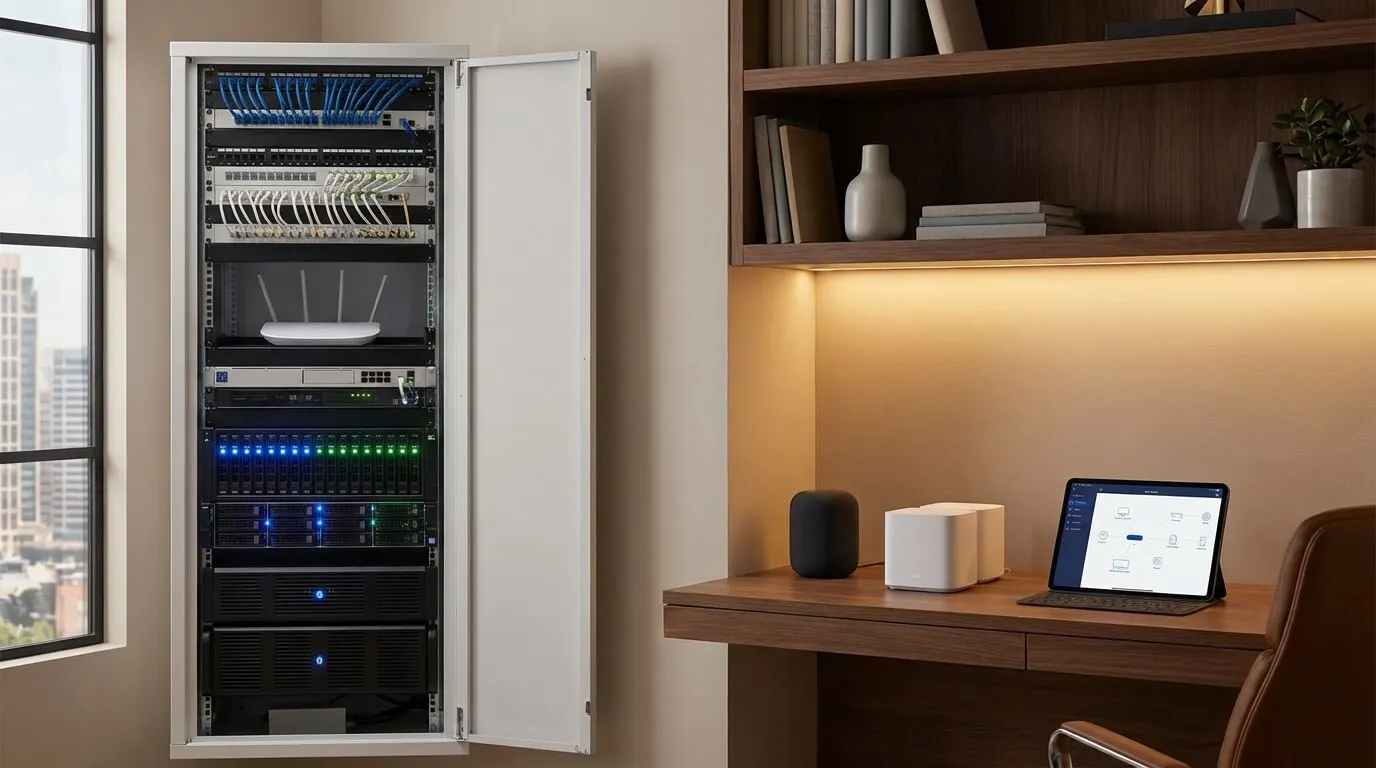
A labeled cabinet is the deliverable, not an accessory.
Switch ports seat combed cables, labeled both ends.
Low-voltage rough-in lands before ceilings close.
Access points mount where people actually gather.
Coverage is planned for the far corners, not just the router.
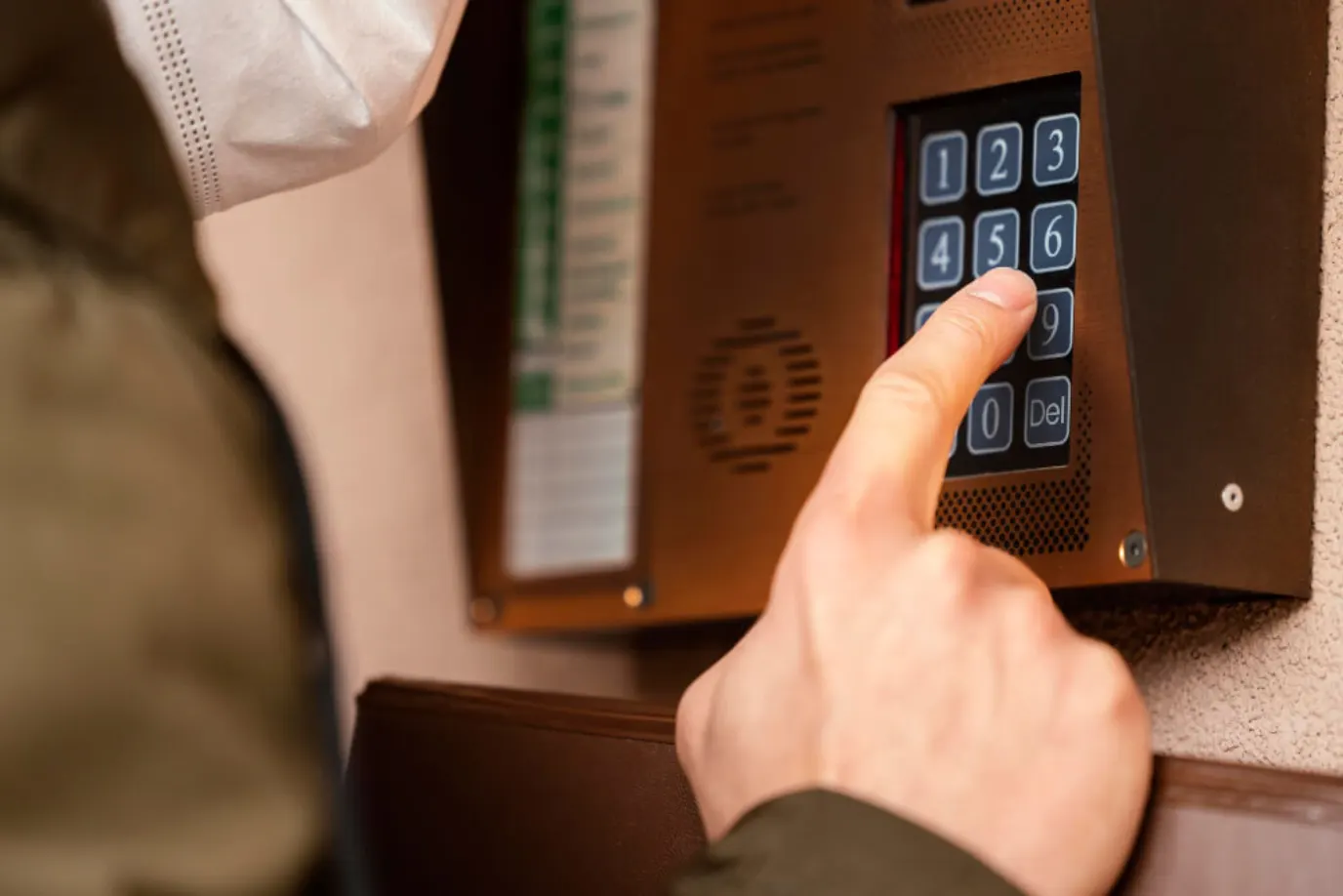
Controllers ride the plant built for them.
Show all 11 photosShow fewer photos
Countertop tablets assume the network never drops.
The building exterior gets its own coverage plan.
Exterior walks and decks need outdoor-rated coverage too.
Guest traffic stays off the wires that carry the work.
A phone app holds lounge lights and temperature together.
Our Process
Walk, survey, pull, certify
Walk, survey, pull, certify, hand over — the closet is a short disruption and the floor keeps working.
Complimentary phone consultation
We start on a call: floor size, headcount, what the current closet and internet handoff look like, and whether failover internet matters. No charge, no obligation. If it is a fit, we book the site walk. Bring floor plans, existing equipment details, register locations, and your current internet arrangements to the consultation.
Site walk & scope
We walk the floor with your team. We note desk density, conference rooms, register locations, and where people stand with laptops. We inspect the closet and the internet handoff. You leave with a written scope for the plant.
Survey & design
A wireless survey maps coverage on your floor plan. We specify access point count, switch ports, and a VLAN (isolated network segment) layout for guests, staff, AV, and registers. The proposal lists cable paths, closet layout, and what existing plant we can keep.
Pull, terminate, certify
Our in-house crew pulls, terminates, and certifies new Cat6A and fiber. Access points mount where the survey placed them. The closet is dressed, labeled, and tested before we turn services on. Occupied offices are staged so the floor can keep working.
Configure & hand over
We configure the firewall, VLANs, and roaming, then test every drop. You get a labeled patch panel, a port map, and a walkthrough with whoever will own the closet. Guest access, vendor accounts, and passwords are written down for your IT provider.
Monitor & support
Optional remote monitoring watches uplinks, access points, and switch health. Firmware stays current after handover. When something degrades, you reach the Plano team at (469) 666-0747. Those are the same people who built the plant, during posted hours (Mon–Fri 9:00 AM – 6:00 PM · Sat 10:00 AM – 1:00 PM).
Industries
Buildings that cannot afford a dead zone
Every building shares one truth: guest traffic, registers, and AV must not ride the same wire.
Corporate offices
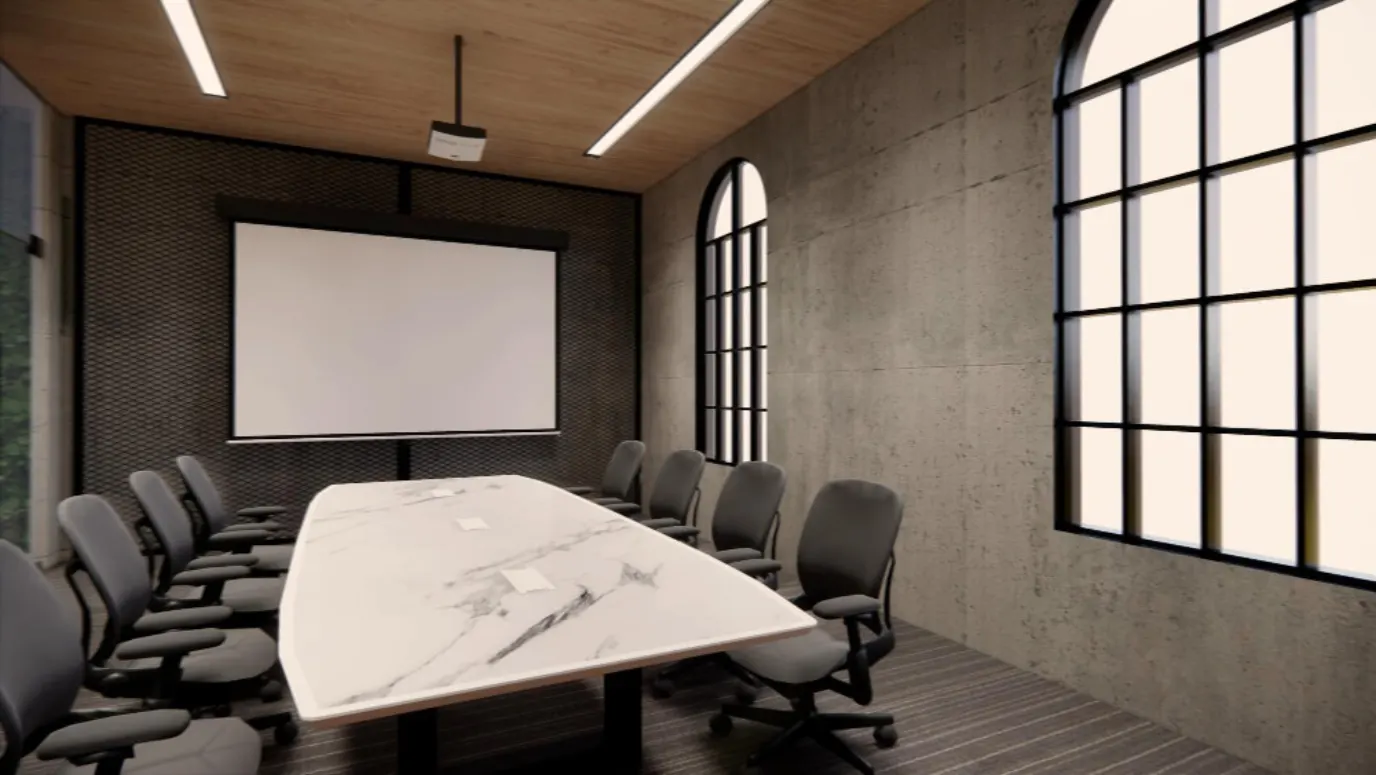
Open-plan floors and glass conference rooms need more than a mesh kit in a closet. We survey coverage for huddle rooms and desk neighborhoods, then give conference AV its own VLAN. Routing, access rules, and capacity planning for that segment are specified on their own. Closets are labeled and sized so adding a room later is a patch, not a recable.
Restaurant & retail
Registers, kitchen displays, handhelds, and patio guest Wi-Fi cannot share one flat network. Dining-floor tablets and the point-of-sale VLAN are separate segments, and the access rules between them are set on their own. We place access points for the dining room and back of house separately, and we document every drop so a remodel does not become a guess. For cameras and door controllers, see Access Control & Security.
Professional practices
Waiting rooms need guest Wi-Fi. Exam rooms and offices need a private segment for practice software, printers, and imaging. We keep those apart, run wired drops to the desks that cannot drop, and leave a closet a practice manager can understand without a ticket to IT.
What we install
Brands we install & support
## Compare the cabling and handover scope When comparing bids, ask which cable paths and existing cabling the design uses, what testing the installer includes, and what documentation you receive. Our written proposal lists cable paths, closet layout, existing cabling we can keep, labor, and the support term. We certify new Cat6A and fiber during installation; at handover, you receive a labeled patch panel, port map, and closet walkthrough.



Common Questions
Questions about network infrastructure
01How much does a business network installation cost?
Cost depends on floor size, how much new category 6A we pull, access point count, and whether you need failover internet or a closet rebuild. We do not print a menu price. After a complimentary phone consultation we send a written proposal that lists the plant, the labor, and the support term. Call (469) 666-0747 to schedule that call.
02Do I need to replace my existing internet service?
Usually no. The carrier modem can stay; we rebuild everything behind it: cabling, switching, Wi-Fi, and segmentation. A second circuit earns its cost when the business cannot stop for an outage — card processing, all-day video calls, or a front desk that takes payment. If your plan is too slow for the load, or you want failover, we will say so in the proposal. Bring your current plan's speed to the consultation; we help you have that conversation with your ISP.
03How long does network infrastructure installation take?
A single-floor office or shop is often a few days once cable paths are open. A larger plant with new drops, a closet rebuild, and a wireless survey can run one to two weeks. New construction follows the builder's schedule. We stage occupied spaces so staff can keep working.
04Do you replace our IT provider?
No. We build and test the cabling and the network plant, then work alongside the IT provider you already have. They keep the servers, the cloud accounts, and the help desk. We hand them a labeled closet, a port map, and the cable test results. If you do not have an IT provider, the proposal still stops at the plant. We do not take on managed IT support.
05How do you ensure network security for my property?
Guest, staff, point-of-sale, and AV traffic sit on separate VLANs. A business firewall filters inbound traffic, and we keep firmware current. Optional remote monitoring watches for offline access points and unusual load. We size this to the property so a small office is not running a data-center stack.
06What business Wi-Fi do you install?
We start with a wireless survey, then place managed access points where the floor plan and device load require them. Cat6A runs back to a labeled switch, while guest, staff, point-of-sale, and AV traffic use separate VLANs. Handover includes labeled ports and a network diagram, with optional remote monitoring for access points and uplinks.
07What does remote monitoring and support include?
Optional remote monitoring watches uplinks, access points, and switch health, and can alert the Plano team when an uplink or access point degrades. When something degrades, you call (469) 666-0747 and reach the Plano team during posted hours (Mon–Fri 9:00 AM – 6:00 PM · Sat 10:00 AM – 1:00 PM). Those are the same people who built the plant. The support term, what is included and for how long, is stated in the written proposal.
08How do you handle installation in an occupied office?
We stage work so staff can keep working. The crew pulls, terminates, and certifies new cabling, then labels and tests the closet before turning services on.
09Where do you use Cat6A and fiber?
We use category 6A for new desk and access-point drops. TIA-568.1-E-1 adds a requirement for two category 6A cables to each wireless access point. Between floors or buildings we use fiber when a copper span is the wrong length. In a finished office, the proposal identifies existing cabling we can keep.
10What is included in network cabling for an office?
A walk, a wireless survey, new category 6A where the paths allow, fiber when a copper span is the wrong length, a dressed rack, and a labeled closet. We test the new drops and hand you the test results, a port map, and a walkthrough. Guest, staff, point-of-sale, and AV traffic sit on separate VLANs. Your IT provider still owns the servers and the help desk.
11How is low-voltage cabling different from the electrician's work?
We pull and terminate the low-voltage cable: category copper, fiber, and the runs to access points, cameras, and room devices. We also dress the rack. The building electrician lands the line-voltage circuits that feed that rack. We do not take the electrical permit for those circuits. The proposal names which pathways are ours and which circuits we need from the electrician before the closet can power up.
12How do you test new network cable?
After the cable is in, we test new copper drops with a field tester. ANSI/TIA-1152-A sets reporting and accuracy requirements for those testers on balanced twisted-pair cabling. You receive the test results with the labels and the port map. A drop that fails stays on the punch list until it passes.
13What should a buyer compare on a cabling proposal?
Ask which cable category is specified, which existing runs stay, what test you receive, how ports are labeled, and whether the closet drawing shows rack power. Also ask who owns the help desk after handover. We build and test the plant. Your IT provider keeps servers and accounts. Two bids can both say category 6A and still differ on testing and on the as-built drawings.
14Do you install network cabling across Dallas–Fort Worth?
Yes. The Plano crew installs structured cabling, surveyed Wi-Fi, and closet build-outs in Frisco, Plano, Dallas, McKinney, Allen, and the other north Dallas–Fort Worth suburbs. Occupied floors are staged so staff can keep working. New construction follows the builder and lands drops before drywall. The complimentary phone consultation is where we confirm floor size and whether failover internet matters.
Related reading

More Commercial
Complimentary Consultation
Start with a complimentary consultation
Tell us about your space and what you want it to do — if it is a fit, we book the walkthrough, then send a written, line-item proposal. You approve the scope before anyone books a crew.
- A complimentary phone consultation. No obligation.
- A written proposal before any work is scheduled.
- We aim to respond within one business day.
No obligation · We aim to respond within one business day