
Smart Home Network Infrastructure Cost in Frisco
By Sri TummalaUpdated 7 min read
No obligation · We aim to respond within one business day
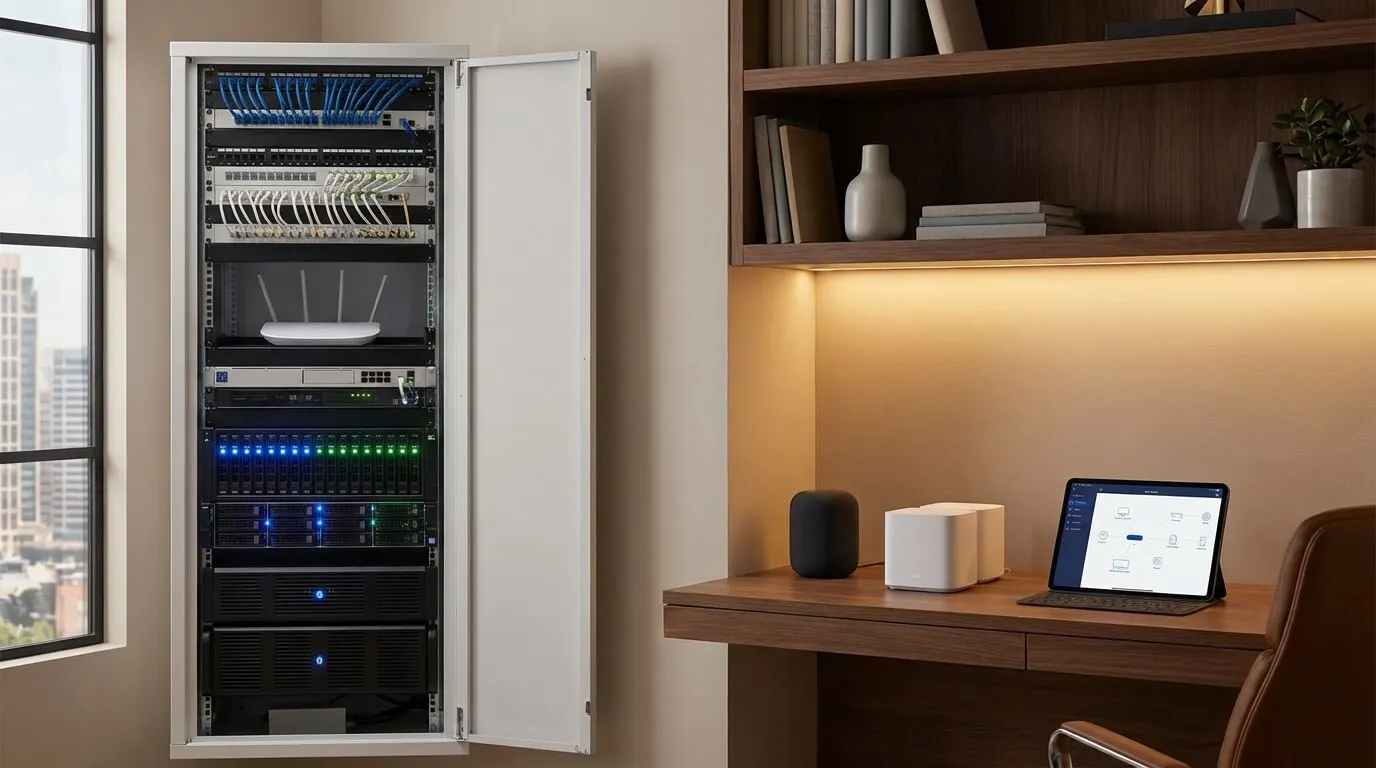
So, if you’re looking to upgrade your smart home network in Frisco, you’re typically looking at costs between $2,000 and $6,000 for basic upgrades. If you want a complete enterprise-grade system that supports 50-100+ devices, expect to spend anywhere from $8,000 to over $15,000. Most homeowners end up investing around $4,000 to $8,000 for reliable WiFi coverage, managed switches, support for security cameras, and professional configuration. This way, you can ensure everything runs smoothly for your Control4, security, streaming, and whole-home audio systems.
Here’s the thing: this guide lays out all the cost factors that’ll affect your network investment. You’ll find out why consumer routers often fall short in smart homes, what enterprise equipment you really need, how much bandwidth your security cameras and streaming devices require, and why a professional network can save you from the buffering and dropouts of DIY setups.
Wanna know more? Check out our professional network design and smart home integration services available throughout Frisco and North Texas.
Quick Cost Summary: Smart Home Network InfrastructureLink to this section
| Network Level | Device Support | Budget Range | Timeline | Best For |
|---|---|---|---|---|
| Basic Upgrade | 15-30 devices | $2,000-$4,000 | 1-2 days | Small homes, basic automation |
| Standard Smart Home | 30-60 devices | $4,000-$8,000 | 2-3 days | Complete automation, security cameras |
| Advanced System | 60-100 devices | $8,000-$15,000 | 3-5 days | Large homes, extensive cameras, AV |
| Estate Network | 100-200+ devices | $15,000-$30,000+ | 5-10 days | Multi-building, commercial-grade |
What’s Included: You’ll get enterprise WiFi access points, managed switches, network cabling, professional configuration, VLANs for security, monitoring tools, and training. Just keep in mind, additional costs may come into play for extensive wiring, outdoor coverage, or redundant systems.
Why Consumer Equipment Fails: Those $200 consumer routers are only meant for 10-15 devices. But smart homes often have 40-100+ devices—things like cameras, lights, locks, thermostats, TVs, tablets, and speakers. Consumer gear just can’t handle that kind of load—you’ll notice buffering, dropouts, and devices going offline if you try.
Why Smart Homes Need Professional NetworksLink to this section
The Device Count ProblemLink to this section
Typical Smart Home Device Count:
| Category | Typical Devices | Network Impact |
|---|---|---|
| Security Cameras | 8-20 cameras | HIGH (constant streaming, 2-8Mbps each) |
| Lighting Control | 20-50 switches/dimmers | LOW (command-only, minimal bandwidth) |
| Smart Home Hub | 1-3 processors | MODERATE (coordination traffic) |
| Motorized Shades | 10-30 shades | LOW (command-only) |
| Thermostats | 2-4 zones | LOW (periodic updates) |
| Smart Locks | 2-6 locks | LOW (command-only) |
| TVs & Streaming | 4-8 TVs | VERY HIGH (4K = 25Mbps each when active) |
| Tablets/Phones | 6-12 devices | MODERATE (variable usage) |
| Computers/Laptops | 3-6 devices | MODERATE to HIGH (work, gaming) |
| Audio Systems | 6-12 zones | MODERATE (streaming 1-2Mbps/zone) |
| IoT Devices | 10-20 misc devices | LOW (individual), MODERATE (collective) |
| TOTAL | 72-171 devices | Requires enterprise equipment |
Bandwidth Reality Check:
Simultaneous worst-case scenario (evening entertainment):
- 12 security cameras: 12 × 4Mbps = 48Mbps
- 3 TVs streaming 4K: 3 × 25Mbps = 75Mbps
- 2 tablets/phones streaming: 2 × 10Mbps = 20Mbps
- 2 audio zones streaming: 2 × 2Mbps = 4Mbps
- 50 smart home devices: 10Mbps (coordination traffic)
- Total: 157Mbps simultaneous
Consumer routers ($200) are rated for 300Mbps, but in real life, you’re only getting about 100-150Mbps when you try to connect 10-15 devices before it starts to struggle. This is exactly why smart homes need enterprise equipment.
Consumer vs Enterprise EquipmentLink to this section
| Aspect | Consumer (Best Buy) | Enterprise (Professional) |
|---|---|---|
| Cost | $150-$300 | $2,000-$8,000 |
| Device Capacity | 10-15 devices (realistic) | 100-250 devices per AP |
| Coverage | 1,500-2,500 sq ft | 2,500-5,000 sq ft per AP |
| Reliability | Reboot weekly, replace every 2-3 years | 24/7 operation, 10+ year lifespan |
| Management | Basic web interface | Professional controller, VLANs, monitoring |
| Security | Basic firewall | VLANs isolate IoT, advanced firewall |
| Handoff | Drops when moving between units | Seamless roaming, zero dropouts |
| Updates | Manual, infrequent | Automatic, managed, tested |
| Support | Consumer tech support (poor) | Professional integrator support |
| Best For | Apartments, basic internet use | Smart homes, security cameras, automation |
What Determines Network Infrastructure CostLink to this section
1. WiFi Coverage and Access PointsLink to this section
Honestly, professional access points are the backbone of reliable WiFi.
| Home Size | Access Points Needed | Equipment Cost | Installation Cost | Total |
|---|---|---|---|---|
| Small (2,000-2,500 sq ft) | 2 APs | $400-$800 | $600-$1,200 | $1,000-$2,000 |
| Medium (2,500-3,500 sq ft) | 3 APs | $600-$1,200 | $900-$1,800 | $1,500-$3,000 |
| Large (3,500-5,000 sq ft) | 4-5 APs | $800-$1,500 | $1,200-$2,500 | $2,000-$4,000 |
| Estate (5,000+ sq ft) | 6-10+ APs | $1,500-$3,000+ | $2,500-$5,000+ | $4,000-$8,000+ |
Popular Enterprise Access Points:
| Brand/Model | Cost Each | Device Capacity | Best For |
|---|---|---|---|
| Ubiquiti UniFi U6+ | $120-$180 | 100-150 devices | Budget-conscious professional |
| Ruckus R650 | $400-$600 | 200-250 devices | High-density, best reliability |
| Luxul XAP-1610 | $350-$500 | 150-200 devices | Control4 integration, solid performance |
| Pakedge WK-2 | $500-$700 | 200+ devices | Premium, integrator-exclusive |
Our Recommendation: I’d go with the Ruckus R650 for the best reliability and performance. If you’re on a budget, check out the Ubiquiti UniFi. Both are far superior to anything you’ll find in consumer gear.
Coverage Planning:
- One AP per floor minimum (to avoid vertical handoffs)
- Central placement is key for maximum coverage
- Avoid closets/corners (they limit signal propagation)
- Hardwire all APs (never mesh, always use Ethernet backhaul)
- Plan for outdoor coverage (pool and patio areas need dedicated AP)
2. Network SwitchesLink to this section
Switches are what connect all your hardwired devices—APs, cameras, Control4, NVR, you name it.
| Switch Type | Port Count | Cost Range | When Needed |
|---|---|---|---|
| Unmanaged Consumer | 8-16 ports | $50-$150 | Never (not for smart homes) |
| Managed Switch (8-port) | 8 ports | $150-$400 | Small systems, single rack |
| Managed PoE (16-port) | 16 ports | $400-$800 | Most homes (APs + cameras) |
| Managed PoE (24-port) | 24 ports | $600-$1,500 | Large homes, many cameras |
| Enterprise PoE (48-port) | 48 ports | $1,500-$3,000 | Estates, commercial-grade |
Why Managed + PoE Matters:
- Managed: VLANs keep IoT devices isolated from the main network (for security)
- PoE (Power over Ethernet): Powers access points and cameras through the network cable (no extra power outlets needed)
- Quality of Service (QoS): Prioritizes critical traffic (like security cameras and Control4 commands)
- Monitoring: Allows you to see device health, bandwidth usage, and troubleshoot issues
Port Count Planning:
Typical Medium Home (3,500 sq ft):
- 3 Access Points: 3 ports
- 12 Security Cameras: 12 ports
- 1 NVR (camera recorder): 1 port
- 1 Control4 processor: 1 port
- 2 Control4 audio matrices: 2 ports
- 1 Alarm panel: 1 port
- 2 Smart TVs hardwired: 2 ports
- 1 Modem: 1 port
- 2 Future expansion: 2 ports
- Total: 25 ports required = 24-port PoE switch ($600-$1,200)
3. Network Cabling and InfrastructureLink to this section
Look, professional networks need CAT6/CAT6A Ethernet wiring throughout your home.
| Cabling Element | Cost Range | When Needed |
|---|---|---|
| CAT6 Cable Run | $100-$200 per drop | New construction or open attic access |
| CAT6A Cable Run | $150-$250 per drop | 10Gbps backbone, future-proofing |
| Retrofit Fishing | $200-$400 per drop | Closed walls, difficult routing |
| Outdoor Burial | $300-$600 per run | Guest houses, outdoor APs, gate systems |
| Equipment Rack | $300-$800 | To organize switches, Control4, NVR |
| Rack Ventilation | $150-$400 | Prevents overheating in closets |
| UPS Battery Backup | $200-$600 | Protects equipment, keeps internet running during outages |
Typical Cabling Requirements:
- Access points: 2-5 drops
- Security cameras: 8-20 drops
- TVs (hardwire recommended): 3-6 drops
- Control4 keypads/touchscreens: 4-8 drops
- Equipment rack location: Central utility room or garage
Labor Costs:
- 15-25 drops (small home): $2,000-$4,000
- 25-40 drops (medium home): $4,000-$7,000
- 40-60 drops (large home): $7,000-$12,000
Frisco Installation Note: Most homes built after 2005 have good attic access, which keeps retrofit costs reasonable. Pre-wiring during construction can save you 50-60% compared to retrofit.
4. Network Controller and ManagementLink to this section
| Controller Type | Cost | Features | Best For |
|---|---|---|---|
| Ubiquiti UniFi Controller | $0-$200 | Software-based or CloudKey, basic management | Budget-conscious systems |
| Ruckus ZoneDirector | $800-$1,500 | Enterprise management, advanced features | High-reliability priority |
| Pakedge BakPak | $1,000-$2,000 | Integrator-grade, Control4 optimized | Professional installations |
| Integrated (Control4/Savant) | Included in system | Unified management for seamless operation | Full smart home integration |
Final Thoughts: Investing in a professional network infrastructure means your smart home will run efficiently and reliably. Don’t settle for consumer-grade equipment that can’t keep up with the demands of modern smart living.
Invest in Your Smart Home NetworkLink to this section
Our advice is pretty straightforward: invest in a professional network infrastructure for your smart home. It really is worth every penny for peace of mind and smooth operation.
Final RecommendationsLink to this section
- Budget wisely: $2,000-$4,000 for basic, $4,000-$8,000 for standard, and $8,000+ for advanced systems.
- Choose carefully: Go for enterprise-grade equipment for reliability and performance.
- Plan ahead: Think about future expansion and make sure you have proper coverage throughout your home.
Why Choose UsLink to this section
- 9+ Years of Experience
- Local Expertise in Frisco and Surrounding Areas
- Transparent Pricing with No Hidden Fees
- Professional Installation and Support
- Customer Satisfaction Guaranteed
Ready to transform your smart home network? Start with a Consultation.
About Our CompanyLink to this section
We specialize in smart home automation and network infrastructure, delivering tailored solutions to enhance your living experience.
Related Smart Home ResourcesLink to this section
- Smart Home Integration Services
- Smart Home Security Systems
- Home Networking Tips
- Home Automation Solutions