Smart Lighting Cost Frisco 2026: Complete Pricing Guide [Save $5K+]
No obligation · We aim to respond within one business day
Complimentary phone consultation
Talk it through with a local designer. Written proposal before anyone books a crew.
No obligation · We aim to respond within one business day
Smart lighting in a Frisco house is priced by load count and how you control those loads. For bulbs and Wi-Fi switches, plan on $1,500-$4,000. The mid-range wireless band of $15,000-$30,000 is Lutron RadioRA 3, not Caséta. Caséta is priced by load count in a written proposal after a room measurement. Ranges are for planning; your written proposal follows a site visit.
This page is the bulb, app-switch, and Caséta-tier retrofit decision. A whole-home lighting-control system (RadioRA 3, HomeWorks, Control4 lighting) is a different job and lives on the lighting-control system cost guide. Product options without a budget sit on the smart lighting solutions guide.
What actually drives the cost?Link to this section
Cost moves with scope, rooms, wiring, equipment tier, and programming. Square footage is a weak proxy. A 3,500-square-foot house with forty switch legs is a different job from the same floor plate with twelve dimmable loads and a pile of smart bulbs.
Scope is the count of loads you want on a scene, plus the remotes and sensors that talk to them. Rooms matter because a kitchen with cans, pendants, and under-cabinet tape is several loads, not one. Wiring matters because some Caséta models run on two wires and some need a neutral. Equipment tier is the gap between a Wi-Fi bulb, a Caséta dimmer, and a RadioRA 3 or panelized keypad system. Programming is the scene work that makes a keypad worth more than a paddle.
We put the wireless path this way: the wireless Lutron line replaces existing switches and adds battery-powered Pico remotes and keypads without opening walls. That is the retrofit cost story. Opening walls, pulling home-runs to a lighting panel, or adding a Control4 processor is the other page's job.
Dimming happens at the load, so incandescent, LED, and low-voltage fixtures on the same scene come up together instead of one flickering at the bottom of its range. Mixed fixture types on one dimmer are a load-match problem, not a brand preference. Check the dimmer's wattage rating against the fixture schedule before anyone prices a keypad.
Complimentary phone consultation
Curious what lighting, shades, or whole-home control would feel like in your house?
Describe the rooms and the routines you want. A complimentary phone consultation is the first step — no obligation.
No obligation · We aim to respond within one business day
What should you budget for bulbs, Wi-Fi switches, and a Caséta-class retrofit?Link to this section
Use the table below for planning. A firm price comes from a written proposal after a room measurement.
| System tier | Planning allowance (3,500 sq. ft.) | Hardware level | Best for |
|---|---|---|---|
| Entry / DIY | $1,500 - $4,000 | Wi-Fi bulbs / hubs (Hue, Caséta) | Apartments, single rooms |
| Mid-range (wireless) | $15,000 - $30,000 | Lutron RadioRA 3 | Existing luxury homes |
| High-end (panelized) | $35,000 - $80,000+ | Lutron HomeWorks / Control4 | New construction / gut renovation |
| Estate / custom | $100,000+ | Ketra / DALI integration (color temperature through the day) | Ultra-luxury / wellness lighting |
A $15,000-$40,000 wireless job sits across the mid-range row and the bottom of the high-end row. Treat $25,000 as a starting point for a 3,500-square-foot, four-bedroom wireless job, not as a quote. Custom estate work lands in the high-end and estate rows above, not Caséta.
A per-square-foot shortcut is $7-$12 per square foot of living space. Example: 3,500 × $7 = $24,500, and 3,500 × $12 = $42,000. That per-square-foot band is a quick cross-check, not a second price. For a 4,000-square-foot house, plan on $25,000-$35,000 for a wireless retrofit of the main areas and $45,000-$60,000 for a panelized new-build. Those last two numbers belong on the lighting-control cost page when the job is RadioRA 3 or HomeWorks, not a Caséta hub.
A common DIY mistake is $50 per smart switch × 40 switches = $2,000. The arithmetic is correct. The scope is not. That $2,000 buys paddles. It does not buy scenes, a processor, engraving, or the labor to match LED loads. DIY under $3,000 is the same idea: bulbs and a few app switches, not a house.
Room allowances and a first-phase totalLink to this section
| Room | Planning allowance | Includes |
|---|---|---|
| Kitchen | $1,500 - $2,500 | 3-4 load dimmers, 1 keypad, under-cabinet integration |
| Master suite | $1,200 - $2,000 | Main lights, reading lights, bedside keypad |
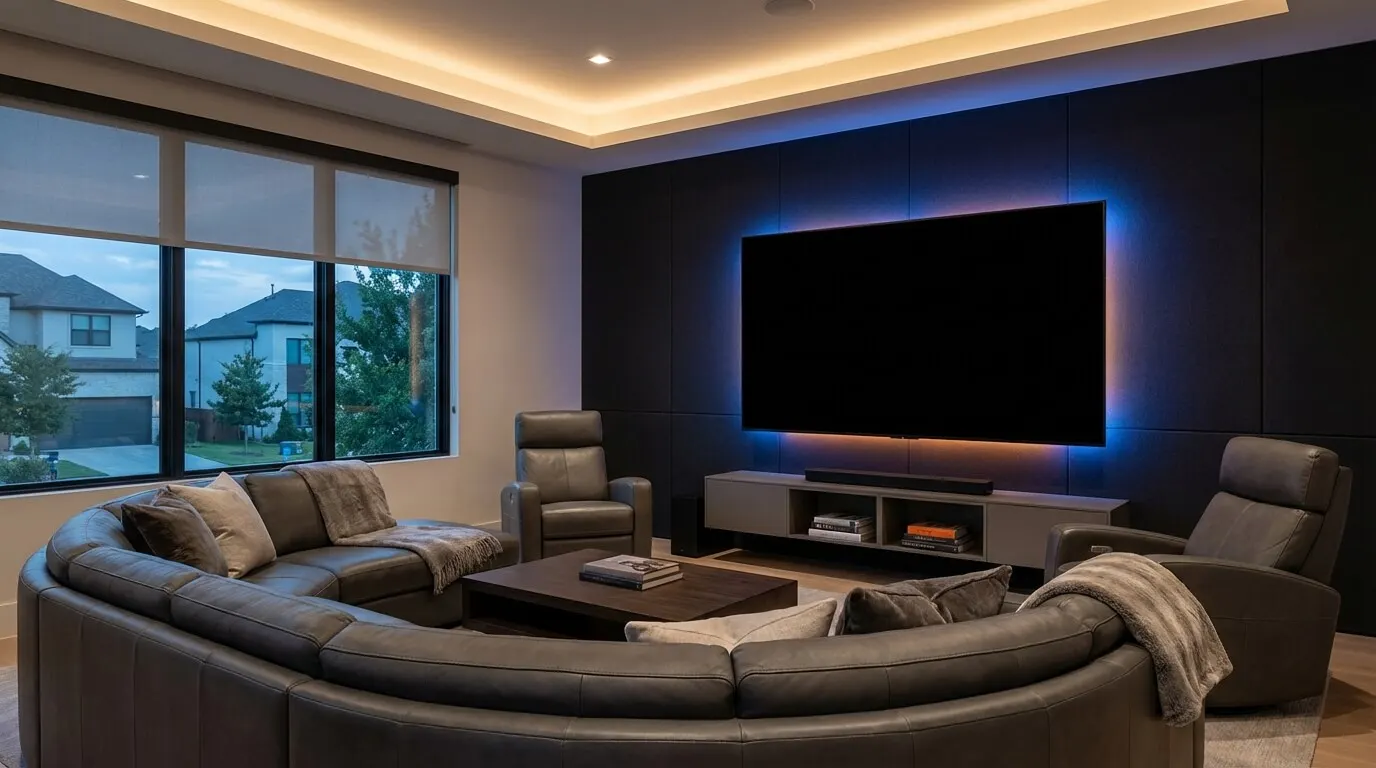
| Home theater | $1,500 - $3,000 | Sconces, overheads, LED strip integration, scene programming |
| Outdoor / yard | $2,500 - $5,000+ | Path lights, security floods, astronomical timer setup |
Example: kitchen low + master low + theater low + outdoor low = $1,500 + $1,200 + $1,500 + $2,500 = $6,700. The highs sum to $2,500 + $2,000 + $3,000 + $5,000 = $12,500. That is four rooms, not a house. A first-phase band for kitchen, living, dining, and the master suite is $10,000-$15,000 on a wireless system. Guest rooms and baths can wait if the platform can grow.
RadioRA 3 hardware allowances for planning, not a manufacturer price list: main processor $400-$600, Sunnata RF dimmers $150-$200 each, seeTouch keypads $300-$450 each, hybrid keypads $400-$550 each, auxiliary repeaters $300-$500. Example: 60 lighting loads × $150 = $9,000, and 60 × $200 = $12,000. A $10,000 example sits inside that $9,000-$12,000 dimmer-only band, before a processor, keypads, or labor.
Labor allowances in the Frisco and North Dallas market: junior technician / wire puller $85-$110 per hour, lead system integrator $125-$165 per hour, senior programmer $175-$250 per hour. Add-ons priced separately: $2,000-$5,000 for a network upgrade when the ISP router is the only access point, and $1,000+ when a box is missing a neutral or a circuit is overloaded. Network work has its own network infrastructure cost page.
When is a smart bulb enough, and when do you need a wall dimmer?Link to this section
Choose a smart bulb if the fixture is a socket you can reach, the lamp is the only load, and you accept that a wall switch still kills power to the bulb. Choose a Wi-Fi or app wall switch if you want the existing fixture to stay and you will live with that switch on your home Wi-Fi. Choose a Caséta dimmer if you want the wall control to stay live when the internet drops, and you want Pico remotes on a nightstand without pulling new travelers.
The Caséta load-controls spec (369987) states that load controls always operate locally and do not require system control. Power-failure memory returns the control to its previous level when power comes back. That is why a Caséta dimmer is a different product from a bulb that boots into an app.
On that same spec, a PD-6WCL or DVRF-6L Caséta dimmer is rated 150 W of 120 V LED when not ganged, with a 25 W incandescent minimum and a 600 W incandescent maximum (not ganged). A PD-10NXD PRO dimmer is rated 250 W of 120 V LED (not ganged). Those are those model ratings, not a class of all smart dimmers. Certain models or load types need a neutral. The PD-6WCL is the two-wire (no-neutral) dimmer on that sheet. The PD-10NXD works in two ways. On incandescent and halogen loads it can run without a neutral. It needs a neutral for MLV loads, LED drivers, dimmable ballasts, and listed power modules, and some low-wattage installs need one too.
A smart bulb is not worth it on a can you cannot reach without a ladder, on a fixture with a non-dimmable driver, or on a three-way circuit where you still want both locations to work. A cheap Wi-Fi switch is not worth it if the box already has a dimmer load that flickers, or if you are about to add motorized shades and want one radio. Shades have their own motorized shades cost guide.
How do you tell a Caséta job from a whole-home lighting-control system?Link to this section
Count devices, then count walls. The Caséta spec limits a Smart Hub or Smart Hub PRO system to 75 total wireless devices, including dimmers, switches, Pico remotes, Caséta motion sensors, and shades. The hub counts as one of those 75, so 74 other devices sit beside it. A Caséta repeater also counts as one of the 75. Each dimmer must sit within 60 ft line-of-sight or 30 ft through walls of the hub, hub PRO, or repeater.
Rule of thumb: device count = dimmers + switches + Pico remotes + Caséta sensors + shades + hub + repeater. If that sum is over 75, the Caséta hub is the wrong class. Example: 18 dimmers + 6 Picos + 2 sensors + 1 hub = 27. That fits. Example: 48 dimmers + 20 Picos + 8 sensors + 4 shades + 1 hub + 1 repeater = 82. That does not.
Lutron's RadioRA 3 architecture sheet (P/N 368-6138 Rev E) lists a Type A maximum of 200 devices or 200 zones per RadioRA 3 system, including four auxiliary or wireless repeaters and one processor address, with RF range of 60 ft between repeaters and 30 ft to other devices, and 2,500 sq ft of coverage per repeater or processor. Type X is a separate 200-device count. Up to four processors can join one system. Those capacities are why a mid-range row in the table names RadioRA 3. They are not Caséta numbers.
Lutron's Clear Connect RF Technology paper calls Clear Connect Type A a 434 MHz, FCC 15.231-based radio, and Clear Connect Type X a 2.4 GHz, IEEE 802.15.4-based radio. Caséta load controls on spec 369987 use Clear Connect RF with Pico remotes, Caséta motion sensors, and the Smart Hub. That is a different radio job from a Wi-Fi bulb sharing your streaming SSID. It is also not a Control4 lighting processor.
Choose Caséta if you are retrofitting a finished Frisco house, the device count stays under 75, and you want local wall control without opening walls. Choose RadioRA 3 or a panelized HomeWorks / Control4 lighting job if you are pre-wiring new construction, you need engraved keypads in place of multi-gang switch banks, or the device count will blow past a Caséta hub. Lutron versus Control4 on a lighting quote is Lutron for the dimming, and Control4 if the house already needs a whole-home controller. Price that second half on the lighting-control page, not here.
What mistakes inflate a quote?Link to this section
The expensive mistakes are uncounted loads, the wrong dimmer for the fixture, a hub that is out of range, and programming sold as a switch swap.
Uncounted loads: a kitchen that looks like one switch is often cans, a pendant, an island, and tape. Each is a load if you want it on its own scene. A 60-load house is how the $9,000-$12,000 dimmer-only band appeared above. Count the legs on the wall, not the rooms on a brochure.
Wrong dimmer: ganging Caséta dimmers in one box derates the wattage on spec 369987. A PD-6WCL drops from 600 W incandescent not-ganged to 400 W in the middle of a gang. LED ratings on that sheet stay at 150 W for the PD-6WCL even when ganged, but the fixture still has to be on Lutron's LED list. A flicker complaint after install can be a load-type miss, not a better-app problem.
Range: 30 ft through walls is the Caséta number to design to. A hub in a downstairs closet and a dimmer over a garage on a deep lot can need a Caséta repeater.
Programming sold as a swap: a keypad with blank buttons is a dimmer with extra plastic. Engraving is a lead-time item, not a field change. Button text and plate finishes belong on the order, not after the plates are on the wall. The $2,000-$5,000 network line above appears when phone control is part of the brief and the house is still on a single ISP gateway. That is not a lighting part. Price it as network, or leave phone control off the job.
Resale is not a lighting line item. A $1.5M Frisco house is priced by the market. A working keypad is something a buyer can operate.
Check the lighting scope before you signLink to this section
Ask the bidder to identify:
- Lighting loads by room and the dimmer model matched to each fixture.
- Any neutral-wire requirement for the selected dimmer.
- The Caséta device total, including the hub and repeater, against the 75-device limit.
- Hub placement and whether a repeater is included.
- Keypad button text, plate finishes, and engraving lead time.
- The scenes to be programmed.
- Any network work priced separately from lighting.
Have your room list and fixture models ready for a complimentary phone consultation. A written, line-item proposal follows a room measurement.
When is DIY the right call?Link to this section
DIY is the right call for a lamp you can unplug, a single reachable fixture, and a renter who cannot change the switch. A Caséta PD-6WCL in a one-gang box with a known LED load is a reasonable DIY swap if the box already has the wires the spec shows. Shut the breaker off and verify the wires are dead with a tester before you touch them, and hire an electrician when you are unsure. Stay off three-way travelers, multi-gang derating, ELV tape, and fans with their own modules unless you will read that model's sheet to the end.
Hire the work when the box is shared with a dimmer that already flickers, when a neutral is missing and the chosen model needs one, when you want scenes across rooms, or when shades and lighting have to land on the same button. The $1,500-$4,000 DIY band is for the first case. The mid-range wireless band of $15,000-$30,000 is RadioRA 3 on the lighting-control page. A Caséta swap is priced by load count, not that band. Crossing those bands without a load count is how a "simple switch job" becomes a change order.
Wi-Fi bulbs still make sense in a guest lamp. They are a poor whole-house plan because every bulb is a device on your access point, and the wall switch can still kill the circuit.
What should you have ready before anyone writes a proposal?Link to this section
A written line-item proposal follows a room measurement. Digitalholics LLC, a Lutron Gold Dealer founded in 2015, works from a Plano office and starts with a complimentary phone consultation. Bring the items below so the measurement has something to measure.
- A floor plan or a room-by-room list of every switch and dimmer you want on a scene, including outdoor and closet loads.
- A photo of each gang box with the plate off, so a neutral, travelers, and crowding are visible before anyone prices a keypad.
- The fixture schedule or bulb model for each load, especially LED tape, ELV pendants, and fans with their own electronics.
- A count of Pico remotes, motion sensors, and any shades you want on the same hub, so the 75-device Caséta cap can be checked.
- A note on whether the house is finished or open-wall, and whether phone control from outside the house is part of the brief.
If you want a written number for those rooms, start on the Lutron lighting page or send the plan through the contact page.
SourcesLink to this section
Lutron Caséta Load Controls specification (369987m, 04.01.24)
Lutron RadioRA 3 Architecture for 120VAC and 434 MHz regions (P/N 368-6138 Rev E)
Lutron Clear Connect RF Technology white paper (P/N 367-1234 Rev E)
Complimentary phone consultation
Ready to see how it would work in your home?
Start with a complimentary phone consultation. We map the rooms, the scenes you would actually use, and what integrates with what — then a written, line-item proposal before anything is scheduled.
No obligation · We aim to respond within one business day