
The Future of the Connected Home: What Is Real in 2026?
No obligation · We aim to respond within one business day
Complimentary phone consultation
Talk it through with a local designer. Written proposal before anyone books a crew.
No obligation · We aim to respond within one business day
The useful future of the connected home is easier control, clearer energy information, and equipment you can replace without rebuilding the whole system. For a purchase in 2026, favor features you can test today: local operation, compatible controls, and accessible wiring. Treat promises about autonomous living as optional experiments, and keep ordinary switches where people need them.
Which smart home technology trends are useful now?Link to this section
Start with daily tasks. A lamp that follows a schedule, a thermostat you can adjust remotely, and a control that guests can use are reasonable goals. Judge connected home trends by the task they remove and the work they add: account setup, software updates, battery changes, and troubleshooting.
Smart home technology is shaping the future of living through more flexible ways to control familiar equipment. ENERGY STAR describes thermostats that learn temperature preferences and adjust schedules for sleep or absence. That is a specific function you can evaluate. Ask to see the schedule, change it yourself, and check how to cancel an adjustment when your plans change.
Choose an ordinary timer if your only goal is a fixed schedule. Choose connected control if you need to change that schedule remotely or combine it with other household actions. Replacing working equipment solely to acquire a new logo is not worth it when its present controls already do the job.
What is real today?Link to this section
Separate a supported standard from a working product combination. Use these categories to ask for a demonstration; the energy-standard announcement is not a promise that your existing equipment gains new controls.
| Trend | Household task | Status | Supported action | Prerequisite | Primary source | Buying decision |
|---|---|---|---|---|---|---|
| Matter interoperability | Control a device from the chosen household app | Local-connectivity standard | Local device connection; exposed controls depend on the pairing | Compatible controller; bridge where needed | Matter FAQ | Check the exact model and action before ordering |
| Local voice | Speak a command without hosted speech processing | Configurable Home Assistant Assist path | Process speech locally with a local pipeline | Microphone or phone, local speech engines and suitable Home Assistant hardware | Local Assist setup | Try household language and phrases on the proposed hardware |
| Connected energy | Coordinate a controllable energy load | Support described in the Matter energy-standard announcement | The standard covers energy device categories; confirm an implemented action separately | Supplier identifies the supported equipment and controller software | Matter energy support announcement | Request an orderable combination and an override demonstration |
Complimentary phone consultation
Curious what lighting, shades, or whole-home control would feel like in your house?
Describe the rooms and the routines you want. A complimentary phone consultation is the first step — no obligation.
No obligation · We aim to respond within one business day
Will Matter and Thread make different brands work together?Link to this section
Matter is a shared language for device control. Thread is a low-power wireless mesh, a network in which devices can relay messages. They solve different parts of the connection. Matter uses Wi-Fi, Thread, and Ethernet for device connections, with Bluetooth Low Energy for setup. Buying a Thread device does not, by itself, establish which controls your chosen app will expose.
| Technology or product | What the specification provides | What to check before buying |
|---|---|---|
| Matter | Local connectivity; remote control of Matter-only devices needs an internet-connected controller at home. | Ask which actions work locally and which need the manufacturer's service. |
| Thread | IEEE 802.15.4 radio technology on the 2.4 GHz spectrum. | Check the proposed devices' network requirements and their installed locations. |
| Eve Energy | A Thread smart plug with a built-in switch. | Try the physical button as well as app control; confirm the compatible hub before ordering. |
| Home Assistant Assist | Voice control that can run fully on your own hardware. | Decide who will configure and maintain that hardware. |
Check the exact action you want, not only the product category. If the goal is to lower shades to a chosen position, have that action demonstrated in the app you intend to use. A proposal should name the device model and controller, plus any bridge, a device that connects different protocols. The smart-home hub guide explains the controller decision in more detail.
Keep useful older equipment when a supported connection meets your needs. Matter supports bridges for other protocols, but an existing product's upgrade depends on its maker and technical capabilities. Do not buy an older model on the assumption that a future update will arrive.
Is conversational AI worth adding to home control?Link to this section
It is worth trying when spoken requests are easier for you than navigating an app. Start with commands you can check, such as changing a light. Keep a wall control available so a guest does not need to learn device names or speak to the house.
Home Assistant Assist supports local operation and can also use large language models for more conversational requests. Decide whether you want predictable household commands or a broader conversation before choosing the setup.
Ask for a demonstration using the room names and phrasing your household would use. Try correcting a misunderstood command. Listen from the seats where you expect to speak. If a button is quicker and clearer, conversational control adds little to that task.
For a purchase, require the seller to identify where speech is processed and which devices the assistant can operate. Give it access only to the actions you intend to use. Voice-control options belong in the whole-home voice control guide; the choice here is whether conversation solves a problem at all.
Can connected energy controls justify the expense?Link to this section
They can be useful, but a forecast about smart-home growth does not establish a saving on your bill. Start with compatible equipment and a controllable load. ENERGY STAR smart thermostat certification uses actual field data to establish energy savings. Check heating and cooling compatibility before replacing the existing controller.
The standards are expanding beyond room temperature. Matter 1.4 added support for solar panels, batteries, heat pumps, and water heaters. That is support in a standard. Ask the supplier to identify the equipment and software that implement the function you want before including it in a purchase decision.
For an energy proposal, ask which load will change, what triggers the change, and how you can override it. Compare any estimate with your own usage and electricity plan. Include subscription costs and the equipment needed to collect measurements. If the supplier cannot explain the calculation, evaluate the feature for convenience without assigning it a financial return.
Do not replace a satisfactory heating controller just to make its app match the lights. The smart thermostat savings guide covers that separate buying decision. For this broader plan, reserve energy automation for equipment whose controls and compatibility you have checked.
What should architects plan for emerging smart home technology?Link to this section
Architects planning for the future of smart home technology should reserve accessible routes and equipment locations before choosing decorative controls. Recommend a wiring plan that can be serviced because controllers and the homeowner's preferences may change. Draw the route from the equipment space to the rooms that need connections, and show how an installer will reach it after finishes are complete.
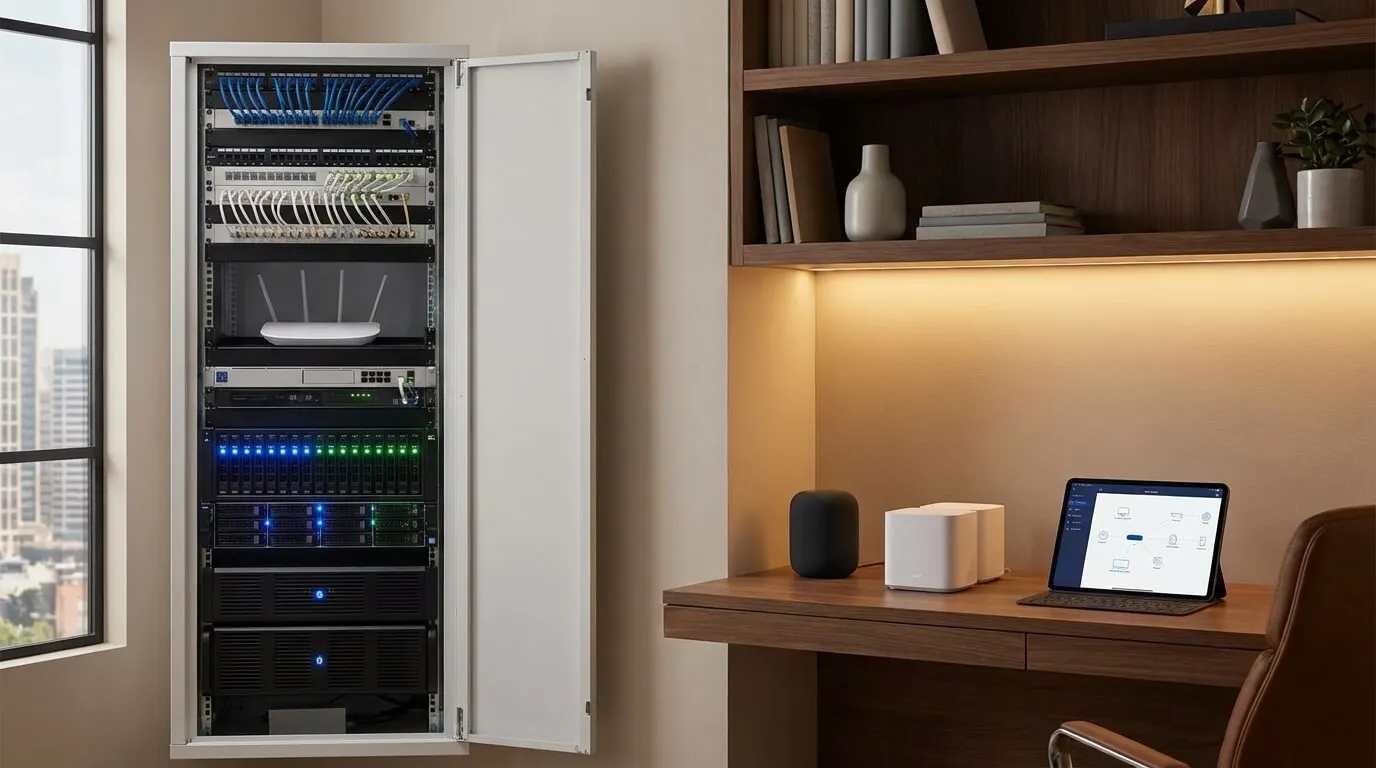
Coordinate network access points, the devices that provide Wi-Fi, with ceiling layouts. Ask the network designer to justify their positions for the proposed materials and room layout. Provide space and power for the selected equipment, and check its ventilation and service-clearance instructions. A cabinet drawing should show how someone will replace a device without dismantling the room.
For shades, decide the motor's power arrangement before fixing the pocket and cable route. For wall controls, agree on reach and placement with the people using the room. Keep the detailed construction scope in the new-home pre-wiring guide; emerging products should fit the building plan without forcing a late redesign.
On a finished house, compare the disruption of wiring with the maintenance of the proposed wireless option. Ask to see the actual control and its dimensions against the wall finish. Product photos help with appearance, but request a physical sample before approving a prominent keypad.
Coordinate the drawings before finishesLink to this section
Use this worksheet to assign decisions while the drawings can still change. The sign-off stages are suggested coordination points, not clearance rules. Ask the selected equipment supplier for the actual power, ventilation and service-access requirements.
| System | Drawing decision | Installer or manufacturer input | Access and power | Decision owner | Suggested sign-off stage |
|---|---|---|---|---|---|
| Equipment closet | Show equipment location and replacement route | Equipment layout and service instructions | Accessible power and room to service selected hardware | Architect and integrator | Before cabinet drawings are approved |
| Wireless network | Mark access-point positions against ceiling features | Network designer checks materials and coverage | Cable route and selected unit’s power arrangement | Network designer and architect | Before ceiling coordination closes |
| Motorized shades | Coordinate pockets and motor locations | Shade supplier confirms motor and mounting choice | Reachable power and a service route | Shade supplier and designer | Before pocket and window details are fixed |
| Wall keypads | Agree on locations with the household | Installer supplies control sample and wiring needs | Reachable controls and suitable mounting arrangement | Homeowner and designer | Before electrical layout approval |
| Spare routes | Show where later cables could go | Installer checks route continuity | Accessible ends and service points | Architect and builder | Before walls and ceilings close |
Use the new-home pre-wiring guide for the construction discussion. Bring the marked floor plan and unresolved equipment choices to the smart-home planning conversation.
What should stay usable during an internet outage?Link to this section
Specify the household functions you want to keep using locally, then test them. Local control means commands can operate within the home. It does not answer what happens when a device loses electrical power. Treat internet loss, controller failure, and power loss as separate checks.
Matter permits local connections while allowing manufacturers to retain cloud connections. A cloud service runs on the provider's remote computers. Ask for a feature-by-feature explanation of that dependency, especially for remote access and voice requests.
Arrange an internet-disconnected demonstration while leaving the local network powered. Try the functions listed in your proposal, and then restore internet access. Ask the installer to show the expected behavior if the controller is unavailable. Avoid accepting a broad assurance that the whole system works offline.
Privacy needs its own check. Review the proposed app's data collection and account permissions. Decide who can add users, remove access, and delete stored information. Prefer the setup that gives your household understandable controls over those choices, rather than buying on an encryption slogan.
How should you plan for smart home trends in 2030?Link to this section
Treat 2030 as a planning horizon, not a delivery date for autonomous living. Buy a system for the functions available and demonstrated at purchase. Leave room in the building plan for replacement hardware, but do not pay now for a promised robot, health feature, or control interface that your proposal cannot identify.
Separate a product announcement from an available integration. Request the orderable model, supported software, and a demonstration of the required action. Make any promised future feature optional in your decision so a delayed release does not leave you with equipment that fails your original purpose.
The useful question about smart homes of the future is how much you would need to replace if you changed platforms. Ask which devices could remain, what programming would need rebuilding, and how you would recover account access. A system you understand and can maintain is a more practical purchase than a forecast of how homes will behave.
Plan for changes without predicting themLink to this section
A controller fails. Ask which devices can stay, who holds the configuration backup and what a replacement controller needs to restore it. Check access to the household accounts and pairing codes. Which lights, shades and thermostat controls remain usable while the controller is being replaced?
A hosted service becomes unavailable. Ask which specific actions depend on that service, which remain local and whether an alternative integration exists for the installed model. Keep credentials and recovery methods under household control. For a local voice proposal, check the speech engines as well as the device integration (local Assist setup).
The household wants different wall controls. Ask whether the existing loads and motors can remain, whether a bridge is needed and which scenes would need rebuilding. Review the drawings, control permissions and backup before approving changes. Try the proposed manual controls with the people who will use them. Matter bridge support is a possible connection path, not a guarantee that a particular older device transfers.
What should you buy now, and when is DIY enough?Link to this section
DIY is reasonable for a plug-in device when you are comfortable following its instructions and managing its app. Bring in a qualified installer when the scope involves fixed wiring or coordination across systems you cannot test yourself. Choose the smallest scope that solves the problem, then expand after using it.
Use these phased budget ranges only as starting points for a scope discussion. They are not current Digitalholics quotes, and they do not establish which products, labor, or subscriptions are included.
| Planning phase | Scope | Reference budget in USD |
|---|---|---|
| Initial phase | Basic automation and voice control | $500-$1,000 |
| Next phase | Security and energy management | $1,000-$2,000 |
| Later phase | Advanced features and integration | $1,500-$3,000 |
Use a written scope to compare proposals, rather than assuming a budget tier guarantees a complete system. The smart home on a budget guide covers phased purchases. Before hiring anyone, prepare the following:
- Write down the household tasks you want to change and the controls you want to keep.
- List existing device models, apps, and accounts so the proposal can identify what stays.
- Ask for the controller, bridges, and network equipment to be named alongside the room devices.
- Mark which actions must work locally and agree on an outage demonstration.
- Separate equipment, installation, subscriptions, and future support in the proposal.
- Identify who will hold account access, keep backups, and make changes after handover.
Bring that list to a conversation about your home's requirements.
Plan the system with Digitalholics smart home integration.
Frequently asked questionsLink to this section
Does Matter mean everything works offline?Link to this section
Matter provides a local connection, but a product can also retain cloud features. Away access to a Matter-only device needs an internet-connected controller at home (Matter FAQ). Ask which exact actions work without internet, then demonstrate them with the local network powered. Check voice processing and remote notifications separately, and treat electrical power loss as another test.
Can I keep older devices when I change controllers?Link to this section
Sometimes, if the new controller supports the installed model and the actions you need. Matter supports bridges for other protocols, while updates to existing devices depend on the manufacturer and technical capabilities (Matter FAQ). List the models, bridge requirements, pairing codes and programming work before deciding. Keep a working setup until the replacement path has been checked rather than assuming an announced update will arrive.
SourcesLink to this section
Complimentary phone consultation
Planning a build or an upgrade?
Bring a floor plan and controls list, or the device models you already have and the tasks to improve. A complimentary phone consultation is the first step — no obligation.
No obligation · We aim to respond within one business day