How to Control Your Entire Home with Your Voice: Complete 2026 Smart Home Voice Automation Guide
No obligation · We aim to respond within one business day
Complimentary phone consultation
Talk it through with a local designer. Written proposal before anyone books a crew.
No obligation · We aim to respond within one business day
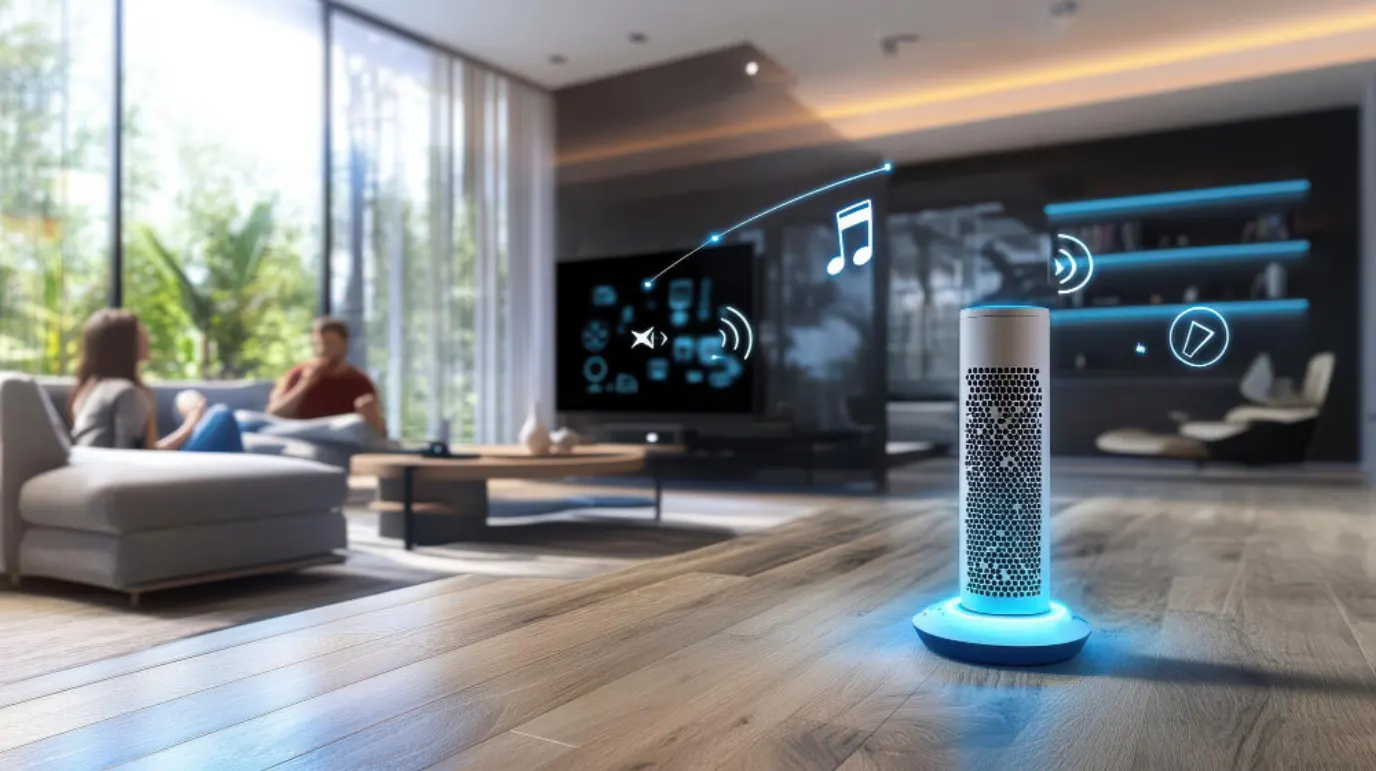
A spoken phrase can run supported lights, shades, climate and media, or check a supported lock, when the chosen voice integration exposes those actions. Alexa links through the Control4 Smart Home Skill. Google links through Works with Google in the Google Home app. Siri can control direct HomeKit accessories and supported Control4 devices through Apple Home integration. Josh.ai adds room-aware mics with on-site processing. Start with lights and one room, then add the rest.
Voice-layer prices are in the cost section below, whole-home budgets are on the smart home cost guide for Frisco, and hubs and device setup are on the smart home hub guide.
What can voice control run in a whole home?Link to this section
What each setup runs depends on the path you pick. A scene is a saved set of device states you start with one phrase. Start with that device list, not with the speaker.
On a Control4 house, Alexa covers thermostats, dimmers, lighting scenes, video, locks, and ceiling fans. Set a thermostat to an exact temperature or nudge it a few degrees, switch dimmers with brightness, turn scenes on and off, run video on and off with play, pause, and stop, lock doors and hear the status back, and run fans on, off, or to a level. The command list names no camera command (Control4 Alexa voice commands).
On the same Control4 base, Google covers lights, thermostats, locks, blinds to a percent, and ceiling fans, and it stacks commands into one phrase. Blinds open and close by name or move to a percent, a named thermostat sets by mode with the indoor temperature read back, and one phrase can lock the door and turn out the lights (Control4 Google voice commands). Google also shows a named camera on a display and runs media devices added to the Google Home app (Google voice commands).
From Apple devices, Siri covers lights, thermostats, shades, locks, fans, and scenes. It adjusts brightness, heats by room or zone, and can lock a named door at a time you give it (Apple's example: lock the front door at 8 p.m.). Scenes move several accessories at once (Apple Siri home control). The Home app shows up to four cameras at once (Apple Home app).
Apple names the Nanoleaf A19 Bulb for lights, the ecobee Smart Thermostat Premium for climate, the Logitech Circle View Wired Doorbell for the door, and the Level Lock+ for entry on its Home app page. Check the box for your platform before you buy.
A voice-controlled home still needs buttons where guests sleep. Guests rarely learn your phrases, and a labeled button works on the first night. See the lighting control page for keypad options.
Test the commands your household will useLink to this section
Use the phrases below as demonstration prompts, replacing the room and device names with yours. The Control4 account’s available-command list is the check for Alexa; the Google path has its own supported commands. Do not infer camera viewing or unlocking from support for lighting or lock status.
| Task | Example phrase | Platform and path | Prerequisite | Local versus cloud check | Confirmation | Manual fallback |
|---|---|---|---|---|---|---|
| Light | Turn on the kitchen light | Alexa through Control4 | An exposed dimmer with a unique name | Test assistant access with internet disconnected; try the wall control separately | Look at the light and app state | Wall switch or keypad |
| Shades | Close the living room blinds | Google through Control4 | Supported blinds with an assigned name | Test the voice path separately from the local shade control | Watch the shades; ask whether they are closed | Shade control or programmed keypad |
| Climate change | Set the bedroom thermostat to heat | Google through Control4 | Supported named thermostat | Check voice access separately from the thermostat itself | Check the mode on the thermostat display | Thermostat controls |
| Lock status | Is the front door locked? | Google through Control4 | Supported named lock | Confirm behavior with internet disconnected; do not assume unlocking is exposed | Compare the spoken status with the physical door | Lock’s normal key or inside control |
The supported actions come from Control4’s Alexa command guide and Google command guide. A missing action on a particular integration is a reason to use another control, not to promise it will appear after pairing.
Complimentary phone consultation
Curious what lighting, shades, or whole-home control would feel like in your house?
Describe the rooms and the routines you want. A complimentary phone consultation is the first step — no obligation.
No obligation · We aim to respond within one business day
Alexa or Google for whole-home voice: which fits your house?Link to this section
With Alexa, setup starts with the Control4 Smart Home Skill. You link the Control4 account inside the Alexa app, tap Discover Devices, and Alexa scans the home for devices it can run. Names and rooms are managed at customer.control4.com, where any device with a possibly duplicate name gets a warning icon.
Google joins through the Google Home app under Works with Google. You link the Control4 account, and the house needs a 4Sight license and Smart Home OS 3.0 or newer (Control4 Google setup). A Smart Home Privacy Guard checkbox decides what Google sees: with it on, changes made from Control4 screens, remotes, and keypads stay hidden from Google. Google's consumer help now leads with its Gemini for Home assistant; a Control4 house still joins through Works with Google as Control4's setup page describes (Google voice commands).
Day to day, both run the same rooms. Google runs stacked commands, so one phrase can lock the door and turn out the lights (Control4 Google voice commands). Alexa runs programmed scenes by name. Example: tell Alexa to activate the 'Cooking' scene and the shades close, the kitchen lights turn on, and music or TV starts playing (Control4 Alexa setup).
| Voice path | How it joins the house | What you speak to | Scene control |
|---|---|---|---|
| Alexa | Control4 Smart Home Skill, then Discover Devices | An Alexa speaker or the Alexa app | Runs programmed scenes by name |
| Google Assistant | Works with Google in the Google Home app | A Google speaker or display, or the Google Home app | Runs stacked commands in one phrase |
| Siri | HomeKit accessories set up in the Home app; a home hub for remote control | An Apple device, HomePod, HomePod mini, or Apple TV | Sets scenes with just your voice |
| Josh.ai | Josh Micro or Josh Nano voice hardware plus Josh Core | A Josh Micro or Josh Nano in the room | Room-aware scenes by voice or tap |
When everyone in the house will speak commands, pick the platform that matches the speakers and phones already there. Alexa and Google both link to the same Control4 system, so check the devices each path exposes. Siri uses Apple Home, either with direct accessories or with supported Control4 integration. Keep device names distinct across apps, and fix clashes before adding voice.
Where do Siri and HomeKit fit?Link to this section
In a house full of Apple gear, commands run through Siri and the Home app. Siri knows each accessory by name, room, and status, and it controls rooms or zones with one phrase (Apple Siri home control). Scenes move several accessories at once, and Siri sets a scene with just your voice.
Remote control and automation need a home hub: a HomePod, HomePod mini, or Apple TV set up as the hub (Apple Home app). The same hub underpins Matter, the smart home standard that links accessories across platforms.
HomeKit Secure Video also needs a supported iCloud+ plan, a compatible HomeKit-enabled camera, and a hub running at home (Apple Home app).
Siri fits a house where Apple devices are already in daily use. Where they are not, Alexa or Google on their own speakers is the better first buy.
Using Siri with an existing Control4 systemLink to this section
Siri can control supported Control4 devices through Apple Home integration. Ask the integrator to demonstrate the lights, scenes and thermostats you want to use, and confirm which actions are exposed for your installed models. Check the room assignments and device names in Apple Home before trying the same commands with Siri (Control4 Apple integration).
Control4 Connect adds Apple integration and remote access alongside local system operation. Ask the integrator to confirm your controller’s eligibility, installed software, registered account and active service before planning the bridge. Try the exact scene in Apple Home and Siri. Direct accessory control, a shared Control4 scene and away access are separate tests; the Apple home-hub advice above still applies to the Apple-side setup.
When local DIY voice makes senseLink to this section
Home Assistant Assist is another path when the household wants to configure and maintain its own voice controls. Choose the listening device, speech processing and devices exposed to Assist separately. A phone running the companion app or a compatible voice device provides the microphone and response output.
A fully local pipeline uses local speech-to-text and text-to-speech engines. The local setup guide offers Speech-to-Phrase for a bounded set of household commands, Whisper for more open-ended speech and Piper for responses. Check the proposed hardware and your language with the phrases you use. Optional cloud speech processing changes that dependency; a local controller alone does not establish a local voice path.
Assign someone to updates, backups, device naming and troubleshooting before extending it across rooms. Keep the same scenes available through physical controls or the app. Compare Assist alongside the table above on this basis:
| Voice path | How it joins the house | What you speak to | Scene control |
|---|---|---|---|
| Home Assistant Assist | Home Assistant with configured voice pipeline and exposed devices | Companion app or compatible voice hardware | Configured supported actions; test local speech and device paths separately |
What does Josh.ai add over Alexa and Google?Link to this section
Josh.ai knows which room hears you. Each Josh Micro knows its location, so saying lights on runs the room you are in, with no room name in the phrase (Josh Micro). That room awareness is the gap Josh.ai fills: Alexa and Google can run the same devices, but they lean on names and rooms set up in their apps, as shown in the Control4 Alexa setup and Control4 Google setup guides.
The hardware starts with two listeners. Josh.ai lists the Micro at 98 mm across with 802.11ac Wi-Fi, a far-field microphone array, and a touch dial that turns into a dimmer or volume control after a command (Josh Micro). The Nano is a 42 mm mic with a disconnect switch that disables its microphones completely, and it needs a Josh Core on the network (Josh Nano).
The Core is the part that stays local. It connects to the local network and processes everything it can on site, and it ships two VoiceLink outputs for voice feedback in rooms with a Nano or Micro, on a 6-Core ARM processor at up to 1.8 GHz (Josh Core). Josh.ai rates the Core for projects with up to 100 microphones in mixed Micro and Nano installs.
Josh.ai works with Control4 and with Lutron RadioRA3 (Works With Josh). A Nano is available only through a Josh Certified Dealer (Josh Nano), so Josh.ai is a pro-installed path, not a shelf buy.
Skip Josh.ai for a single rented room with one lamp and no plan to add more. A smart speaker and a bulb cover that room.
What does voice control cost as part of a Control4 project?Link to this section
The tiers below cover the voice layer inside a Control4 project. Whole-home budgets are a separate question.
| Scope | Low | High | What it covers |
|---|---|---|---|
| Basic Integration | $500 | $2,000 | One room on an existing Control4 system, with programmed scenes |
| Whole-Home Integration | $2,000 | $8,000 | Whole-home coverage with scenes, network tuning, and privacy setup |
| Luxury Josh.ai Installation | $5,000 | $25,000+ | Control4 plus Josh.ai hardware budget: Josh.ai mics and touchscreens with Control4 integration, with the Nano sold only through a Josh Certified Dealer |
Earlier planning allowances from this guide; a current price comes from a written proposal after a room measurement.
For budgets beyond voice, the Frisco smart home cost guide carries the whole-home numbers.
Should you install voice control yourself or hire a pro?Link to this section
Doing it yourself fits a job that stays in one room, on one platform, with shelf devices. A bulb, a speaker, and the maker setup pages get a bedroom answering to voice, with no programmer involved.
Bring in a pro when Control4 scenes are the goal. Programmed scenes need help from a Smart Home Pro (Control4 Alexa setup), duplicate names need cleanup before voice goes live, and Josh.ai hardware comes only through dealers. A pro also handles the Google visibility choice covered above. We write the scenes with you: a Goodnight scene that locks the doors, drops the shades, and sets back the thermostats, then gets revised after the family has lived with it for a week.
Digitalholics LLC, founded in 2015, designs, installs, and supports smart home automation from a Plano office, and work starts with a complimentary phone consultation.
Choose DIY if the room count is one and every device already lives in one app. Choose a pro if scenes must cross rooms, if names clash across apps, or if the plan includes Josh.ai or Control4 programming. Before we call the job done, we sit with the household and run the scenes you use every day.
Frequently asked questionsLink to this section
Why does the wrong room respond?Link to this section
Check device names and room assignments across the controller and assistant apps. Similar names can make a household request ambiguous; try the full room and device name before changing equipment. Google’s voice-control help explains device naming and room assignment. With Josh Micro, room location is part of the setup. Demonstrate the request from your usual seat with normal household background noise.
What if voice cannot find a device?Link to this section
Confirm that the device works in its own app, that you linked the intended account and that the chosen integration supports it. After adding or renaming devices, use the assistant’s device-sync procedure; Google documents resyncing partner devices. If the app works but the voice command does not, check the exposed device and its name before resetting equipment or purchasing a replacement speaker.
How do guests control the room?Link to this section
Keep an understandable physical control for the room’s everyday functions, and show guests which button starts or cancels a scene. Ask to try the proposed keypad or remote before handover. A guest should not have to learn your account login to turn on a lamp. For a voice-first setup, demonstrate the room phrase and the manual alternative with the microphone muted as well as active.
What should you have ready before anyone quotes?Link to this section
Walk the house once with a notepad before you call. The list below turns a vague ask into a quote with fewer gaps.
- Room list: every room that should answer to voice, and one phrase each room must run.
- Device list: lights, shades, thermostats, locks, cameras, and media per room, with the app each one uses today.
- Platform pick: Alexa, Google, Siri, or Josh.ai, and which speakers and phones the house already owns.
- Scenes: the two or three phrases that matter most, such as good morning and good night, and what each should move.
- Names: how rooms and devices are named today, so duplicates get fixed before programming starts.
- Network: rooms where Wi-Fi drops or crawls.
- Done: what the finished job looks like in one sentence, so the quote can aim at it.
Next step: see the Smart Home Automation service page, or contact us to book a consultation.
SourcesLink to this section
- Control4, Setting up Amazon Alexa voice control
- Control4, Using Amazon Alexa voice control
- Control4, Setting up Google Assistant voice control
- Control4, Using Google Assistant voice control
- Apple Support, Control your home with Siri
- Apple, Home app
- Google Home Help, Control your home devices by voice
- Josh.ai, Josh Micro
- Josh.ai, Josh Nano
- Josh.ai, Josh Core
- Josh.ai, Works With Josh
Complimentary phone consultation
Ready to plan whole-home voice?
Bring your room list, existing speakers, and the scenes you want. A complimentary phone consultation is the first step — no obligation.
No obligation · We aim to respond within one business day