4K Projector Cost Frisco Home Theaters: 2026 Guide
No obligation · We aim to respond within one business day
Complimentary phone consultation
Talk it through with a local designer. Written proposal before anyone books a crew.
No obligation · We aim to respond within one business day
A 4K projector for a Frisco home theater runs $2,000-$5,000 for an entry-level unit and $8,000-$15,000+ for a premium laser model. Room light, screen size, wiring, and equipment tier move the bill more than the resolution badge. Ranges are for planning; your written proposal follows a room measurement.
The projector is the line people search first. It is not the whole room. A dark basement with a finished ceiling is one job. A west-facing Frisco family room that still has uncovered glass in late afternoon is another. We measure the space and the light before pricing, so the budget fits the room you have rather than a brochure room.
What follows is which specs actually change the price, and when a cheaper path is the honest one. For the rest of the room (speakers, seating, treatment), use the Frisco home theater cost guide. For throw, lens shift, and model picking without the budget frame, use the projector selection guide.
What should you set aside for the projector itself?Link to this section
Set the box in one of three planning bands. A firm price comes from a written proposal after a room measurement.
| Band | Planning range | What that band was meant to buy | Choose this if |
|---|---|---|---|
| Entry-level | $2,000-$5,000 | A 4K-class picture (often pixel-shift), about 2,000-3,000 lumens, HDR10, HDMI 2.0-class inputs | The room can go dark and you want a first 100-inch-plus image |
| Mid-range | $5,000-$8,000 | A laser or stronger lamp unit, 3,000+ lumens on many sheets, a motorized lens on some models | You want longer light-source life and less lamp shopping |
| Premium | $8,000-$15,000+ | A native 4K panel or a high-contrast laser chassis, tools a calibrator can actually use | The room is dedicated and you will control the light |
Those three bands cut across four projector types: lamp DLP at $2,000-$3,500, laser DLP at $4,000-$7,000, 3LCD at $5,000-$10,000, and D-ILA / LCoS at $15,000-$25,000. A single model sits in one type and one budget band. It does not sit in all of them.
Street prices on named models change. Two that you can check on the seller's own page today: the Epson Home Cinema 5050UB lists at $3,799.99, and the Sony VPL-XW5000ES lists at $5,999.99. Those two figures are manufacturer list prices, not our quote.
Complimentary phone consultation
Planning a theater or media room?
Tell us the room and how you like to watch. A complimentary phone consultation is the first step — no obligation, and the written proposal is yours to keep.
No obligation · We aim to respond within one business day
What else besides the projector changes the total?Link to this section
Most Frisco rooms spend the next dollars on the screen, the mount, the cable path, and the time to aim and calibrate. The planning line items are:
- Fixed-frame screen, 120-150 inch class: $500-$2,000, with an acoustic-transparent add of $1,000
- Ambient-light-rejecting (ALR) fabric: $1,000-$2,000
- Installation: $1,000-$3,000 for a fuller local job, $500-$2,000 for a lighter one
- 5.1 sound to match the image: $2,000-$5,000
- Cables and power bits: $200-$500
- Calibration: $300-$800
- Lamp replacement on a lamp chassis: $200-$500 when the lamp is due
Add the four core lines to see a realistic floor for a self-contained job. Entry projector $2,000-$5,000 + screen $500-$2,000 + installation $1,000-$3,000 + calibration $300-$800 equals $3,800-$10,800. Use $3,800-$10,800 when those four lines are the whole scope.
These package examples price different scopes, so read each for what it includes rather than treating it as a sum of the list above:
- Dealer bundle, projector plus screen on the low end, up to a premium stack with a receiver: $5,000 to $25,000
- Starter package (projector, 120-inch-class screen, mount): $3,500-$6,000
- Premium packages: $12,000-$20,000
- Full theater packages: $10,000-$25,000
- Dedicated dark room with treatment and seating: $15,000-$35,000+
- A features budget of $3,000 for a solid lamp or early laser unit
- A purchase window of $2,000-$15,000 before labor
- A 10-15% pad on top of the box for mounts and cables
Sound is a separate decision. If the 5.1 line ($2,000-$5,000) is in the project, it is not inside the $3,800-$10,800 four-line sum. Put it on its own row on the proposal.
Wiring is the line that surprises people in a finished Frisco house. An HDMI run stuffed in a wall should be a certified Ultra High Speed HDMI Cable. HDMI Licensing Administrator says that cable name belongs to the HDMI 2.1 Specification, entered the market in 2020, and is specified for configurations up to 48Gbps. The jacket and the package should show that official name. A no-name cable with 8K printed on the bag is not the same thing.
Which projector type fits which room?Link to this section
Match the light source and the panel to the room you actually have, not to a brochure room.
A lamp 3LCD unit is the usual pick when you want brightness per dollar and you will replace a lamp later. The Epson Home Cinema 5050UB is one lamp 3LCD model still listed by Epson. Epson rates that model at 2,600 lumens of color brightness (IDMS 15.4) and 2,600 lumens of white brightness (ISO 21118), a dynamic contrast ratio up to 1,000,000:1 with Auto Iris on, and 4K Enhancement from a 1920 x 1080 x 2 pixel-shift path. Lamp life on that sheet is up to 5,000 hours in ECO, 4,000 hours in Medium, and 3,500 hours in High. HDR on that page is HDR10. The throw ratio range is 1.35-2.84. Those figures are that model's ratings, not a rule for every 3LCD projector.
A native 4K laser unit is the pick when you want a real 3,840 x 2,160 panel and you do not want a lamp schedule. The Sony VPL-XW5000ES is one such chassis. Sony lists up to 2,000 lumens from a Z-Phosphor laser rated up to 20,000 hours, a native 4K SXRD panel at 3,840 x 2,160, HDR10 and HLG (not Dolby Vision on that page), a throw ratio of 1.38:1 to 2.21:1, and list price $5,999.99. Input lag on Sony's page is under 21 ms at 4K 60 Hz and under 13 ms at 1080p 120 Hz. Again, those numbers are this model's ratings.
JVC's current D-ILA list is the other native-4K laser shelf people ask about. The DLA-NZ500 is listed at $6,999.95 with 2,000 lumens and 40,000:1 native contrast. The DLA-NZ800 is listed at $18,999.95 with 2,700 lumens and 100,000:1 native contrast. Those are JVC list prices on that page. The $15,000-$25,000 D-ILA planning band is a budgeting band, not a substitute for JVC's own list.
Ultra-short-throw (UST) is a placement type, not a quality tier. Epson's throw guide calls short throw a 3 to 8 foot throw and ultra-short throw a 0 to 4 foot throw. UST belongs on a cabinet or a low wall mount when you cannot hang a long-throw unit. It does not fix a bright room by itself. You still need shade or an ALR screen if the glass stays uncovered.
| Model | Epson Home Cinema 5050UB | Sony VPL-XW5000ES | JVC DLA-NZ500 |
|---|---|---|---|
| Seller list price | $3,799.99 | $5,999.99 | $6,999.95 |
| How 4K is made | 4K Enhancement (1920 x 1080 x 2 pixel shift) | Native 4K SXRD, 3,840 x 2,160 | Native 4K D-ILA |
| Brightness (that model's rating) | 2,600 lumens color and white | Up to 2,000 lumens | 2,000 lumens |
| Light source life (that model's rating) | Lamp: 5,000 / 4,000 / 3,500 hours by mode | Laser up to 20,000 hours | Laser (hours not stated on the list page) |
| HDR listed by the seller | HDR10 | HDR10 and HLG | Frame Adapt HDR on the list page |
| Throw ratio listed | 1.35-2.84 | 1.38:1 to 2.21:1 | Not on the list page |
Choose the Epson 5050UB if you want more rated lumens per dollar and you accept a lamp and a pixel-shift 4K path. Choose the Sony XW5000ES if you want a native 4K panel, a 20,000-hour laser rating, and you can live with 2,000 lumens in a treated room. Choose the JVC NZ500 if native contrast is the reason you are spending past $6,000 and you will verify throw on JVC's full sheet before you buy.
When is an entry-level unit enough?Link to this section
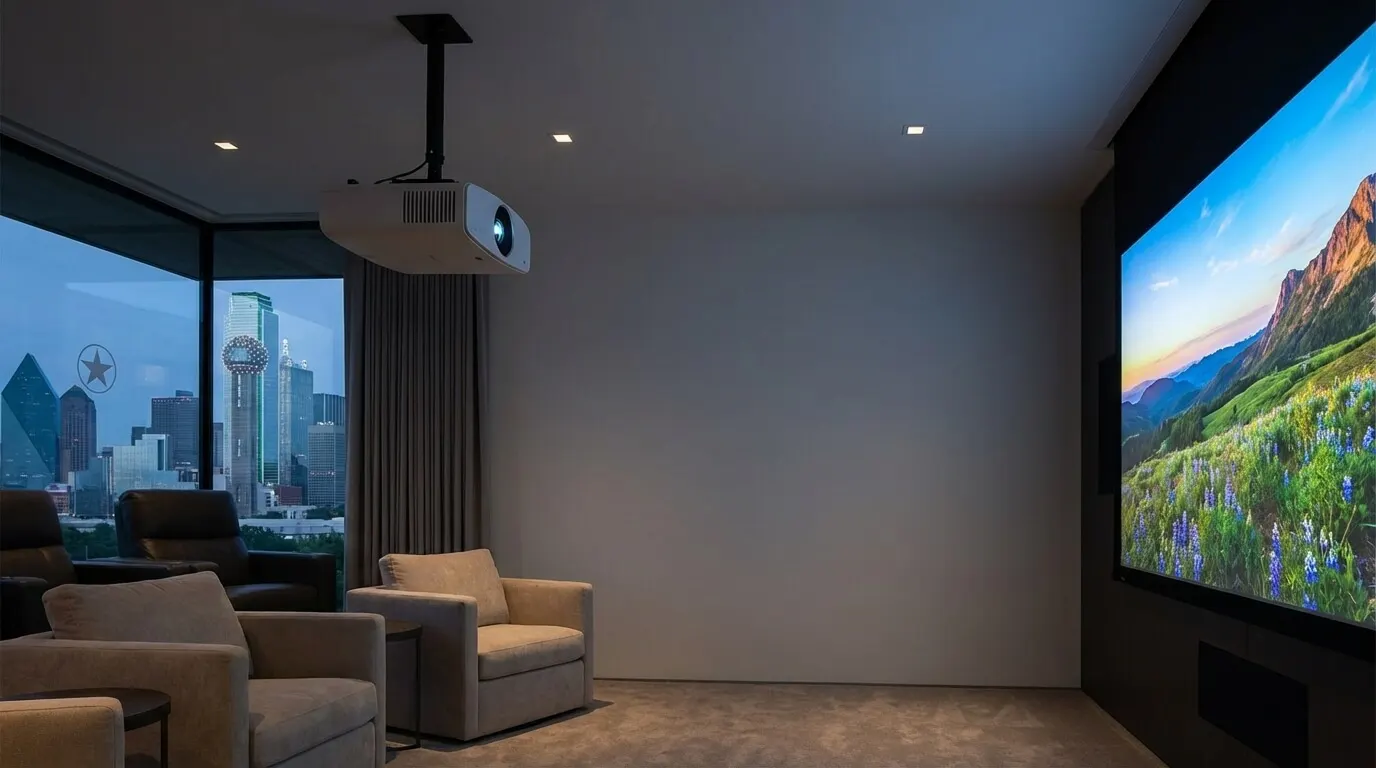
An entry-level unit in the $2,000-$5,000 band is enough when three things are true at once. The room can go dark. You sit far enough back that a 100- to 120-inch image is the point, not a 75-inch TV you already like. And you are willing to treat 4K as "4K-class," which on many lamp units means pixel shift, not a native 3,840 x 2,160 chip.
Skip the jump to $8,000-$15,000+ when you still have uncovered west glass, when the projector will live in a bright bonus room, or when you will watch sports with lamps on. A brighter lamp unit in a dark room beats a dim native-4K laser in a washed-out room. Brightness on a spec sheet is that model's rating. It is not a promise the picture will hold up against Texas afternoon sun.
A mid-range laser in the $5,000-$8,000 band is the usual step when you hate lamp shopping and the room is already close to dark. It is not automatically sharper than a good lamp unit. Sharpness comes from the panel path, the lens, and focus. Life comes from the light source.
Premium is for a room you will actually finish: blackout or heavy shade, a screen sized to the seat, and time on site to set the lens and the picture. If you will not do that work, the extra chassis money buys a nicer box in the same washed-out picture.
Which specs actually change what you pay?Link to this section
Four specs move the invoice. Treat each as the rating on the model in front of you.
Native 4K versus pixel-shift 4K. Sony states 3,840 x 2,160 on the XW5000ES panel. Epson states 4K Enhancement as 1920 x 1080 x 2 on the 5050UB. Both can look sharp on a well-focused 120-inch screen. They are not the same panel. You pay more, on these two sheets, for the native panel and the laser.
Brightness. Epson's 5050UB sheet is 2,600 lumens. Sony's XW5000ES sheet is up to 2,000 lumens. The brighter rating helps a little ambient light. It does not replace shade. If the west glass stays open, buy shade or pick a TV. The projector versus TV comparison is the right page for that fork.
Light-source life. Sony rates the XW5000ES laser up to 20,000 hours. Epson rates the 5050UB lamp at 3,500 to 5,000 hours by mode. Hours are not years. How long a lamp or laser lasts in your house depends on hours you actually run it. Do not convert hours into a decade unless you track your own use.
Throw and lens shift. Throw distance is the gap from the projector to the screen. Epson states that in plain language on its throw and positioning guide. The working formula is throw distance = throw ratio × image width.
Example: a 120-inch 16:9 screen. Width = 120 × 16 ÷ √(16²+9²) = 1,920 ÷ √337. √337 is 18.3576, so width is 104.59 inches (8.72 feet). On the Sony XW5000ES throw range of 1.38:1 to 2.21:1, that screen needs about 12.03 feet at 1.38 (1.38 × 104.59 in = 144.3 in) and about 19.26 feet at 2.21 (2.21 × 104.59 in = 231.1 in). On the Epson 5050UB range of 1.35-2.84, the same width needs about 11.77 feet at 1.35 and about 24.75 feet at 2.84. If your ceiling mount sits outside that window, you need a different lens, a different screen size, or a different model. Measure before you buy.
HDR format is a smaller price driver than people think. Dolby Vision is Dolby's HDR format. The Sony page above lists HDR10 and HLG, not Dolby Vision. The Epson page lists HDR10. Do not pay a premium for a logo the chassis does not list.
HDMI bandwidth is a cable and input problem, not a reason to jump a whole tier. If you want 4K at the higher frame rates the Ultra High Speed cable is built for, buy that certified cable and confirm the projector's HDMI version on its own sheet. Do not assume "4K projector" includes 4K/120.
When is a 4K projector the wrong buy?Link to this section
Skip a projector when you will not control the light. A $5,999.99 native 4K laser still looks gray if the room is a glass box at noon. Shade first, or buy a bright TV and stop. That is not a taste lecture. It is physics you can check with the blinds open.
Skip a projector when the seat is close and the wall is already filled by a 75-inch set you like. Image size is the reason to project. If you do not want a bigger image, the mount, the fan, and the lamp or laser are cost with no job.
DIY is fine for a like-for-like swap on an existing ceiling plate, or for a UST on a cabinet you already own, with a short exposed HDMI you can see and replace. DIY is a poor fit when you need new ceiling power, a long in-wall HDMI run, or a picture you will later call "calibrated" without meters. In-wall cable is hard to pull after paint. DIY versus professional installation walks that split. For seating, screen wall, and room layout before the box shows up, use the home theater design guide.
A used lamp unit can be a good buy if you can see the hours and you price a new lamp ($200-$500 in the planning list above) into the purchase. A used laser with a dirty intake and no service history is a worse gamble than a new lamp unit with a known sheet.
How do you get a written number for your room?Link to this section
Bring four things to a consult. Room length, width, and ceiling height. The seat-to-wall distance you will actually use. Photos of the glass and the ceiling. And a sentence about how the room is used (movies only, or sports with lamps on).
- Measure the throw path and the screen wall. Confirm a throw ratio window with the formula above before you fall in love with a chassis.
- Decide light control. If west glass stays uncovered, price shade or stop. Do not price a premium chassis to fight the sun.
- Pick the panel path on purpose: pixel-shift lamp, native 4K laser, or UST. Write the model name and the seller page you used.
- List every extra row: screen, mount, cable, electrical, calibration, and sound if it is in scope. Keep sound off the projector line.
- Ask for a line-item proposal. No equipment is ordered until you approve that document.
Digitalholics LLC, founded in 2015, works from a Plano office and offers a complimentary phone consultation. If you want that proposal for a Frisco room, start on the home theater design and installation page or contact us.
SourcesLink to this section
- Sony VPL-XW5000ES product page: native 4K SXRD (3,840 x 2,160), up to 2,000 lumens, laser up to 20,000 hours, HDR10 and HLG, throw 1.38:1 to 2.21:1, list $5,999.99
- Epson Home Cinema 5050UB product page: 2,600 lumens (IDMS / ISO 21118), 4K Enhancement 1920 x 1080 x 2, lamp hours by mode, throw 1.35-2.84, list $3,799.99
- JVC USA projectors list: DLA-NZ500 at $6,999.95 (2,000 lumens, 40,000:1 native contrast); DLA-NZ800 at $18,999.95 (2,700 lumens, 100,000:1 native contrast)
- HDMI Licensing Administrator, Ultra High Speed HDMI Cable: HDMI 2.1 cable name, market entry 2020, up to 48Gbps, certification label required
- Epson throw distance and positioning: throw distance definition; short throw 3 to 8 feet; ultra-short throw 0 to 4 feet
- Dolby Vision: Dolby's HDR format page
Complimentary phone consultation
Ready to plan your own theater?
Start with a complimentary phone consultation. We cover the room, the screen and sound you want, and what a professional design and calibration involves — then a written, line-item proposal before anyone books a crew.
No obligation · We aim to respond within one business day