Home Theater Design Guide: Layout, Acoustics & Wiring
No obligation · We aim to respond within one business day
Complimentary phone consultation
Talk it through with a local designer. Written proposal before anyone books a crew.
No obligation · We aim to respond within one business day
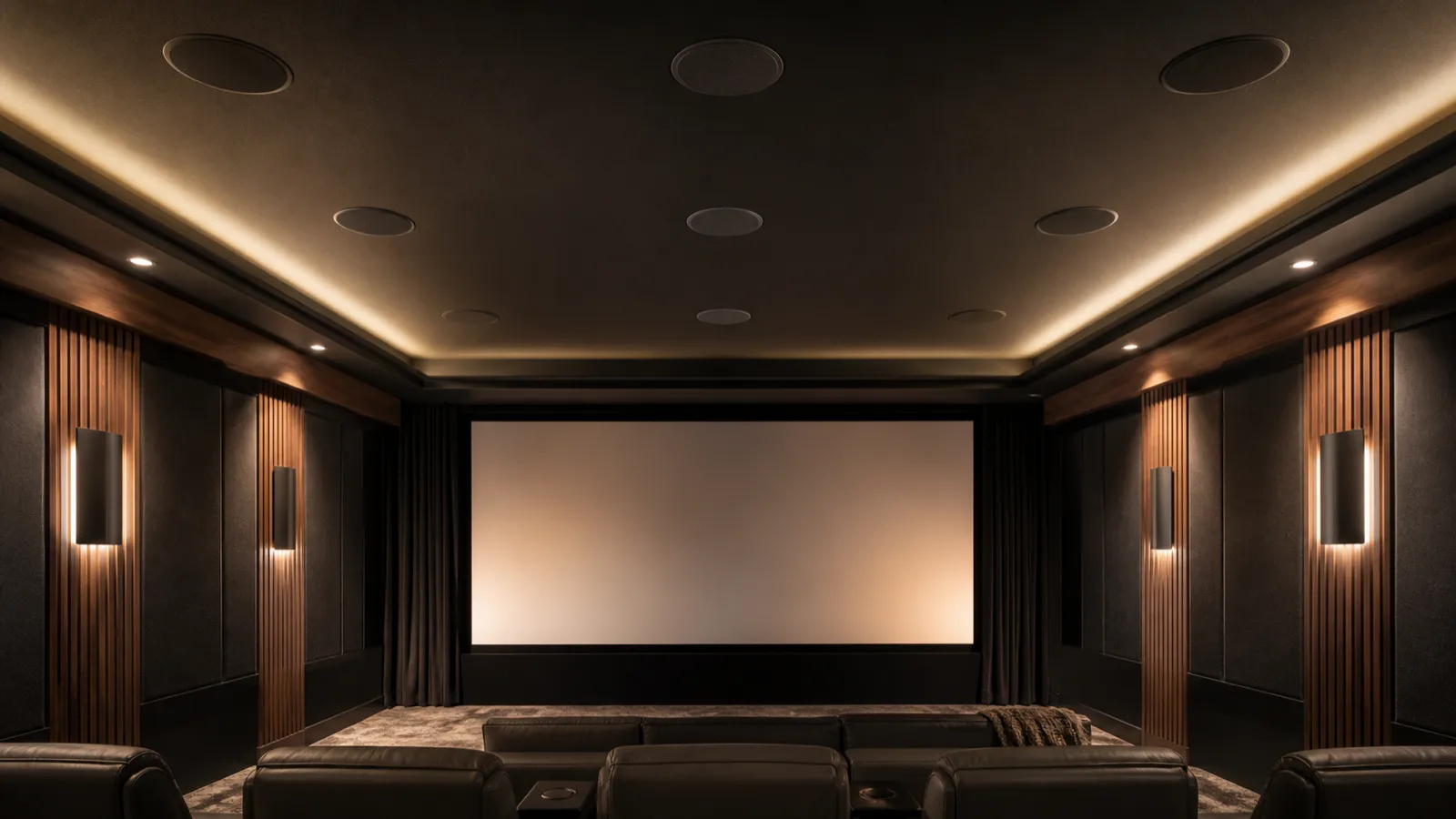
Home theater design starts with the seats and the room, before the equipment list. Choose the screen wall, check the view from your usual seat, then place speakers around that position. Plan acoustic treatment, lighting and cable routes together. A dedicated cinema can prioritize darkness and sound control; a shared media room needs a layout that still works for everyday use.
Where should you start with home theater room design?Link to this section
Start with a measured floor plan and decide what the room must still do when the screen is off. Include door swings, windows, ceiling slopes, built-in cabinets and the route people take through the room. Mark the seats you use daily before adding occasional guest seating. Keep enough space to open doors and walk past an extended footrest without stepping over cables.
For a home theater setup, the useful order is room layout, screen position, speaker locations, wiring, equipment selection, then adjustment and listening tests. If you already have equipment, write down its model names and connections before drawing the room. The home theater system selection guide covers equipment choices once those physical constraints are clear.
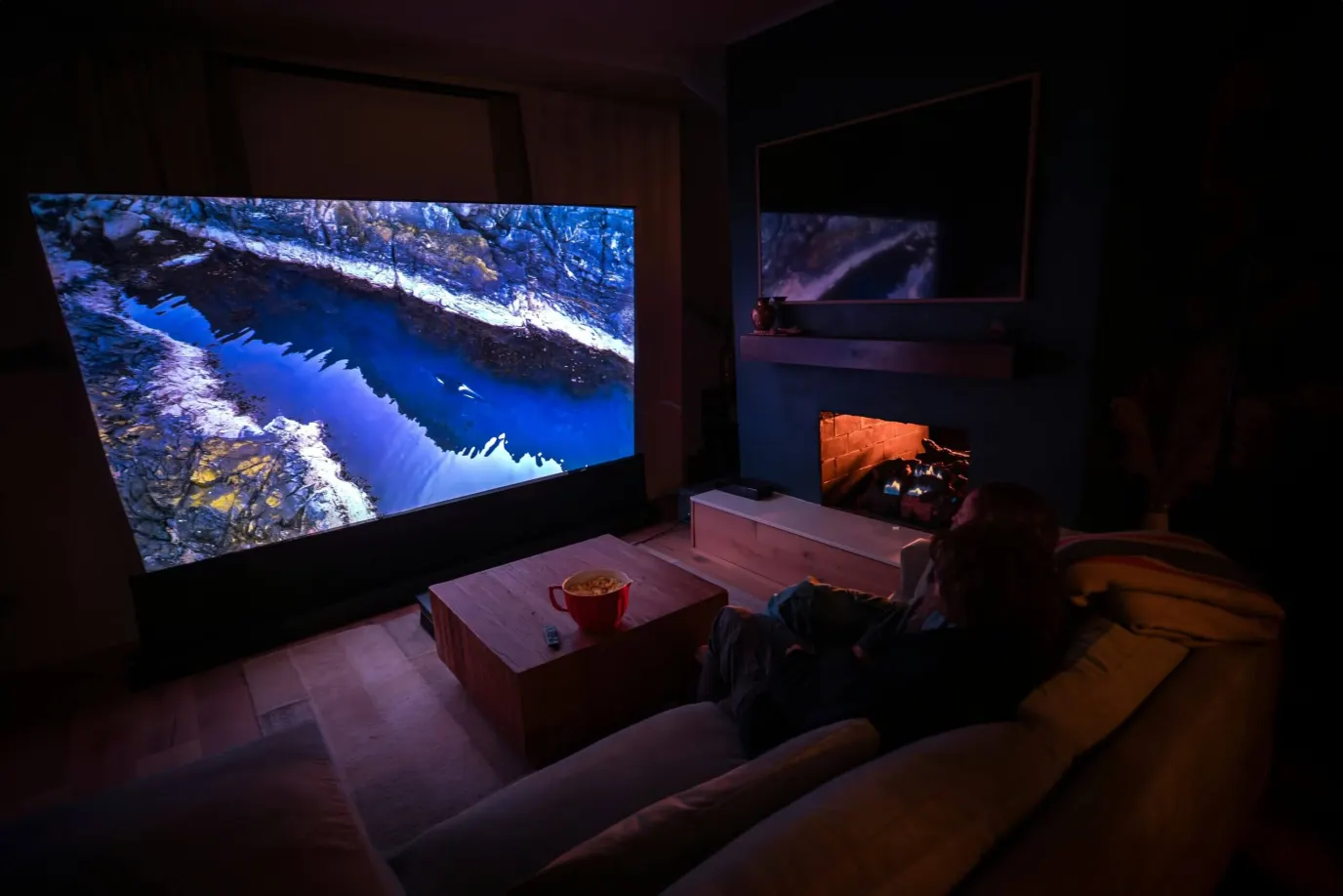
For media room ideas, start with changes that preserve the room's other uses: a sofa facing the screen, storage with access to cable connections, and lamps positioned outside the reflected view. Choose a dedicated room if watching in darkness and controlling sound matter more than keeping the space open to the house. Skip theater-style rows if they leave the everyday seating cramped.
Custom home theater design is worth paying for when built-in seating, hidden speakers, a projector mount or changes to walls depend on one another. Ask for a drawing that puts them together. A furniture plan and a separate equipment list can each look reasonable while placing a speaker behind a cabinet or a projector above a ceiling fan.
Complimentary phone consultation
Planning a theater or media room?
Tell us the room and how you like to watch. A complimentary phone consultation is the first step — no obligation, and the written proposal is yours to keep.
No obligation · We aim to respond within one business day
How large does the room need to be?Link to this section
Room size follows the main seat and the screen. For a 4K TV, THX recommends dividing screen size in inches by 0.835 as a rule of thumb for the maximum viewing gap. Check the proposed seating distance, reclined chair position, and walkway separately on the floor plan.
A 7.1.4 layout needs rear surrounds behind the reclined seat. Dolby’s 7.1.4 overhead guide lists left and right rear surround speakers in that layout. If those positions do not fit, drop to 5.1.2 rather than forcing 7.1.4. Use the screen size calculator from the sofa distance you actually sit at, and the Atmos layout calculator for overhead positions.
How should you lay out the screen and seating?Link to this section
Set the main seat first, then test screen height with your head resting naturally against the seat back. THX suggests a viewing line within 15 degrees above or below the screen center. Treat that as a check on a proposed mounting height, especially above a fireplace. If you have to lift your chin to read subtitles, try a lower position before ordering cabinetry.
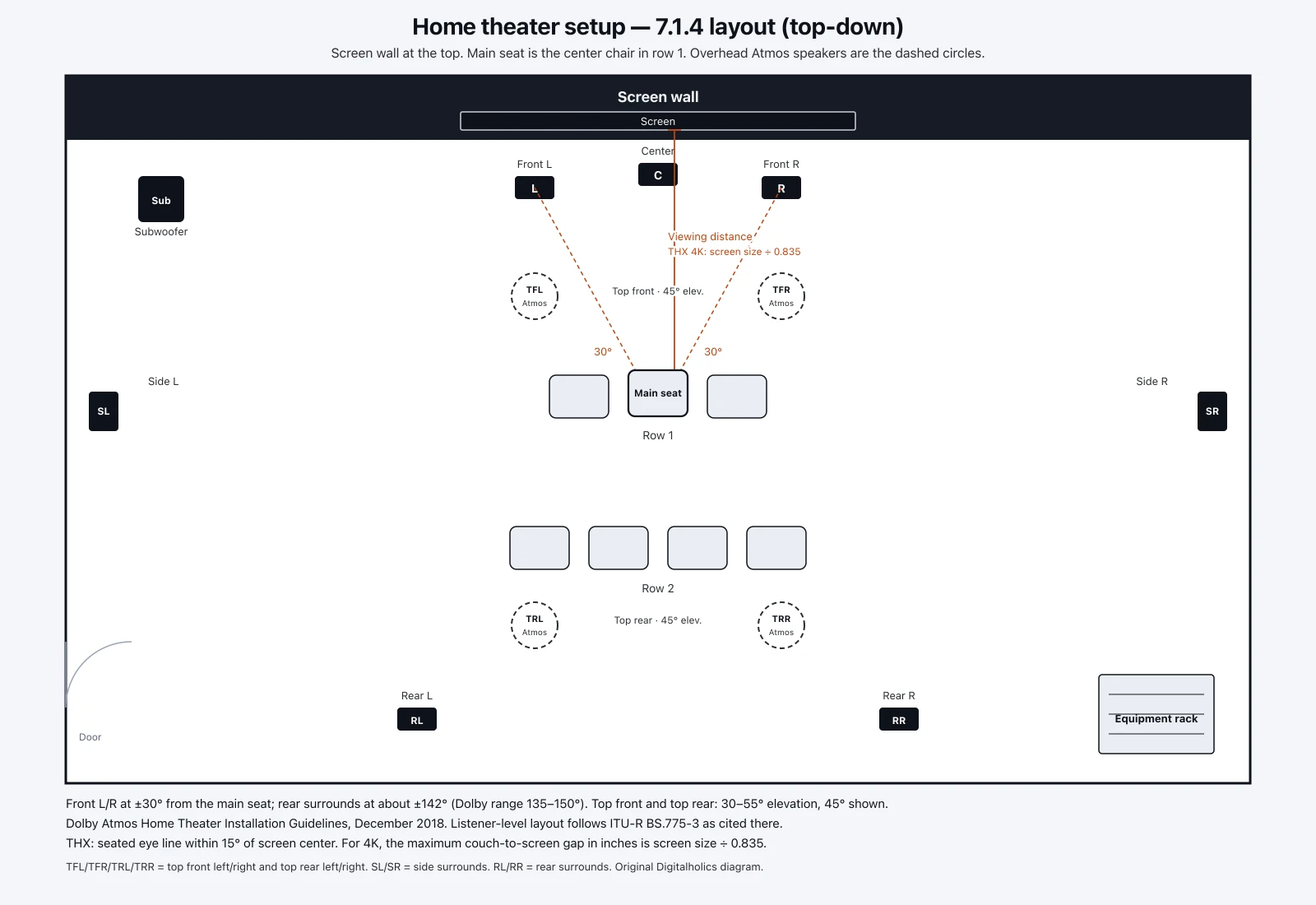
Tape the proposed screen outline on the wall. Sit at the nearest and farthest planned positions, including the end of a sectional. Check that the center speaker has a clear path toward listeners and that the screen does not occupy the space needed for front speakers. A wider image is not worth it if it forces an uncomfortable seat or blocks a doorway. The screen size calculator gives a starting screen width from your seating distance and viewing angle.
For a projector, measure from the proposed lens position to the screen surface. Epson explains that image size and projector position depend on room configuration and throw distance, the distance from projector to screen. Use the selected model's placement calculator before fixing the mount. The distance from sofa to screen does not tell you where the projector belongs.
A raised seating platform needs a side-view drawing through the actual chairs and screen. Ask the designer to show a rear viewer's sightline over the front seat in its viewing position, plus the route onto the platform. Do not choose platform height from a generic room photograph. Check the chair's upright and reclined dimensions before deciding how many rows fit.
What changes in a small room?Link to this section
Skip theater-style rows if they crowd the sofa you sit on every night. Drop to 5.1.2 when rear surrounds cannot sit behind a sectional. Measure screen size from that sofa, not from a second row you will not install. The screen size calculator starts from the seating distance you have. For height-speaker placement in a shared room, see the Dolby Atmos living-room notes.
Which display choice fits the room you actually use?Link to this section
For a shared room, compare a TV and a projector with the lamps and window coverings in the positions you expect to use. Choose the TV if its picture and size meet your needs without changing the room's daily routine. Consider projection when the larger image is the reason for the project and you accept the screen, mounting position and light control it needs.
An ultra-short-throw projector sits close to its screen, but its cabinet still needs a measured position. Check the model's placement instructions, image height and required screen before ordering furniture. Leave access for alignment and connections. Do not buy a cabinet just because it looks deep enough in a photograph.
Compare the complete display installation: screen or TV, mount or cabinet, cable route, power and any window treatment. Keep those items separate from the audio budget. The projector versus TV comparison covers the display trade-offs in more detail.
| Feature | Laser projector | Ultra-short throw | MicroLED display |
|---|---|---|---|
| Cost range | $$$ | $$$$ | $$$$$ |
| Light control | Test the picture with your planned lamps and window coverings; decide whether you accept the darkness it needs. | Test the picture with the room lighting you intend to use before choosing the screen. | Check the picture with your everyday lamps and window coverings in place. |
| Mounting and placement | Check the selected model's throw distance before fixing the mount. | Measure cabinet position, image height and screen placement; leave access for alignment. | Check screen height from your usual seat before fixing the mount. |
Ask for a model-specific proposal before using this comparison to choose a display.
For a budget under $5,000 (USD), define what that ceiling includes before shopping: the display alone or the room's equipment and installation. Start by checking what you can reuse. Do not choose a projector solely because of the budget threshold; compare a complete, usable installation.
If your project is in Frisco, see the home-theater cost guide for equipment and installation allowances.
Where should speakers and acoustic treatment go?Link to this section
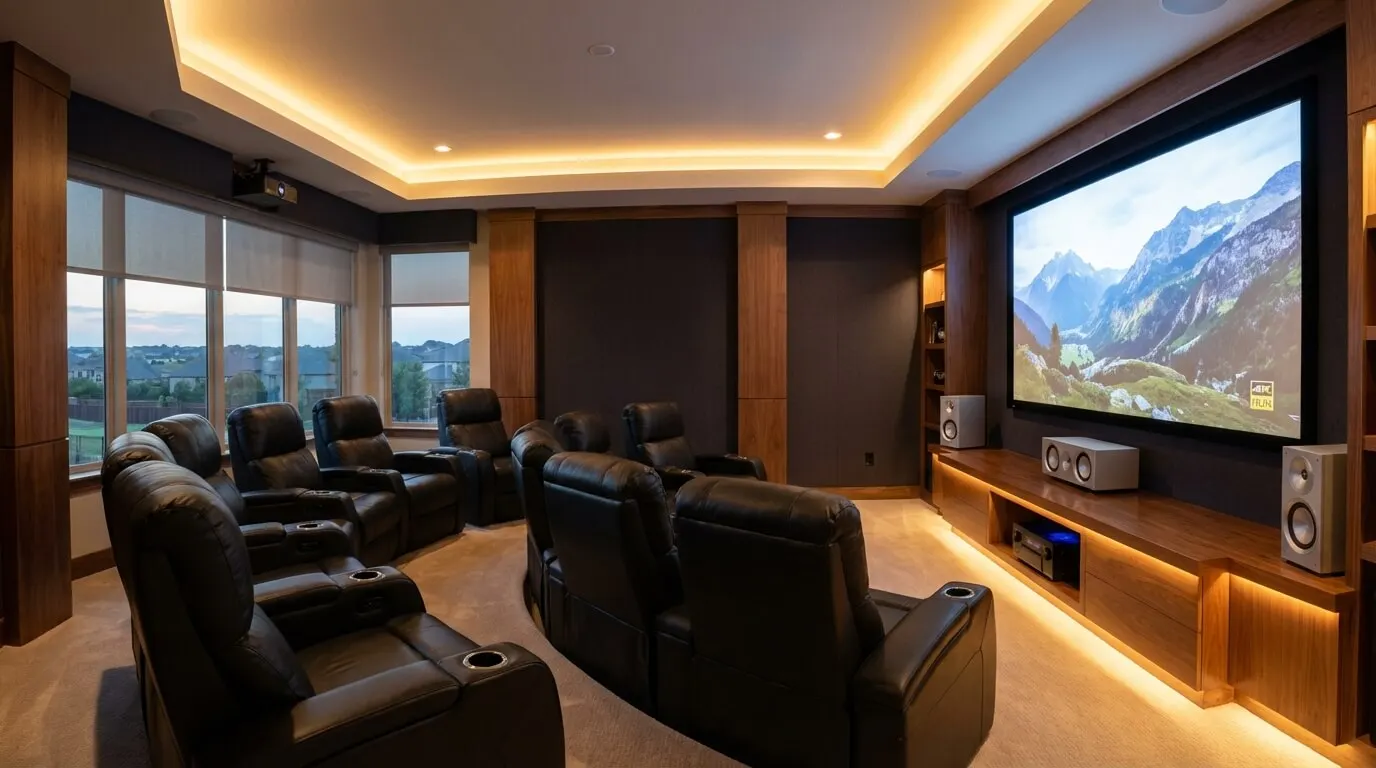
Place the speakers around the listening position before choosing wall finishes. Dolby's overhead speaker layout separates the front and surround speakers from the overhead pair. Its setup guidance uses a central seating point, with speakers aimed toward it and at seated ear height unless otherwise indicated. Do not move the entire surround system into the ceiling simply to hide it.
Ask to see the proposed speaker positions on your floor plan and ceiling plan. Check them against doors, beams, lights and ventilation grilles. If the room cannot accommodate the proposed layout, choose a simpler arrangement or change the seating. For Dolby Atmos layouts from 5.1.2 up to 7.2.4, use the Dolby Atmos placement guide before holes are cut. To check overhead speaker positions against your own room dimensions and seat, use the Dolby Atmos layout calculator.
Acoustic treatment controls sound inside the room. Sound isolation limits sound passing into neighboring spaces. GIK Acoustics separates the two jobs: panels manage reflections inside the room, while keeping sound in or out usually needs construction work. Buying wall panels to solve noise in a bedroom next door is not a substitute for assessing the wall, door and other sound paths.
Tell the designer where the problem is heard: unclear dialogue at the sofa, lingering sound in the room, or bass disturbing another room. Ask which treatment addresses that symptom and where it will fit. Avoid ordering a decorative panel package solely by wall area. Leave room to test speaker and subwoofer positions before fixing cabinets around them. A subwoofer is the speaker handling deep bass. For treatment planning, use the home theater acoustics guide.
Why is it hard to make home theater components work together?Link to this section
The challenge is matching specific functions across the signal path. A familiar connector or shared brand name is not enough to specify a system. List what each source must send, what the receiver must pass through, and what the display must accept. A receiver is the box that switches sources and powers speakers. Also check which audio layouts need extra amplification or software purchases.
Use these checks when comparing a proposal with the manuals. The figures below describe the listed cable categories or the named receiver, not the performance of every system using them.
| Component or connection | Source-backed limit or requirement | Decision before buying |
|---|---|---|
| Ultra High Speed HDMI cable | Up to 48 Gbps maximum bandwidth | Match the cable to the intended signal and verify its certification label. |
| Ultra96 HDMI cable | Up to 96 Gbps bandwidth | Choose it for a specified signal requirement; a cable change alone does not upgrade the connected equipment. |
| Denon AVR-X3800H | Its 11.1-channel connection requires an external amplifier on a designated channel pair. | Include the amplifier, its connections and shelf space if that is your chosen layout. |
Bandwidth is the connection's data-carrying capacity. HDMI's cable certification program requires testing and a certification label. Check the actual cable model and length, then test your intended picture and sound settings through the installed route. Avoid paying for a higher cable rating simply because its number is larger.
Standardize operation as well as hardware. Write down what pressing Watch should turn on, which input it should select and where volume should change. Ask for a demonstration that starts with the equipment off. Then switch between a TV app and an external player. Keep an ordinary remote available if you prefer physical buttons; voice control is optional.
What wiring should you plan before closing the walls?Link to this section
Draw the cable route from the equipment location to the display and each speaker position. Include network access, subwoofer connections and power locations. Keep a copy of the route with photographs before it is covered. Label cable ends by destination so a later equipment change does not require tracing the entire room.
Ask the installer to specify cable types for the actual installation location, including any in-wall runs. Where a video cable will become inaccessible, consider an accessible conduit, a tube for routing replacement cables. Have its size and bends checked against the intended connectors. An empty tube that cannot pass the connector is not useful upgrade space.
Locate the equipment where you can reach its rear connections and meet the manufacturers' ventilation instructions. Check shelf depth with plugs attached and doors closed. If a projector or motorized screen needs power, coordinate that location with the electrician before the ceiling finish is complete. Have qualified trades handle electrical work and structural mounting.
For future changes, spend on access where replacement would otherwise require opening a finished surface. A reachable cable route is a more useful purchase than speculative equipment you have no source material or daily use for. If the room is finished and surface cabling is acceptable, you may not need to open the walls at all.
How should lighting and controls fit the room?Link to this section
We calibrate the picture to accurate color in the light your room actually has.
Plan lighting for watching, entering the room and cleaning. Test the watching setting from the seats: look for a reflected lamp in the screen and direct light in your eyes. Keep the entry path visible without lighting the screen wall. Choose paint and fabric samples in the room with the display on before committing to a dark finish throughout.
Put the controls where a guest can find them. A wall dimmer is enough if you are content to adjust lights separately. Integrated control is worth considering when you regularly need to close shades, select a source and adjust lights together. Ask the installer to demonstrate the exact sequence you want. Do not pay for automation just to replace an easy button press.
For a larger control plan, the home theater integration guide covers the next decisions. Keep the room's basic operation understandable to someone who has not used the system before.
What should you check before hiring a designer?Link to this section
DIY is fine for arranging furniture and connecting accessible equipment when you can follow the manufacturers' instructions. Hire help for work that involves hidden wiring, overhead mounting or interdependent construction changes. Before requesting proposals, gather enough information for bidders to price the same room and scope.
- Measure the room and mark doors, windows, ceiling obstructions and adjoining rooms where sound matters.
- Photograph the proposed screen wall and note which seats must have a clear view.
- List equipment you want to keep, including model names and photographs of its connections.
- Decide which visible speakers and cable routes you accept, and which must be concealed.
- State who supplies furniture, finishes, electrical work and window coverings. Ask bidders to identify exclusions.
- Request a handover demonstration of your sources, dialogue from the seats, lighting controls and the agreed remote operation.
Compare those deliverables before comparing equipment brands. Ask what changes if a proposed speaker position or cable route is unavailable. Keep the marked plan with the proposal so substitutions can be checked against the room you approved. Digitalholics is THX Certified and offers a complimentary phone consultation.
Timelines and cost are quoted from a room measurement.
Bring your room plan to the home theater design and installation team.
SourcesLink to this section
- Sonodyne: home cinema layout
- THX: television position and viewing angle
- Epson: projector throw distance and positioning
- Dolby: overhead speaker setup
- Dolby: 7.1.4 overhead speaker setup
- Dolby Atmos Home Theater Installation Guidelines (Dec 2018)
- GIK Acoustics: acoustic panels and sound isolation
- HDMI Licensing Administrator: Ultra HDMI cable certification
- HDMI Licensing Administrator: Ultra96 HDMI cable
- Denon AVR-X3800H manual: external amplification
Complimentary phone consultation
Need help sizing this room?
Bring length, width, ceiling height, sofa-to-wall distance, and photos of the screen wall. A complimentary phone consultation is the first step — no obligation.
No obligation · We aim to respond within one business day