Dolby Atmos Home Theater Guide for Frisco Rooms
No obligation · We aim to respond within one business day
Complimentary phone consultation
Talk it through with a local designer. Written proposal before anyone books a crew.
No obligation · We aim to respond within one business day
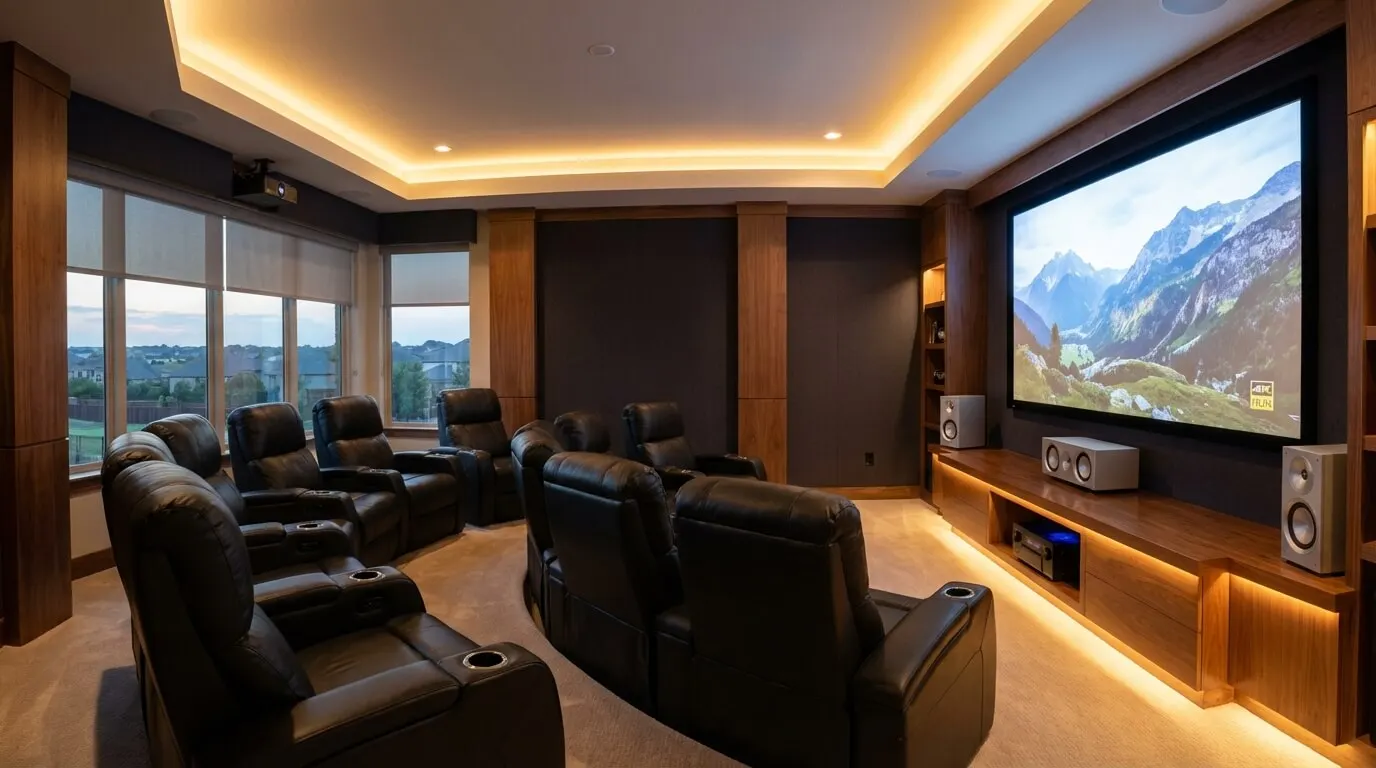
A Dolby Atmos home theater needs compatible content, a playback device, an Atmos-capable receiver, and speakers that separate sound around you from sound overhead. Choose the layout around your seating and cable access before buying equipment. For a Frisco room, start by checking whether the ceiling can accept speakers and whether the receiver can power the layout you want. Dolby’s installation guide explains those requirements.
Earlier Frisco equipment planning allowances on this page run from $3,500 to $150,000+ by budget category. They are retained from the previous page, not a current quote; installation and room work are separate.
What do I need for Dolby Atmos at home?Link to this section
Dolby Atmos uses audio objects, meaning sounds with position information, to adapt a soundtrack to your speakers. It adds an overhead dimension to conventional surround sound. Dolby’s home setup requirements cover the source device, receiver or processor, listener-level speakers, and overhead sound. A processor decodes the soundtrack; an amplifier supplies speaker power. An AV receiver combines those jobs.
Start with the movies and apps you actually use. Confirm Atmos support for the title, subscription, playback device, and audio connection. A badge on the television alone does not tell you what reaches the receiver. Keep working speakers if they suit the planned positions; Dolby allows existing listener-level speakers to remain in an Atmos system.
The dollar figures in this guide are earlier planning allowances in USD for Frisco projects, retained for budget comparison. They are not current equipment offers or a Digitalholics quote. Confirm scope and current pricing before ordering.
Complimentary phone consultation
Planning a theater or media room?
Tell us the room and how you like to watch. A complimentary phone consultation is the first step — no obligation, and the written proposal is yours to keep.
No obligation · We aim to respond within one business day
5.1.2 vs 7.1.4: how many speakers should I choose?Link to this section
The layout numbers describe listener-level speakers, subwoofers (speakers that handle deep bass), then overhead speakers. Compare the 5.1.2 and 7.1.4 drawings before deciding. Choose the smaller layout if you cannot place rear surrounds behind the seats. Choose the larger layout if you have room for rear surrounds and separate front and rear overhead pairs. The third number is the height channels: those overhead speakers. A 5.1.2 uses a top-middle pair; a 7.1.4 uses top-front and top-rear pairs, matching the table below.
| Layout | Speaker count, including subwoofer | Powered channels needed for passive speakers | Choose it when |
|---|---|---|---|
| 5.1.2 | 5 + 1 + 2 = 8 | 5 + 2 = 7 | Rear-surround placement is impractical. |
| 7.1.2 | 7 + 1 + 2 = 10 | 7 + 2 = 9 | Rear surrounds fit; overhead wiring is limited. |
| 5.1.4 | 5 + 1 + 4 = 10 | 5 + 4 = 9 | Front and rear overhead pairs fit better than rear surrounds. |
| 7.1.4 | 7 + 1 + 4 = 12 | 7 + 4 = 11 | Both rear surrounds and overhead pairs fit. |
The amplifier arithmetic assumes a powered subwoofer with its own amplifier. A larger speaker count is not a reason to push the seats into an awkward position. Ask for a drawing with the sofa shown at its actual depth, including the reclined position.
Where should Atmos speakers go in my room?Link to this section
Atmos speaker placement starts at the main seat. Dolby’s placement guidance points listener-level speakers toward a central seating position at seated ear height. Mark the screen and sofa before marking the ceiling. A symmetrical ceiling grid can still put the speakers in the wrong places relative to your head.
For the 7.1.4 reference layout, Dolby recommends a 45-degree elevation angle, adjustable between 30 and 55 degrees for the front and rear overhead speakers. These are angles from the listening position, not fixed distances from the screen. Ask the installer to show the side-view drawing as well as the floor plan.
Do not simply copy existing ceiling-light positions. Check joists, ducts, speaker cutout depth and mounting clearance before approving holes.
Existing ceiling surrounds need attention. Dolby advises adding replacement listener-level surrounds before repurposing those ceiling speakers as overhead outputs. Otherwise the upgrade changes the old speaker’s job without replacing it. Bring photographs of existing speakers and receiver connections to the design discussion.
To check top-front and top-rear positions against this room’s seat and ceiling, use the Atmos layout calculator, then bring the drawing to a complimentary phone consultation.
What ceiling and room requirements matter for Atmos?Link to this section
Ceiling requirements depend on how you create overhead sound. In-ceiling speakers send sound toward the seats; upfiring modules reflect it off the ceiling. Dolby’s guidance for upfiring speakers calls for a flat, reflective ceiling. A vaulted surface or absorbent ceiling needs a different assessment from a flat drywall surface.
For upfiring speakers, Dolby gives a ceiling-height range of 7.5 to 14 feet, with 7.5 to 12 feet ideal. Those figures apply to reflected sound. They are not a universal minimum-height rule for direct overhead speakers. If reflections are unsuitable and ceiling installation is impractical, staying with conventional surround can be the better purchase.
For a Frisco remodel, photograph the ceiling from the room and any accessible space above it. Mark beams, tray edges, fans and access panels. Ask whether each proposed speaker can be mounted and serviced without moving a duct or cutting framing. Resolve access before choosing a grille finish.
If dialogue is already hard to follow, budget for placement and room treatment before adding more effects channels. The Frisco home-theater acoustics guide covers that separate decision. For the wider room layout, use the home-theater design guide.
Atmos in a living room, not only a dedicated cinemaLink to this section
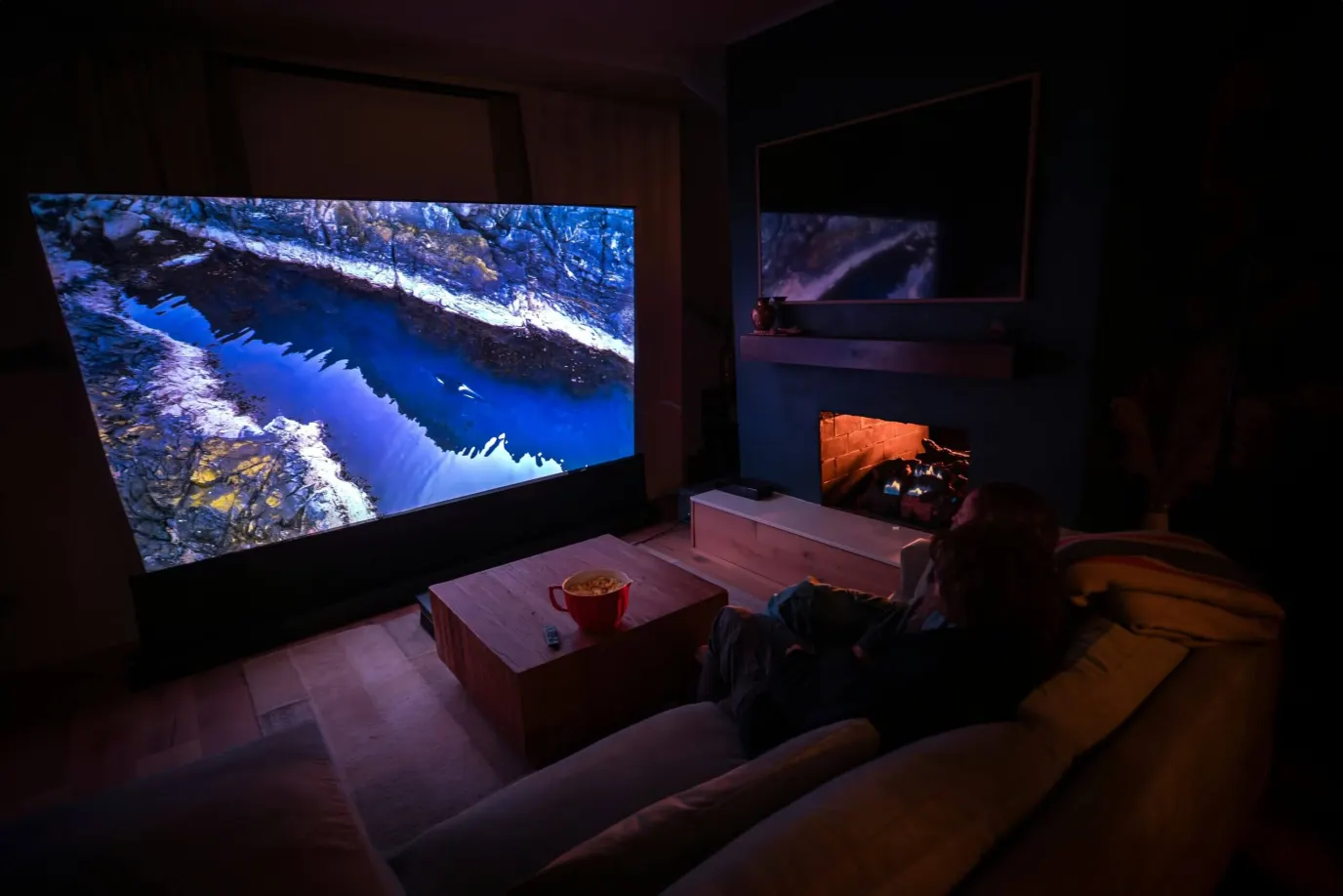
A sofa-and-TV room can run Atmos when you plan around the furniture you already sit on. Mark the everyday seat first: the cushion you use at night. Dolby’s 5.1.2 overhead guide starts with a central seating point and aims the speakers at it, at seated ear height unless noted otherwise.
Keep the center channel on the TV wall with a clear path to that seat. If dialogue is unclear, compare the same scene with the cabinet door open or the coffee table moved, changing one thing at a time. Photograph the wall from the sofa before you order a mount.
For optimal performance with upfiring modules, Dolby recommends a flat, reflective ceiling between 7.5 and 14 feet high, with 7.5 to 12 feet ideal. Those figures apply to reflected height. They are not a height rule for speakers mounted in the ceiling. A tray, a vault, or acoustic tile needs its own assessment.
Choose 5.1.2 when rear surrounds cannot sit behind a sectional. The 5.1.2 vs 7.1.4 table on this page compares those layouts. Photograph joists, tray edges, and fans from the room and from any access above it before anyone cuts a ceiling hole.
Which receiver specifications and connections should I check?Link to this section
Check Atmos decoding, processing capacity and powered channels separately. The Denon AVR-X4800H has 9 power amplifiers and 11.4-channel processing. A 7.1.4 layout needs 11 powered speaker channels, excluding the powered subwoofer, so that receiver needs additional amplification for that full layout. Have the proposal identify which outputs and amplifier channels drive each speaker.
For Apple TV 4K, Apple recommends connecting directly to the receiver’s HDMI input, then connecting the receiver’s HDMI output to the television. HDMI carries digital audio and video. Apple also says its Atmos output does not work over ARC connections. ARC is the television’s audio-return connection. Check the exact television and receiver signal path before buying a replacement.
Use the player manufacturer’s audio settings rather than copying settings from another device. During a demonstration, play a title with an Atmos soundtrack and check the receiver’s incoming-audio display. Hearing overhead activity alone is not the same as confirming that the incoming soundtrack is Atmos.
Confirm the title shows an Atmos badge in the app or player. Send audio from a disc player or streamer into the receiver over HDMI, or from the TV over eARC. Apple’s Apple TV 4K guide says Apple TV Atmos does not work over ARC, and to connect the Apple TV directly to the receiver’s HDMI input. Play a known Atmos title and read the receiver’s incoming-audio display; a television badge is not proof of decode.
How much does a Dolby Atmos room cost?Link to this section
An Atmos room budget depends on the speaker layout, equipment, cable route and finishing work. Compare the earlier USD allowances below by scope; do not add overlapping upgrade packages together. A complete room also needs decisions about the display and furnishings, covered in the Frisco home-theater cost guide.
Earlier overall planning allowancesLink to this section
These broader planning bands overlap the equipment and installation allowances below; they are not totals calculated from those tables. The previous overview used $6,000-$50,000, which does not cover the equipment table’s full span. Use the itemized categories instead. The 9.2.4 and 11.2.6 labels identify legacy budget bands retained from the previous page, not Dolby layout recommendations.
| Earlier budget category | Planning allowance, USD |
|---|---|
| 5.1.2 | $6,000-$12,000 |
| 7.1.2 | $10,000-$18,000 |
| 5.1.4 | $10,000-$18,000 |
| 7.1.4 | $15,000-$30,000 |
| 9.2.4 legacy budget band | $25,000-$45,000 |
| 11.2.6 legacy budget band | $40,000-$80,000+ |
Equipment allowances by budget categoryLink to this section
| Earlier budget category | Entry-Level | Mid-Range | Premium | Reference |
|---|---|---|---|---|
| 5.1.2 Atmos | $3,500-$6,000 | $6,000-$10,000 | $10,000-$15,000 | $15,000-$25,000 |
| 7.1.2 Atmos | $5,000-$8,000 | $8,000-$14,000 | $14,000-$22,000 | $22,000-$35,000 |
| 7.1.4 Atmos | $7,000-$12,000 | $12,000-$20,000 | $20,000-$35,000 | $35,000-$55,000 |
| 9.2.4 legacy budget band retained from the previous page | $12,000-$18,000 | $18,000-$30,000 | $30,000-$50,000 | $50,000-$80,000 |
| 11.2.6 legacy budget band retained from the previous page | $20,000-$30,000 | $30,000-$50,000 | $50,000-$80,000 | $80,000-$150,000+ |
Receiver and processing allowancesLink to this section
Check processing capacity and powered channels using the Denon example above before comparing these earlier allowances. Include any required external amplifier in the same scope.
- 5.1.2: $700-$1,200.
- 7.1.2: $1,200-$2,000.
- 7.1.4: $2,000-$3,500.
- 9.2.4 legacy budget band: $3,500-$8,000.
- 11.2.6 legacy budget band: $8,000-$25,000+.
Installation allowances by accessLink to this section
| Earlier budget category | New Construction | Retrofit (Good Access) | Retrofit (Limited Access) |
|---|---|---|---|
| 5.1.2 Atmos | $1,500-$2,500 | $2,500-$4,000 | $4,000-$6,000 |
| 7.1.4 Atmos | $2,500-$4,000 | $4,000-$6,500 | $6,500-$10,000 |
| 9.2.4 legacy budget band retained from the previous page | $4,000-$6,000 | $6,000-$9,000 | $9,000-$14,000 |
| 11.2.6 legacy budget band retained from the previous page | $6,000-$9,000 | $9,000-$14,000 | $14,000-$20,000 |
Separate room and equipment allowancesLink to this section
| Item | Cost Range | When Needed |
|---|---|---|
| Acoustic Treatment | $2,000-$8,000 | Choose treatment after assessing reflections. |
| Electrical Work | $500-$2,000 | Ask an electrician to assess the proposed loads. |
| HDMI Distribution | $800-$3,000 | Check the actual source-to-display cable route. |
| Equipment Rack | $500-$2,500 | Include ventilation and service access. |
| Room Calibration Mic | $300-$1,500 | Check what the receiver includes before buying. |
| Seating | $1,500-$8,000 | Keep reclined seats clear of speaker positions. |
| Lighting Control | $500-$2,000 | Include only if dimming is part of the brief. |
Keep equipment that still fits the job. Spend first on usable speaker positions and access for wiring. Decorative grilles, a separate processor and extra channels are not worth buying merely to match the price of the house. Ask for optional items to be priced separately so you can remove them without losing the core system.
Upgrade and planning allowancesLink to this section
Earlier pre-wire allowances were $1,500-$2,500 during construction, with layout examples of $1,200-$2,000 for 5.1.2, $2,000-$3,500 for 7.1.4, and $3,000-$5,000 for 9.2.4. Ask what each wiring scope includes before comparing it with a finished installation.
Earlier upgrade allowances were $3,000-$6,000 for adding an overhead pair, $5,000-$10,000 for front and rear overhead pairs, and $8,000-$18,000 for an all-new upgrade. Another complete-upgrade allowance was $8,000-$15,000. These are alternative scopes, not items to total.
Earlier 7.1.4 system allowances included $12,000-$35,000, with tier bands of $12K-$18K, $18K-$28K and $28K-$45K. Other planning bands were $20,000-$32,000 and $18,000-$28,000 total; installation was separately allowed at $4,000-$7,000. Require one itemized scope rather than choosing among overlapping bands.
Previous equipment allowances included $300-$600 per upfiring pair, receiver allowances of $1,200, $2,200 and $4,500, and $8,000-$15,000 for processing plus amplification. These are budgeting references, not current model prices. The earlier electrical-permit allowance was $150-$300; confirm applicability and fees with the city for the actual work.
Earlier budget markers of under $12,000, $15,000 or $15,000+ and over $60,000 are not technical requirements for Atmos. Speaker position and playback compatibility decide feasibility.
Is Atmos worth it compared with traditional surround?Link to this section
Atmos is worth considering when you watch compatible content and can create a separate overhead layer. Keep conventional surround if the proposed installation compromises your seating or if the ceiling work costs more than the benefit you hear in a demonstration. Audition familiar dialogue and effects at your usual volume.
| Aspect | Traditional surround | Atmos overhead layout |
|---|---|---|
| Speaker Count | 7 listener-level speakers plus a subwoofer | 7 listener-level speakers, a subwoofer and 4 overhead speakers |
| Sound Dimensions | Listener-level surround | Listener-level plus overhead |
| Content Availability | Check your sources | Check for an Atmos soundtrack |
| Equipment Cost | $8,000-$18,000 | $12,000-$25,000 |
| Installation Cost | $3,000-$5,000 | $4,000-$7,000 |
| Room Requirements | Usable surround positions | Usable surround and overhead positions |
| Future-Proofing | Check connections before upgrading | Check expansion before upgrading |
| Best For | Keeping a working system | Adding a usable overhead layer |
Atmos is a height layer on top of 5.1 or 7.1 surround. Compatible listener-level speakers can often be reused; in these overhead layouts, the final number counts the overhead speakers. The equipment-cost row in the table ($8,000-$18,000 for traditional surround, $12,000-$25,000 for an Atmos overhead layout) is an earlier planning allowance in USD, not a current quote.
What should I check before hiring an installer?Link to this section
DIY is reasonable for connecting accessible equipment and running the receiver’s guided setup if you can follow its manual. Hire help for overhead mounting, concealed cable routes or a layout you cannot resolve on a drawing. Dolby recommends installers experienced with overhead speakers. The DIY versus professional installation guide covers the broader scope choice.
- Mark the main seat, screen, doors and furniture on a room sketch. Photograph the ceiling and existing wiring.
- List the equipment you want to keep, including exact model names and the apps or disc player you use.
- Ask for listener-level and overhead speakers to be shown separately, with the amplifier channel assigned to each.
- Separate speakers, processing, amplification, wiring, patching and calibration in the proposal. Identify who handles finish repairs.
- Ask for calibration settings and a playback demonstration from your own source device before accepting the installation.
Calibration adjusts speaker levels, timing and frequency balance. Dolby recommends calibration followed by listening and adjustment. Ask to hear dialogue from each regular seat, not only from the microphone position. On the AVR-X4800H, Audyssey calibration is included; Dirac Live requires an optional license. Check included tools before paying for a separate microphone or software.
We measure the space and the light first, then say which of the three this is: a dedicated cinema, a media-room conversion, or a retrofit around the architecture you already have. Ask about the installation schedule for your room before booking work. Have the proposal separate planning, cable installation, finish repairs and calibration so you know when the room will be usable.
A movie scene on the Control4 remote or a Lutron keypad dims the lights, drops the shades, and starts the film. If you want that control, include the lights and shades in the proposal and ask for a demonstration of the complete sequence.
Digitalholics offers a complimentary phone consultation. Bring your room sketch and equipment list through the contact page.
Plan the installation through the home-theater service page.
SourcesLink to this section
Complimentary phone consultation
Need a layout for this room?
Bring a floor-plan sketch or living-room photos to a complimentary phone consultation. We talk through whether a ceiling-channel layout fits, then we send a written line-item proposal — no obligation.
No obligation · We aim to respond within one business day