
![Smart Home Comfort 2025: 15 Ways Tech Enhances Life [Guide]](https://digitalholics.com/wp-content/uploads/2025/12/ai-generated-694d1b81cb23f.jpg)
Smart home comfort is achieved through the integration of automated climate control, intelligent lighting, and seamless device orchestration that anticipates your needs before you even ask. By 2025, advanced systems use AI to learn your habits, adjusting temperature, humidity, and ambiance to create a frictionless living environment that reduces stress and enhances physical well-being.
This guide breaks down every aspect of how smart technology elevates your daily living experience. You’ll learn how automated systems reduce decision fatigue, understand the health benefits of circadian lighting, and discover the peace of mind that comes with proactive security. We dive deep into the specific technologies that turn a standard house into a sanctuary of convenience.
Written by the Digitalholics Design Team, Certified Control4 & Savant Experts with 9+ years of experience. Over 300+ luxury smart home projects completed in Frisco and North Texas since 2015.
How Much Does Smart Home Comfort Cost?
When we talk about “smart home comfort,” we are referring to a ecosystem of devices working in harmony. The cost varies significantly based on the depth of integration and the quality of the hardware. In our experience working with Frisco homeowners, most projects fall into three distinct tiers. Understanding these ranges helps you budget for the level of comfort you desire.
| Comfort Level | Cost Range (Installed) | Key Features Included | Best For |
|---|---|---|---|
| Entry / DIY | $2,000 – $5,000 | Smart thermostat, basic smart bulbs, voice assistant (Alexa/Google), video doorbell. | Apartments or single-room retrofits. |
| Standard / Integrated ✅ | $15,000 – $40,000 | Centralized processor (Control4/Savant), multi-room audio, Lutron lighting (main areas), automated shades (3-5 windows), strong network. | Typical 3-4 bedroom family home in Frisco. |
| Premium / Luxury ★ | $75,000 – $150,000+ | Full-home panelized lighting, whole-home motorized shading, HVAC integration with humidity control, enterprise-grade network, AI automation. | Large estates, custom builds, and uncompromising luxury. |
But these figures include professional installation, programming, and network infrastructure—which are critical for a system that actually works reliably. A system that constantly disconnects adds stress, not comfort.
💰 Cost Alert: Don’t overlook the network. 60% of “smart home” failures are actually network failures. Budget at least $3,000-$5,000 for a strong enterprise-grade network (Ubiquiti/Araknis) to ensure your comfort isn’t interrupted by buffering.
How Does Automated Climate Control Improve Daily Life?
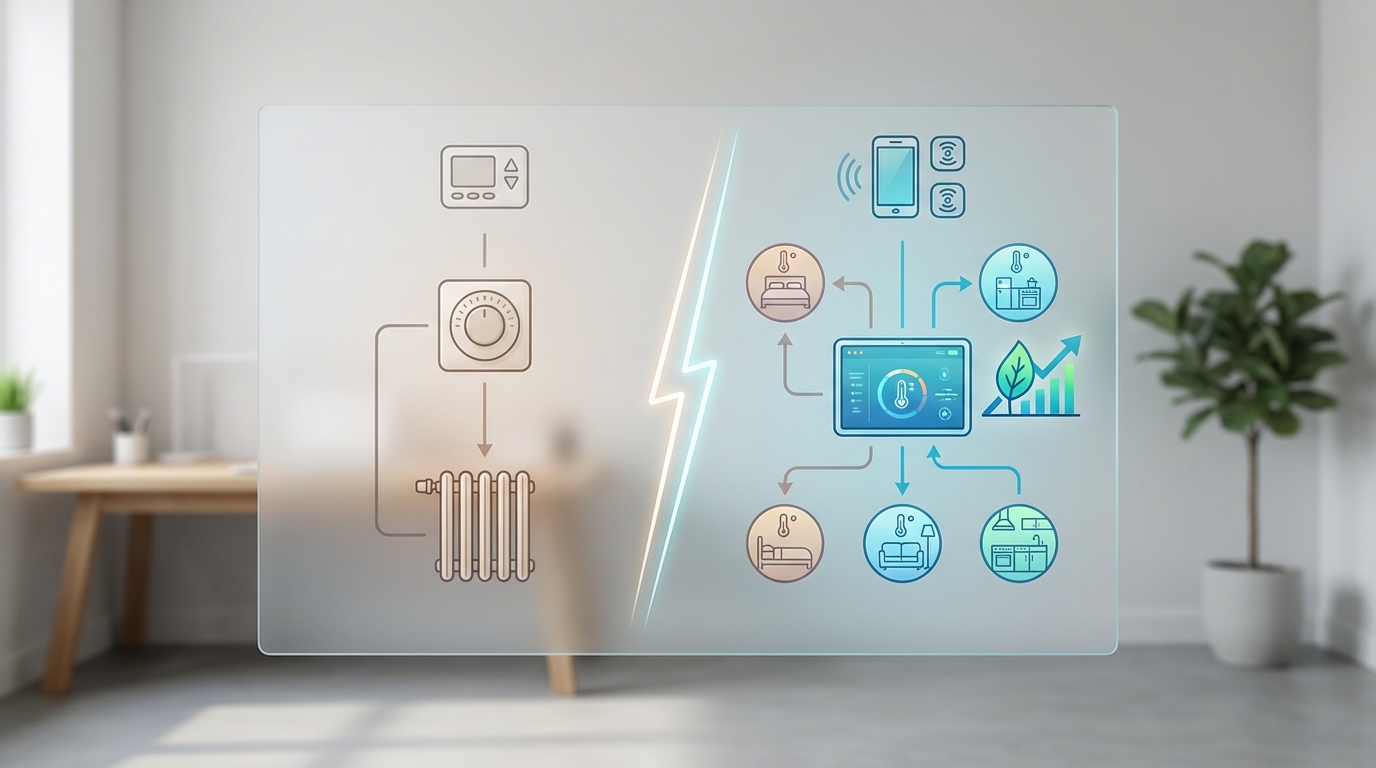
Temperature regulation is the foundation of physical comfort. However, traditional thermostats are reactive—you feel hot, so you walk to the wall and lower the temperature. Smart climate control is proactive. It anticipates your needs based on time of day, occupancy, and even the weather outside.
In 2025, we are moving beyond simple scheduling. Advanced systems integrate with your home’s HVAC, humidity control, and even ceiling fans to create a perfect microclimate. For example, a system can detect that the master bedroom is occupied at night and prioritize cooling that specific zone while letting the rest of the house drift to an energy-saving temperature.
The Role of Humidity and Air Quality
True comfort isn’t just about temperature; it’s about air quality. Smart thermostats can monitor Volatile Organic Compounds (VOCs) and CO2 levels. If air quality drops—perhaps due to cooking or a crowded party—the system can automatically engage the HVAC fan or an energy recovery ventilator (ERV) to cycle fresh air. This happens silently in the background, ensuring you never wake up with that stuffy, headache-inducing feeling.
| Feature | Standard Thermostat | Smart Climate System | Comfort Impact |
|---|---|---|---|
| Adjustment | Manual / Basic Schedule | AI Learning / Geofencing | House is perfect temp when you arrive, saves energy when away. |
| Zoning | Single Point | Remote Sensors / Dampers | Eliminates hot/cold spots in large Frisco homes. |
| Integration | None | Shades / Fans / HVAC | Shades lower automatically to block afternoon sun heat gain. |
For homeowners in Texas, where summer temperatures regularly exceed 100°F, the integration of climate control with motorized shades is a game-changer. We program systems to lower west-facing shades automatically at 4:00 PM. This prevents solar heat gain, meaning your AC doesn’t have to work as hard, and your home remains consistently cool without you lifting a finger.
Real Client Example (Phillips Creek Ranch):
“We used to fight over the thermostat constantly. The upstairs was always 5 degrees hotter than the downstairs. Digitalholics installed a Control4 system with remote sensors in every bedroom. Now, the system averages the temperature based on where we actually are. If we’re watching a movie in the media room, it prioritizes that zone. It’s a level of comfort we didn’t know existed.”
— Sarah & Mark T., Frisco, TX
Which Smart Lighting Features Create the Best Ambiance?
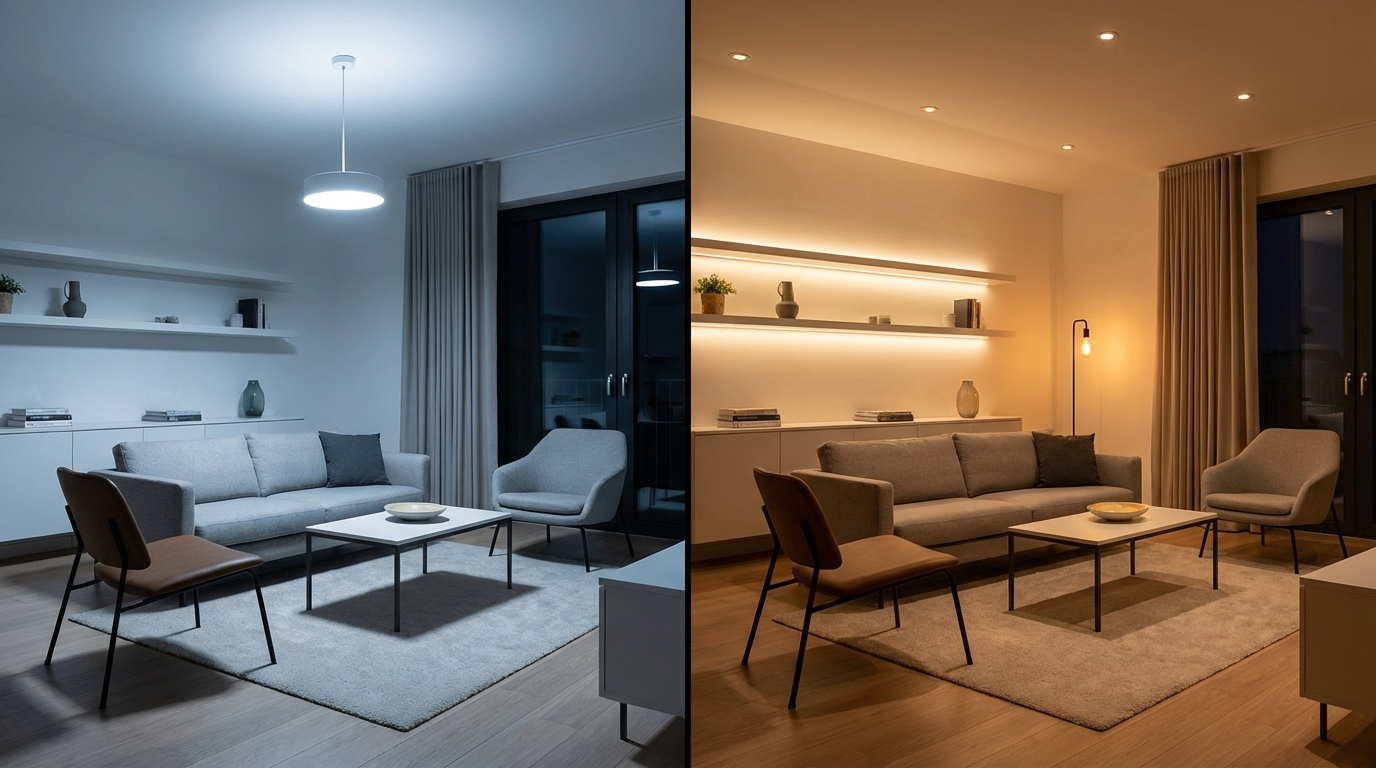
Lighting affects our mood, energy levels, and sleep cycles more than any other environmental factor. Yet, most homes rely on static, harsh on/off switches. Smart lighting enhances comfort by mimicking the natural progression of daylight, a concept known as Human Centric Lighting.
Imagine waking up not to a blaring alarm, but to your bedroom lights slowly fading up from 0% to 30% over 15 minutes, simulating a sunrise. This suppresses melatonin production naturally, helping you wake up feeling refreshed rather than groggy. Conversely, in the evening, lights should shift to warmer, amber tones and lower intensity to prepare your body for sleep.
The Power of “Scenes”
Honestly, the true comfort of smart lighting comes from “scenes.” Instead of walking around your kitchen and living room adjusting five different dimmer switches to get the right mood for dinner, you press one button labeled “Dinner.”
- Cooking Scene: Kitchen islands at 100%, under-cabinet lights on, pantry lights triggered by motion.
- Dining Scene: Kitchen lights dim to 40%, dining chandelier sets to 60%, background music starts playing softly.
- Relax Scene: Overhead lights turn off, lamps turn on to 30%, shades lower for privacy.
For a deeper dive into the costs associated with these systems, check out our guide on Smart Lighting Cost in Frisco.
✅ Pro Tip: When planning smart lighting, don’t just think about bulbs. Invest in smart switches and keypads (like Lutron RadioRA 3). Smart bulbs often reset if someone flips the physical switch, breaking your automation. Smart switches work manually AND automatically, ensuring 100% reliability.
How Do Motorized Shades Contribute to Home Comfort?
Natural light is beautiful, but it comes with glare, heat, and privacy concerns. Motorized shading is often viewed as a luxury, but once you live with it, it becomes a necessity for comfort. The primary benefit is the management of natural light without the manual labor of adjusting 20+ windows in a large home twice a day.
In our experience, the “comfort” factor here is twofold: thermal comfort and visual comfort. Thermal comfort is achieved by blocking heat before it enters the room. Visual comfort is achieved by reducing glare on TV screens and computer monitors without making the room feel like a dungeon.
Fabric Opacity Matters
Choosing the right fabric is crucial for comfort. We typically recommend:
- 1% to 3% Opacity (Solar Shades): Best for living rooms with a view. You can see out, but glare and UV rays are blocked.
- Light Filtering: Allows light in but provides privacy. Great for bathrooms and guest rooms.
- Blackout: Essential for media rooms and master bedrooms for optimal sleep and movie viewing.
For detailed pricing on different fabric and motor options, refer to our Motorized Shades Pricing Guide.
Transform Your Home’s Ambiance
Experience the perfect blend of natural and artificial light. Digitalholics designs custom lighting and shading solutions for Frisco homes.
What Role Does Whole-Home Audio Play in Relaxation?
Music has a profound effect on stress levels. A smart home enhances comfort by making music effortlessly accessible in every room. Gone are the days of Bluetooth speakers that disconnect when you walk away or get a phone call. A whole-home audio system allows you to fill your entire house with high-fidelity sound at the touch of a button.
Imagine coming home after a stressful day. You press “Welcome” on your keypad. And the lights soften, the shades lower, and your favorite “Chill Mix” begins playing softly in the kitchen and living room. You didn’t have to fiddle with an app or connect a device; the environment simply adjusted to support your relaxation.
| System Type | Audio Quality | Reliability | Best For |
|---|---|---|---|
| Wireless (Sonos) | Good | High (Dependent on WiFi) | Retrofits, casual listening. |
| Wired (Triad/Origin) | Excellent / Audiophile | Rock Solid (Hardwired) | New construction, critical listening, invisible speakers. |
| Hybrid | Very Good | High | Mix of wired architectural speakers and wireless portables. |
For those interested in the specifics of audio distribution, our Whole Home Audio Cost Guide breaks down the investment required for high-fidelity sound.
How Does Voice Control Simplify Daily Tasks?
Voice control, when executed correctly, is the ultimate convenience. It allows you to command your home when your hands are full—literally. Whether you’re carrying groceries, cooking dinner, or holding a baby, being able to say “Alexa, turn on the kitchen lights” or “Josh, open the shades” removes friction from daily tasks.
However, there is a significant difference between a $30 Echo Dot and a professional voice control system like Josh.ai. Mass-market assistants often struggle with privacy concerns and complex commands. Professional systems are context-aware. If you are in the kitchen and say “turn on the lights,” Josh.ai knows you mean the kitchen lights, not the whole house.
Privacy as a Comfort Factor
Look, this is where systems like Josh.ai enhance comfort by ensuring privacy. They process commands locally on a server in your home, not in the cloud. Your conversations stay within your walls, providing psychological comfort alongside convenience.
Can Smart Security Systems Provide Peace of Mind?
Comfort is impossible without a sense of safety. Smart security systems go far beyond a simple burglar alarm. They provide situational awareness and proactive protection. In 2025, AI-driven cameras can distinguish between a person, a dog, a vehicle, and a swaying tree branch, virtually eliminating false alarms that cause unnecessary panic.
Consider the comfort of “Mockupancy.” When you go on vacation, your smart home can replay your usual lighting and shading routines. To an outside observer, it looks exactly like someone is home—lights turning on in the kitchen at 6 PM, bedroom TV flickering at 9 PM, upstairs lights off at 11 PM. This is far more effective than a static timer and allows you to relax completely while away.
Real Client Example (Starwood):
“We travel frequently for business. Before, I was always checking my phone, worried about the house. Now, the house takes care of itself. The ‘Vacation Mode’ makes it look occupied, and I get a specific alert only if a person is detected on the driveway after 10 PM. The reduction in anxiety is worth every penny.”
— James R., Frisco, TX
For a breakdown of security investments, see our Security System Cost Guide.
How Do Smart Appliances Reduce Household Stress?
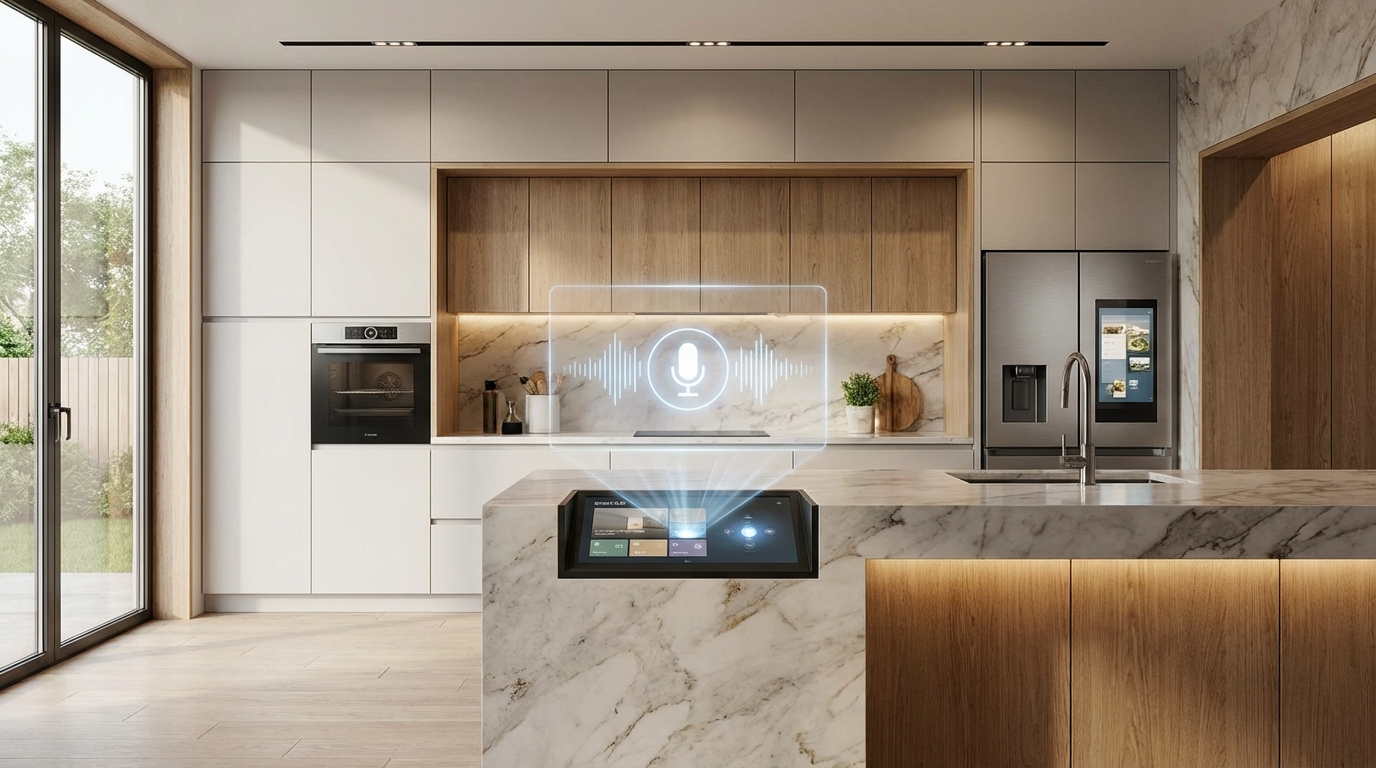
The kitchen and laundry room are often sources of household chores and stress. Smart appliances aim to alleviate this by adding remote monitoring and automation. While a “smart fridge” might seem gimmicky to some, the practical applications are genuine time-savers.
- Smart Ovens: Preheat your oven on your way home from the grocery store so it’s ready the moment you walk in. Receive alerts if the oven is left on.
- Smart Laundry: Washers that dispense the correct amount of detergent automatically and notify you when a cycle is done (and remind you if wet clothes have been sitting too long).
- Smart Refrigerators: Internal cameras allow you to check if you have milk while you’re standing in the dairy aisle.
These features don’t revolutionize life individually, but collectively, they shave minutes off daily chores and reduce the mental load of “did I remember to…?” questions.
What Are “Scenes” and How Do They Work?
We’ve mentioned scenes briefly, but they deserve their own section because they are the mechanism that delivers 80% of smart home comfort. A scene is a macro—a single command that triggers multiple devices to act in unison.
The “Goodnight” Scene
This is universally the most loved feature by our clients. With one button press on your bedside table (or a voice command):
- All interior lights turn off.
- Exterior security lights turn on.
- Garage doors close and lock.
- Doors bolt automatically.
- Thermostats drop to 68 degrees for sleeping.
- Security system arms to “Stay” mode.
- Shades lower for blackout privacy.
This eliminates the “house lap”—walking around for 10 minutes checking locks and switches. It guarantees your home is secure and comfortable for sleep, every single night.
📊 Key Stat: According to a 2024 smart home study, homeowners with a “Goodnight” scene save an average of 60 hours per year on nightly routines and report 25% better sleep quality due to consistent environmental cues.
How Does AI Personalize Your Home Experience?
Artificial Intelligence is the frontier of smart home comfort in 2025. Older systems required you to program everything explicitly. AI systems learn. For more on this, read our article on Best AI Home Features.
An AI-driven home observes your patterns. It notices that you typically turn on the kitchen lights and tune the radio to NPR at 7:00 AM on weekdays. After a few weeks, it might suggest automating this, or simply do it for you. It can also predict comfort needs. If the weather forecast predicts a heatwave, the system can pre-cool the house during off-peak energy hours to ensure comfort while minimizing cost.
Wired vs. Wireless: Which Is Better for Reliability?

Here’s the thing: Nothing kills comfort faster than a device that says “Not Responding.” Reliability is the unsung hero of comfort. In the debate of wired vs. wireless, wired almost always wins for critical infrastructure.
For a truly comfortable experience where things work 100% of the time, we recommend hardwiring (using CAT6 or fiber) for:
- Stationary devices (TVs, Apple TVs, Roku).
- Wireless Access Points (for better WiFi coverage).
- Security Cameras (PoE is far superior to battery).
- Intercoms and Door Stations.
Wireless is fine for sensors and tablets, but the backbone of your smart home should be wired. This reduces congestion on your WiFi network, ensuring that when you do use a wireless device, it’s fast and responsive.
How to Design a Smart Home for Aging in Place?
For many, comfort means the ability to stay in their own home as they age. Smart technology provides independence and safety for seniors. This is a rapidly growing aspect of our business in the Frisco area.
- Automated Lighting: Motion-activated lights in hallways and bathrooms prevent falls at night.
- Voice Control: Allows control of the environment without needing to get up or manipulate small switches with arthritic hands.
- Video Intercoms: See who is at the door without having to rush to answer it.
- Water Leak Detection: Prevents catastrophic damage from forgotten faucets or leaking pipes.
What Additional Costs Should I Expect?
Beyond the initial hardware and installation, true smart home comfort requires maintenance. Just like a luxury car needs service, a complex automation system needs updates and monitoring.
| Cost Item | Estimated Annual Cost | Why It’s Needed |
|---|---|---|
| Remote Monitoring (OvrC/Domotz) | $300 – $600 | Allows pros to fix issues remotely without a service call. |
| Firmware Updates | Included in Service Plan | Security patches and new feature additions. |
| Subscription Fees | $100 – $300 | Video storage (Ring/Nest), music services (Spotify/Tidal). |
We recommend budgeting 1-2% of the system’s total cost annually for a service agreement. This ensures your system evolves with you and remains secure against digital threats.
How Many Devices Do I Need for a Comfortable Setup?
A common mistake is buying too many disparate devices that don’t talk to each other. This creates “app fatigue”—the opposite of comfort. You don’t need more devices; you need integrated devices.
For a standard 3,000 sq ft home in Frisco, a comfortable baseline setup usually includes:
- 1 Main Processor: The brain (Control4 Core 3 or similar).
- 20-30 Smart Light Switches: Covering main common areas and master suite.
- 2 Smart Thermostats: One per HVAC zone.
- 4-6 Audio Zones: Kitchen, Patio, Living, Master, Office.
- 1 Video Doorbell + 3-4 Exterior Cameras.
- 1 strong Network System: Router, Switch, 2-3 Access Points.
Start with the infrastructure (Network and Processor), then add end-points (lights, shades, speakers) as your budget allows. This scalable approach ensures you build a cohesive system rather than a gadget graveyard.
“The biggest trend we see in 2025 is ‘invisible tech.’ Homeowners want the comfort and convenience, but they don’t want to see the black boxes and wires. It’s about the experience, not the hardware.”
— CEDIA (Custom Electronic Design & Installation Association) 2025 Trends Report
📚 Sources & References
- Department of Energy: Thermostat Savings – Data on energy efficiency and climate control.
- Sleep Foundation: Light & Sleep – Research on circadian rhythms and lighting.
- CEDIA Association – Industry standards for smart home installation.
Frequently Asked Questions About Smart Home Comfort
How much should I budget for a basic smart home comfort system?
For a professionally installed system in Frisco that covers lighting, climate, and basic security, you should budget between $15,000 and $25,000. This ensures you get reliable hardware (like Lutron and Control4) and a solid network foundation, rather than unreliable DIY gadgets that may cause frustration.
Is a wired system better than wireless for comfort?
Yes, absolutely. Look, while wireless technology has improved, a wired backbone (CAT6) is superior for reliability. We recommend hardwiring stationary devices like TVs and cameras. This leaves your WiFi bandwidth free for mobile devices like phones and tablets, ensuring a faster, smoother experience for everything.
Do I need a smart home hub?
If you want true automation where devices talk to each other (e.g., lights turning on when the door unlocks), yes. A central processor (like a Control4 Core series) acts as the conductor of the orchestra. Without it, you are just operating separate apps for lights, music, and heat, which is cumbersome.
Can smart homes really save energy?
Yes. Data shows that smart thermostats can save 10-12% on heating and 15% on cooling costs. So, automated shades can reduce solar heat gain by up to 77% in the summer, significantly reducing the load on your HVAC system in the Texas heat.
What is the best smart feature for relaxation?
Most clients vote for Smart Lighting Scenes. The ability to press one button and have the entire room transform—lights dimming, shades lowering, and music starting—creates an instant atmosphere of relaxation that manual switches simply cannot replicate.
Will a smart home increase my property value?
Increasingly, yes. Appraisers in the North Texas market are beginning to recognize the value of integrated smart infrastructure. Features like Lutron lighting systems, hardwired security, and strong networking are seen as premium upgrades, similar to high-end appliances or hardwood floors.
Conclusion: Elevate Your Living Experience
After designing and installing over 300 smart home projects since 2015, our recommendation is clear: Start with the infrastructure. True comfort comes from reliability. A smart home that works 99% of the time is a nuisance; one that works 100% of the time is magic.
Final Recommendations
- Budget Appropriately: Allocate 3-5% of your home’s value for a system.
- Choose Wisely: Prioritize Lighting and Climate control for the biggest impact on daily comfort.
- Plan Carefully: If building new, pre-wire for everything. It’s cheaper to run cable now than to retrofit later.