
![Ultimate Smart Home Pre-Wiring Guide 2025: Essential Frisco Tips [Save $5K+]](https://digitalholics.com/wp-content/uploads/2025/12/ai-generated-6946f943b297d.jpg)
Pre-wiring a new home in Frisco typically costs between $2,500 and $10,000 depending on square footage and complexity, but saves homeowners 60-70% compared to retrofitting later. While Wi-Fi is convenient, a hardwired backbone using Cat6a and fiber optic cabling is the only way to guarantee 100% reliability for 4K streaming, security cameras, and home automation systems. For most Frisco new builds, installing structured wiring before drywall is the single most critical decision for future-proofing your investment.
This comprehensive guide breaks down every aspect of pre-wiring your new construction. You’ll learn exactly which cables to run, understand the cost differences between pre-wire and retrofit, and discover how to design a system that handles technology for the next 20 years. We’re moving beyond basic phone jacks to full-scale smart home infrastructure.
Written by Michael Stevens, Lead Low-Voltage Integrator with 12+ years of experience in the North Texas market. Over 450+ custom home projects completed in Frisco, Plano, and Prosper since 2012.
Explore our Smart Home Pre-Wiring Services
Quick Cost Summary: Smart Home Pre-Wiring
| System Level | Cost Range (2,500-4,000 sq ft) | What’s Included | Best For |
|---|---|---|---|
| Basic Essentials | $2,500 – $4,500 | Cat6 drops (TV/Office), Coax, ISP Demarc | Entry-level builds, budget conscious |
| Standard Smart Home ✅ | $5,000 – $8,500 | WAP pre-wires, Doorbell, Cameras, Audio (3 zones) | Most Frisco families, WFH professionals |
| Luxury Automation ★ | $12,000 – $25,000+ | Full Audio/Video, Shades, Lighting, Fiber, Rack | Custom estates, tech enthusiasts |
Why is Pre-Wiring Essential for Frisco Homes?
In our experience, the number one regret we hear from homeowners in neighborhoods like Phillips Creek Ranch or Starwood is, “I wish I had run a wire there.” There is a misconception that wireless technology has made wires obsolete. And here’s the thing—it’s actually the opposite. As wireless devices multiply (thermostats, locks, cameras, tablets), the wireless spectrum becomes congested. To have a strong wireless network, you need a solid wired backbone.
Frisco homes are getting larger, often exceeding 4,000 square feet with media rooms, outdoor living spaces, and home offices. A single router from your ISP simply cannot cover this footprint through layers of insulation, brick, and radiant barrier roof decking (common in Texas energy-efficient homes). Pre-wiring allows you to place Wireless Access Points (WAPs) strategically in the ceiling, hardwired back to a central hub, ensuring full bars of Wi-Fi in every corner.
Plus,, retrofitting is a nightmare. Once the sheetrock is up, running a single cable can involve cutting holes in walls, drilling through fire-blocks, and repainting. It’s messy and expensive.
💡 Key Takeaway: Retrofitting a single cable after drywall costs 3x to 5x more than installing it during the framing stage ($100 vs $450+ per drop).
What Types of Cables Should You Install?
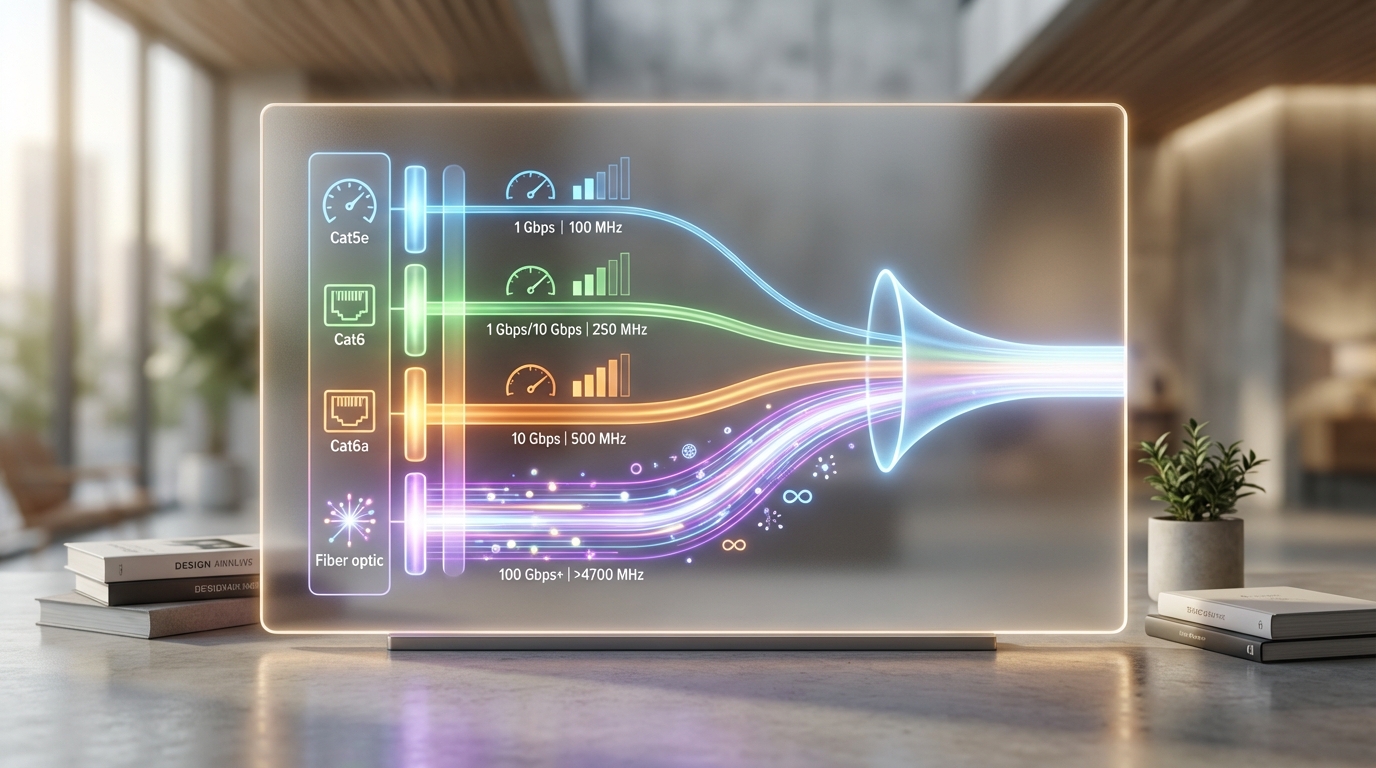
Not all wire is created equal. If your builder talks about “Cat5,” stop them immediately. That standard is obsolete for modern high-bandwidth applications. To future-proof your home, you need to understand the hierarchy of low-voltage cabling.
Cable Performance Comparison
| Cable Type | Max Speed | Max Distance (at max speed) | Recommendation |
|---|---|---|---|
| Cat5e | 1 Gbps | 100 Meters | ❌ Avoid (Obsolete) |
| Cat6 | 10 Gbps | 55 Meters | ✅ Minimum Standard |
| Cat6a | 10 Gbps | 100 Meters | ★ Best for Backbone/WAPs |
| Fiber Optic (OM3/OM4) | 100 Gbps+ | 300+ Meters | ★ Future Proofing |
| RG6 (Coax) | 3 Gbps | 100 Meters | ✅ TV/ISP Feed Only |
Cat6 vs. Cat6a: For most device locations (TVs, printers), standard Cat6 is sufficient. However, for Wireless Access Points and the main link between your networking equipment, we strongly recommend Cat6a. It handles interference better and supports 10 Gigabit speeds over longer distances, which is crucial as fiber internet speeds in Frisco continue to rise (AT&T is already offering 5 Gig fiber in many local subdivisions).
Speaker Wire: Don’t forget audio. We use 16/2 or 14/2 gauge oxygen-free copper wire for whole-home audio. Even if you don’t buy the speakers now, run the wire to the ceiling locations. It costs pennies per foot now but is impossible to run later without destroying the ceiling.
Room-by-Room Pre-Wiring Guide
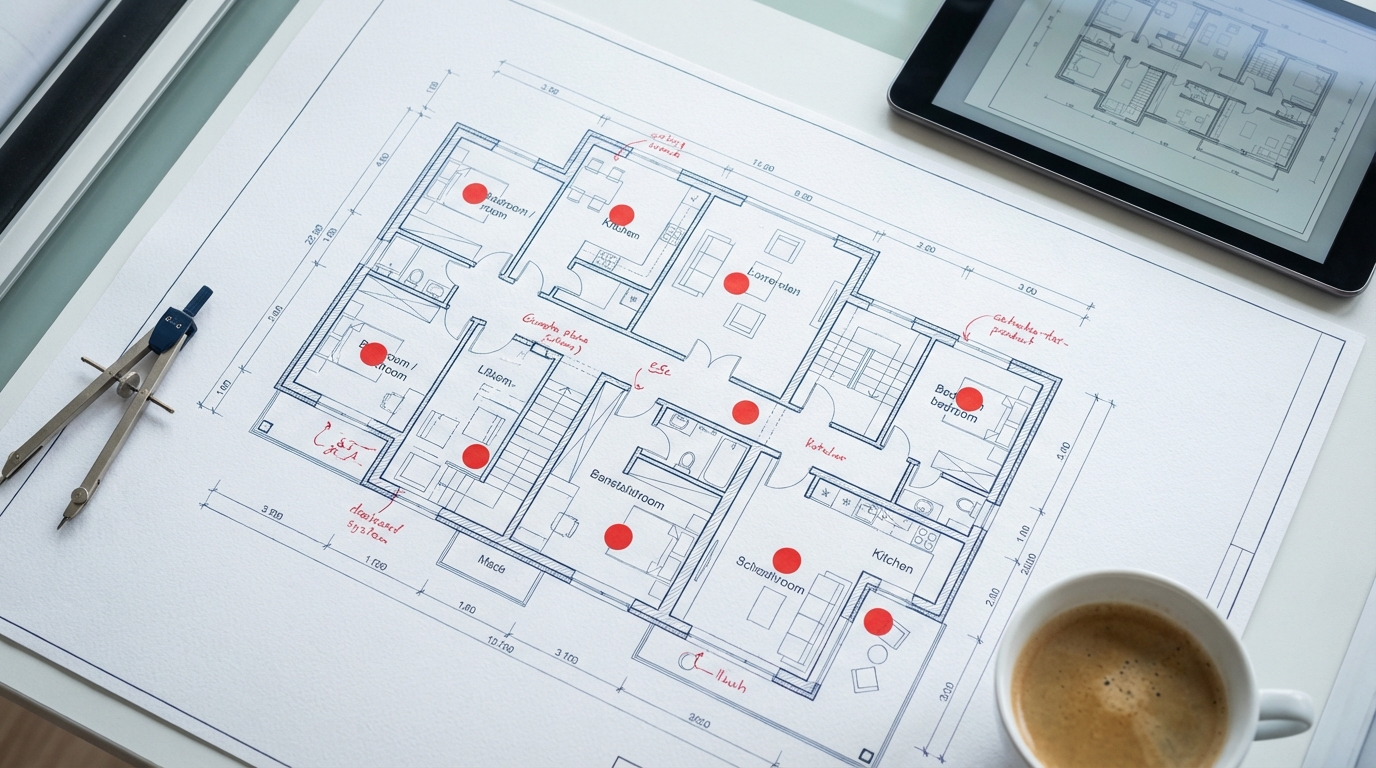
To ensure you don’t miss anything, let’s walk through a typical Frisco floor plan. This checklist comes from our experience designing systems for hundreds of local families.
Living Room & Media Spaces
The living room is the hub. You’ll want a “smurf tube” (conduit) running from the TV location to your equipment closet or lower cabinet. This allows you to pull new HDMI cables in the future as standards change (like the jump from 4K to 8K). Hardwire your TV, Apple TV, Roku, and gaming consoles. Relying on Wi-Fi for 4K streaming is a recipe for buffering.
The Kitchen
Modern kitchens are tech-heavy. Smart fridges need data. If you plan on a wall-mounted iPad for recipes or home control, pre-wire a Cat6 to that location for power and data (PoE). Don’t forget under-cabinet lighting control wires if you want a centralized lighting system.
Home Office
With so many Frisco residents working remotely for companies like Toyota or Liberty Mutual, the home office is critical. Do not rely on Wi-Fi for your Zoom calls. Install at least two data drops: one for your computer and one for a VoIP phone or printer. We also recommend a dedicated WAP in the ceiling of the office to ensure perfect signal for mobile devices.
Real Client Example (Newman Village):
“We were building our dream home in Newman Village and almost skipped the extra wiring in the study. Michael’s team insisted on two hardwired drops. Six months later, my wife and I were both working from home. The Wi-Fi was saturated, but because we were plugged in, our connection was flawless while our neighbors complained about lag. Best $300 we ever spent.”
— David & Sarah M., Frisco, TX
Outdoor Living
Frisco outdoor living is serious business. Whether it’s a patio TV or landscape speakers, you need wires. Outdoor TVs require high-brightness displays and often need a balun system over Cat6 to carry the video signal from inside. Also, consider pre-wiring for outdoor WAPs to cover the pool area. Your phone shouldn’t stop working just because you stepped onto the patio.
Building a New Home in Frisco?
Don’t let the drywall go up without a plan. Our low-voltage experts can design a future-proof wiring schematic tailored to your floor plan.
How Much Does Pre-Wiring Cost?
Pricing varies by builder and integrator, but let’s look at the numbers. Most production builders charge per “drop” (a single line run from the central panel to a wall plate). Custom integrators often bid by the project scope.
Cost Comparison: Pre-Wire vs. Retrofit
| Item | Pre-Wire Cost (Est.) | Retrofit Cost (Est.) | Savings |
|---|---|---|---|
| Cat6 Data Drop | $100 – $150 | $350 – $500+ | ~70% |
| Speaker Wire (Pair) | $150 – $250 | $600 – $1,000+ | ~75% |
| Conduit (Smurf Tube) | $200 – $300 | $1,500+ (Drywall repair) | ~85% |
| Floor Outlet (Data) | $300 – $500 | Impossible (Post-tension slab) | N/A |
The “Post-Tension” Factor: Most homes in Frisco are built on post-tension slabs due to the clay soil. Once that concrete is poured, you cannot cut into the floor to add an outlet or data jack without risking the structural integrity of the home. If you want a floor plug for a lamp or laptop under your sofa in the middle of the room, it must be in the plans before the foundation is poured.
What Features Should I Look For?
Beyond basic networking, consider these smart home categories. Each requires specific wiring strategies.
Security & Surveillance
Wireless cameras (like Ring or Nest battery versions) are popular, but they require battery changes and can jam your Wi-Fi. Professional surveillance uses PoE (Power over Ethernet) IP cameras. These record 24/7 to a local hard drive (NVR) without slowing down your Netflix. You need a Cat6 cable run to every corner of the soffit where you might want a camera.
Automated Window Treatments
Motorized shades are a game-changer for energy efficiency in Texas summers. While battery motors exist, they are loud and require maintenance. Pre-wiring low-voltage power wire (usually 16/2 or Cat6) to the header of each window allows for silent, synchronized hardwired shades from brands like Lutron or Hunter Douglas.
“Homes with integrated smart technology, specifically hardwired security and lighting systems, are seeing appraisal premiums of 3-5% in the North Texas market.”
— North Texas Real Estate Information Systems (NTREIS) Market Report Analysis
Common Pre-Wiring Mistakes to Avoid
Even with a builder, mistakes happen. Here is what we often see go wrong:
- Daisy Chaining: Never let an electrician “daisy chain” your phone or data lines (running from one jack to the next). Every run must be a “home run” back to the central panel.
- Low Quality Wire: Copper Clad Aluminum (CCA) is cheap, brittle, and not certified for PoE. Ensure your installer uses solid copper core cable.
- Ignoring the Demarc: You need a conduit running from the outside utility box (where AT&T/Spectrum connects) to your inside media panel. If this is missing, the ISP will drill a hole through your new brick wall.
- Panel Placement: Do not put your media panel in the master bedroom closet if you can avoid it. The blinking lights and fan noise from equipment will drive you crazy. A laundry room, utility room, or dedicated AV closet is best.
💡 Key Takeaway: Always take photos and video of your walls before the drywall goes up. Documenting where wires are run will save you headaches when hanging art or mounting TVs later.
Should I DIY My Pre-Wire?
We get asked this often. “Can I just come in on the weekend and run the wire myself?” Usually, the answer is no. Most production builders in Frisco will not allow you on the job site to perform work due to liability and insurance reasons. If you are building a custom home, you might have more flexibility, but consider the risks.
Low-voltage wiring requires specific separation from high-voltage (electrical) lines to avoid interference. Running them parallel too close together can ruin your data signal. Also,, there are fire codes regarding draft stopping and plenum-rated cables. If you fail inspection, the builder will rip your wire out. It is almost always better to hire a professional low-voltage integrator who coordinates with the builder.
📚 Sources & References
- CEDIA (Custom Electronic Design & Installation Association) – Best practices for home technology integration.
- National Association of Home Builders – Trends in home technology and value.
- Department of Energy – Guidelines on energy efficient home automation.
Frequently Asked Questions About Pre-Wiring
How much should I budget for pre-wiring a 4,000 sq ft home?
For a comprehensive setup including data, audio, and security pre-wires, budget between $5,000 and $8,000. This is roughly 1-2% of the home’s value, a small price for future-proofing.
Is Cat6a really necessary for a home?
Yes, if you plan to stay long-term. Cat6a supports 10 Gigabit speeds up to 100 meters. With ISPs already testing 10G fiber, Cat6a ensures you won’t need to rewire in 5-10 years.
Can’t I just use a mesh Wi-Fi system?
Mesh systems are great, but they work best when the nodes are “backhauled” via a wired ethernet connection. A purely wireless mesh loses speed with every “hop.” Pre-wiring allows for a wired backhaul, giving you maximum speed at every access point.
What is a structured wiring panel?
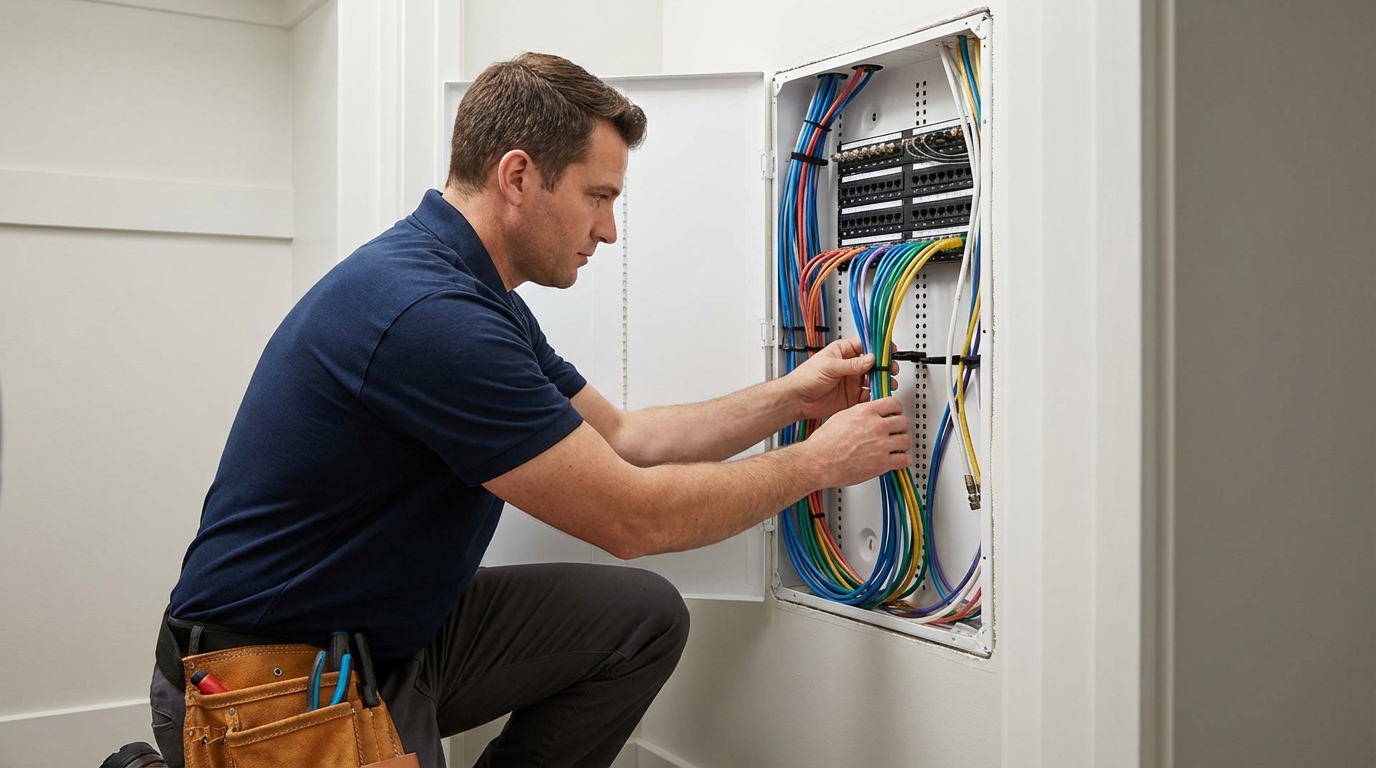
It is the central hub, usually a metal enclosure in a closet, where all cables (coax, ethernet, speaker wire) terminate. It keeps your connections organized and allows for easy changes to your network configuration.
Do I need to pre-wire for a doorbell?
Absolutely. While battery doorbells exist, a hardwired doorbell (using standard doorbell wire or Cat6) is more reliable, responds faster, and never needs charging. It also allows for 24/7 recording.
Should I run conduit?
Yes. We recommend running at least one 2-inch conduit from the attic to the basement (or crawlspace/utility room) and from the TV location to the equipment area. This provides a clear path to pull future cable types that haven’t even been invented yet.
Conclusion: Build Smart from the Start
After designing systems for over 450 projects since 2012, our recommendation is clear: prioritize the infrastructure. You can always upgrade your speakers, TV, or router later, but you cannot easily upgrade the wire inside your walls. Pre-wiring is the foundation of a modern, connected home.
Final Recommendations
- Budget Appropriately: Allocate $1.50 – $2.50 per square foot for low-voltage wiring.
- Choose Wisely: Insist on Cat6a for WAPs and offices; solid copper core only.
- Plan Carefully: Walk the frame with your integrator. Visualize where you will sit, work, and watch TV.
Why Choose Our Team?
- 450+ Projects Completed in the DFW area.
- CEDIA Certified Professionals who understand the latest standards.
- Lifetime Warranty on all workmanship for pre-wire projects.
Need Expert Help With Your Frisco Build?
Get a free consultation and wiring design review with our team.
About the Author
Michael Stevens is a Senior Systems Designer and CEDIA-certified professional. With over 12 years of experience in the custom integration industry, he specializes in structured wiring, home automation, and network design for luxury residences in North Texas. He has helped hundreds of Frisco homeowners navigate the building process to create smarter, more connected living spaces.
About Digitalholics
We are Frisco’s premier low-voltage integration firm, dedicated to providing strong smart home solutions for new construction and renovations. From structured wiring to full home automation, we build systems that work.