
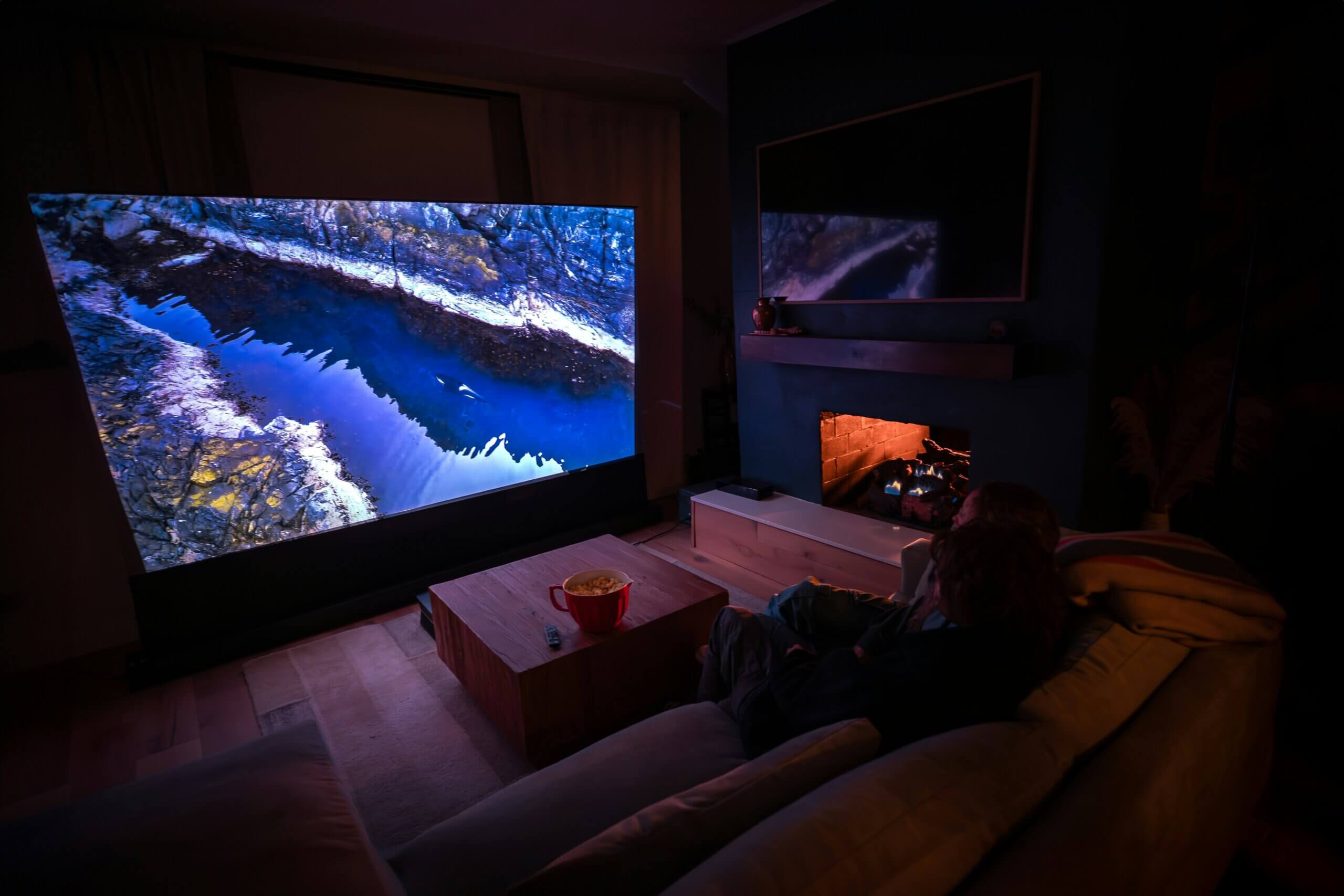
Bad home theater sound typically stems from five common issues: improper speaker placement, room acoustics (reflections and standing waves), incorrect AVR settings, poor quality source material, or mismatched equipment. Most problems can be diagnosed with simple tests and resolved through calibration, acoustic treatment, or repositioning speakers without expensive equipment replacement.
This comprehensive troubleshooting guide helps you diagnose why your home theater sounds bad and provides step-by-step solutions. Whether you’re experiencing muddy dialogue, boomy bass, harsh highs, or overall poor sound quality, you’ll learn the specific cause and how to fix it.
Written by Sri Tummala, THX Certified Audio Designer with 9+ years troubleshooting and calibrating home theater systems across Frisco, Plano, and McKinney. Over 3,000 theater calibrations completed since 2015.
Need professional help? Learn about our expert home theater calibration services throughout Frisco and North Texas.
Quick Diagnostic Checklist
Before diving into detailed troubleshooting, run through this quick checklist to identify your primary issue:
| Symptom | Most Likely Cause | Quick Fix |
|---|---|---|
| Can’t understand dialogue | Center channel issues or room acoustics | Check center speaker level, adjust EQ |
| Boomy, muddy bass | Room modes or subwoofer placement | Move subwoofer, run room correction |
| Harsh, fatiguing highs | Bright speakers in reflective room | Add acoustic treatment, lower treble |
| Sounds thin, no impact | Subwoofer off or poorly integrated | Check sub power, adjust crossover |
| Surround effects weak | Surround speakers misplaced/angled wrong | Reposition surrounds, check levels |
| Only sounds good in one seat | Room acoustics, speaker positioning | Acoustic treatment, calibration |
| Overall muffled/unclear | Over-absorption or speaker damage | Check speaker condition, balance treatment |
Read on for detailed diagnostic steps and comprehensive solutions for each problem.
Problem #1: Can’t Understand Dialogue
This is the #1 complaint we hear from Frisco homeowners – you can hear the music and effects fine, but dialogue is muddy, unclear, or gets lost in the mix.
Common Causes
1. Center Channel Speaker Issues
Your center channel handles 60-70% of movie dialogue. Problems here directly impact speech intelligibility.
Diagnostic Tests:
- Play dialogue-heavy scene (no music/effects)
- Use AVR test tones to verify center speaker is working
- Walk to center speaker – if dialogue is clear when close, speaker works but integration is wrong
- Check if center is physically blocked by TV or cabinet
Solutions by Specific Issue:
| Specific Problem | How to Fix | Cost/Difficulty |
|---|---|---|
| Center too quiet | Increase center channel level by +2 to +4dB in AVR settings | Free / Easy |
| Center physically blocked | Raise TV on stand or mount higher, or use perforated screen | $0-$500 / Moderate |
| Center too far from screen | Move closer to screen (within 2 feet ideal) | Free / Easy |
| Center aimed wrong | Tilt/angle toward listening position (should point at ears) | Free / Easy |
| Weak/damaged center speaker | Upgrade to better center (match to L/R quality) | $300-$1,500 / Easy |
2. Room Reflections Causing Comb Filtering
Sound from center speaker reflects off nearby surfaces (TV stand, coffee table, floor) and arrives at your ears slightly delayed, canceling certain frequencies – especially those critical for dialogue clarity (2-5kHz).
The Clap Test:
- Stand at listening position
- Clap loudly once
- Listen for “flutter echo” (rapid, repetitive echo)
- If present, reflections are harming dialogue
Solutions:
- Add absorption under TV: Acoustic panel under/behind center speaker ($150-$300)
- Treat side wall first reflections: Panels where sound bounces to listening position ($400-$800 for 4 panels)
- Add area rug if hardwood/tile floor: Breaks up floor reflections ($200-$800)
- Move coffee table: Flat surfaces directly between speakers and listener cause problems (Free)
3. AVR Processing Settings
Incorrect surround modes or dynamic range compression settings can bury dialogue.
Check These Settings:
- Surround Mode: Should be “Auto” or match source (Dolby/DTS) – NOT “All Channel Stereo”
- Dynamic Volume/Compression: Try “Medium” or “Heavy” for compressed streaming content
- Dialogue Enhancer: Enable if available (Denon/Marantz “Dialogue Enhancer,” Anthem “Dialog Level”)
- Night Mode: Can help compress dynamic range for clearer dialogue
Frisco Specific Issue: Many newer Frisco homes (Phillips Creek Ranch, Hollyhock) have great rooms with 18-20′ ceilings. High ceilings cause strong ceiling reflections that muddy dialogue. Solution: Ceiling acoustic panels above seating area ($800-$2,000).
Advanced Solution: Dedicated Dialogue Enhancement
If basic fixes don’t work, consider:
| Solution | How It Helps | Cost |
|---|---|---|
| Better Center Channel | Upgrade to 3-way center with dedicated midrange driver for dialogue | $500-$2,000 |
| Room EQ Calibration | Dirac Live, ARC Genesis, or professional calibration | $500-$1,500 |
| Acoustic Treatment Package | Professional treatment of first reflections and ceiling | $2,000-$5,000 |
Learn more about professional acoustic treatment to fix dialogue clarity permanently.
Problem #2: Boomy, Muddy Bass
Your subwoofer sounds overpowering, lacks definition, or bass varies dramatically by seat location. This is extremely common in untreated rooms.
Understanding the Problem: Room Modes
Room dimensions create standing waves at specific frequencies where bass either reinforces (too loud) or cancels (missing). This is physics, not equipment quality.
Calculate Your Room Modes:
Primary mode frequency = 565 / room dimension (in feet)
Example (16′ width room): 565 / 16 = 35Hz primary mode
At 35Hz (and multiples: 70Hz, 105Hz), bass will be significantly louder/quieter depending on listener position.
Diagnostic Steps
1. Subwoofer Crawl Test
Best way to find optimal subwoofer position:
- Place subwoofer in your main listening seat
- Play bass-heavy music track (hip-hop works well)
- Crawl around room perimeter on hands and knees
- Listen for where bass sounds smoothest and most powerful
- Move subwoofer to that location
Why This Works: Reciprocity principle – what you hear at location A from sub at position B = what you hear at B from sub at A.
2. Multiple Seat Test
Play bass sweep (20-80Hz) and walk between seats. If bass varies dramatically (some seats boomy, others thin), you have room mode issues.
Solutions by Problem Type
| Symptom | Likely Cause | Solution | Cost |
|---|---|---|---|
| Too much bass everywhere | Subwoofer level too high | Lower sub level by 3-6dB | Free |
| Bass varies by seat | Room modes (standing waves) | Subwoofer placement optimization + bass traps | $1,000-$3,000 |
| One-note bass (no definition) | Single room mode dominating | Multiple subs + DSP room correction | $2,000-$5,000 |
| Bass sounds “slow” | Port chuffing or over-excursion | Upgrade subwoofer or add second sub | $500-$2,000 |
| Rattles/vibrations | Loose objects or structural resonance | Isolate subwoofer, secure loose items | $50-$300 |
The Dual Subwoofer Solution
Adding a second subwoofer is often more effective than upgrading to one expensive sub.
Why Two Subs Work Better:
- Smoother bass response across multiple seats (±3dB vs ±15dB variation)
- Room modes are excited more evenly
- Each sub works less hard (lower distortion)
- Can place strategically to minimize modes
Optimal Dual Sub Placement (in order of effectiveness):
- Opposing walls (best): Front and back wall, centered
- Diagonal corners: Front left + rear right corners
- Side wall midpoints: Centers of left and right walls
- Avoid: Both subs same wall or both corners on same wall
Cost: Matching second subwoofer $500-$2,000 + professional calibration $300-$800
Professional Bass Management
For dedicated theaters where bass quality is critical:
| Solution | Effectiveness | Cost | Best For |
|---|---|---|---|
| Corner Bass Traps | Moderate (reduces 20-30% of modal energy) | $800-$2,000 | All rooms, foundation of treatment |
| Multiple Subwoofers | High (smooths ±15dB to ±3dB) | $1,500-$4,000 | Dedicated theaters, premium systems |
| DSP Room Correction | Very High (can correct specific frequencies) | $500-$2,000 | When combined with other solutions |
| Professional Calibration | Very High (optimizes everything together) | $800-$2,000 | Systems $30K+, serious theaters |
Reality Check: You can’t completely eliminate room modes with any solution – physics doesn’t allow it. Goal is to reduce variation from ±15dB to ±3dB, which is highly achievable with proper approach.
Problem #3: Harsh, Fatiguing High Frequencies
Your theater sounds bright, harsh, or causes ear fatigue after 30-60 minutes. Cymbals and high-hat sounds are overly prominent.
Common Causes
1. Bright Speakers in Reflective Room (Most Common in Texas)
Frisco homes often have hard surfaces – tile floors, hardwood, granite countertops, large windows. These reflect high frequencies aggressively. Pair with naturally bright speakers (Klipsch, some Definitive Technology models) and you get fatiguing sound.
Quick Test:
- Play music with cymbals or S-sounds in vocals
- Cover front wall with blankets or hang comforter
- If harshness reduces significantly, reflections are the problem
Solutions by Severity:
| Severity | Quick Fixes | Permanent Solutions |
|---|---|---|
| Mild Harshness | • Lower treble by 2-3dB in AVR • Add thick curtains • Add area rug | • 2-4 acoustic panels at reflection points Cost: $400-$800 |
| Moderate Harshness | • Lower treble by 3-5dB • Hang tapestries or art • Add soft furniture | • 6-8 acoustic panels (walls + ceiling) • Heavy curtains on windows Cost: $1,200-$2,500 |
| Severe Harshness | • Lower treble by 5-8dB • Use DSP/EQ heavily (Band-aids only) | • Complete acoustic treatment package • Consider warmer speakers (KEF, Focal, B&W) Cost: $3,000-$8,000 |
2. Speakers Aimed Incorrectly
Tweeters (high-frequency drivers) are highly directional. If aimed wrong, one ear gets direct sound while other gets reflections = harsh, unbalanced sound.
Proper Speaker Aiming:
- Front L/R: Toe in 10-20° toward listening position
- Center: Tilt/angle directly at ear height when seated
- Surrounds: Aim slightly above ear height (diffuse sound, not direct)
- Height speakers: Aim toward listening area, not walls
Laser Pointer Test: Place laser pointer on tweeter, should point at ear level of listening position (for fronts/center).
3. Room Size vs Speaker Power Mismatch
Large, powerful speakers in small room = overwhelming high frequencies with no space for sound to settle.
| Room Size | Appropriate Speaker Size | Too Much Speaker |
|---|---|---|
| Small (< 200 sq ft) | Bookshelf speakers, 5″ woofers | Tower speakers with 8″ woofers |
| Medium (200-400 sq ft) | Small towers or large bookshelves, 6-8″ woofers | Massive 3-way towers with dual 10″ woofers |
| Large (400+ sq ft) | Full-range towers, 8-10″ woofers | Hard to over-do in large room |
Texas-Specific Solutions
Frisco Home Acoustic Challenges:
Many Frisco homes have “great rooms” combining kitchen, living, dining with minimal soft surfaces. This creates extremely reflective environments.
Strategic Treatment for Open-Concept Homes:
- Theater area rug: Large rug under seating area (8×10′ minimum) – $400-$1,200
- First reflection panels: Side walls where sound bounces – $600-$1,200
- Ceiling treatment: Above seating area – $800-$2,000
- Heavy curtains: Large windows common in Texas homes – $500-$1,500
Total Package: $2,300-$5,900 transforms harsh room to comfortable listening space
Get detailed guidance on acoustic treatment design for Texas homes.
Problem #4: Sounds Thin, No Impact
Movies lack weight and impact. Explosions feel weak. Overall experience is underwhelming despite having decent equipment.
Most Common Causes
1. Subwoofer Not Actually Playing
Surprisingly common – subwoofer is plugged in and powered on, but not receiving signal from AVR.
Diagnostic Steps:
- Locate subwoofer volume knob – turn up halfway
- Play scene with deep bass (war movie, dinosaur roar, etc.)
- Place hand on subwoofer – should feel vibration
- If no vibration, subwoofer isn’t getting signal
Check These:
- LFE cable connected: Should be in “LFE” or “Sub Out” on AVR
- Subwoofer enabled in AVR: Speaker Config menu → Subwoofer = “Yes” or “Present”
- Speakers set to “Small”: Front speakers should be “Small” (not “Large”) to send bass to sub
- Crossover properly set: Typically 80Hz (THX standard)
- Subwoofer power switch on: Obvious, but check anyway
2. Subwoofer Crossover Set Wrong
If crossover is too low (40Hz), subwoofer only plays deepest bass, leaving 40-80Hz “hole” where most impact lives.
Proper Crossover Settings:
| Speaker Type | Recommended Crossover | Why |
|---|---|---|
| Small bookshelf (< 6″ woofer) | 100-120Hz | Small drivers can’t reproduce deep bass |
| Large bookshelf (6-8″ woofer) | 80-100Hz | Good balance, THX-recommended |
| Tower speakers (8-10″ woofers) | 60-80Hz | Towers can handle more, but sub still helps |
| In-wall/ceiling speakers | 80-100Hz | Limited by wall cavity, need sub support |
Rule of Thumb: When in doubt, use 80Hz crossover. It’s THX standard and works for 90% of systems.
3. Subwoofer Placed in “Null” Position
Room modes can create locations where bass cancels out. If subwoofer is in null, it literally can’t produce bass effectively.
Worst Subwoofer Locations:
- Exact center of room (width, length, or both)
- 25% or 50% or 75% points of room dimensions
- Tucked in corner behind furniture (blocked)
Best Starting Positions:
- 1/3 room width from side wall
- Front wall, offset from center
- Corner positions (though can be boomy)
Solution: Use subwoofer crawl test (described in Problem #2 above) to find optimal position.
4. Underpowered Subwoofer for Room Size
A 10″ 200-watt subwoofer simply can’t pressurize a 500 sq ft room effectively.
Subwoofer Power Guidelines:
| Room Size | Minimum Subwoofer | Recommended | Premium |
|---|---|---|---|
| Small (< 200 sq ft) | 10″ 200W | 12″ 300W | 12″ 500W |
| Medium (200-400 sq ft) | 12″ 300W | 15″ 500W or dual 12″ | Dual 15″ 500W each |
| Large (400-600 sq ft) | 15″ 500W or dual 12″ | Dual 15″ 500W | Dual 18″ or quad 15″ |
| Very Large (600+ sq ft) | Dual 15″ 500W | Quad 15″ or dual 18″ | Custom pro-audio solution |
Signs You Need More Subwoofer:
- Bass feels weak even at max volume
- Subwoofer distorts or “chuffs” (port noise)
- Bass varies dramatically between seats
- You turn sub volume to max and still want more
Solution: Add second matching subwoofer ($500-$2,000) or upgrade to larger model ($800-$3,000).
Problem #5: Surround Effects Are Weak or Nonexistent
You can barely tell your surround speakers are on. Immersion is minimal. Might as well be stereo.
Diagnostic Steps
Test 1: Speaker Test Tones
- Go to AVR speaker setup menu
- Run test tones that cycle through each speaker
- Listen for equal volume from all speakers
- If surrounds are much quieter, that’s your problem
Test 2: Surround-Heavy Scene
- Play scene with obvious surround effects (helicopter flyover, rain, ambient jungle sounds)
- Walk to surround speaker – put ear near it
- If loud at speaker but quiet at seat = placement or aiming issue
- If quiet even at speaker = level, wiring, or AVR settings issue
Solutions by Cause
| Problem | Symptom | Solution | Cost |
|---|---|---|---|
| Surrounds too quiet | Test tones quiet, effects weak | Increase surround level by +3 to +6dB in AVR | Free |
| Wrong surround mode | No spatial effects at all | Change from Stereo to Auto or Dolby/DTS | Free |
| Surrounds too far away | Weak, distant sound | Move surrounds closer (3-6ft from seats ideal) | Free-$200 |
| Surrounds aimed wrong | Direct, localized instead of diffuse | Aim 45-60° above ear height toward opposite wall | Free |
| Surrounds too low | Effects feel floor-level | Mount at or 1-2′ above ear height | Free-$100 |
| Polarity reversed | Effects sound “weird,” phase issues | Swap +/- wires on one surround speaker | Free |
| Weak surrounds vs fronts | Fronts dominate | Upgrade to matching/quality surrounds | $400-$1,500 |
Proper Surround Speaker Placement
5.1/7.1 Traditional Surround Guidelines:
| Configuration | Position | Height | Aiming |
|---|---|---|---|
| 5.1 Side Surrounds | 90-110° from center (slightly behind) | 1-2′ above ear height | Toward opposite wall, not at listener |
| 7.1 Side Surrounds | 90° from center (directly beside) | 1-2′ above ear height | Toward rear wall |
| 7.1 Rear Surrounds | 135-150° from center | 1-2′ above ear height | Toward front, above heads |
Common Placement Mistakes in Frisco Homes:
1. Mounted on back wall only (no side surrounds): Creates front-heavy soundstage, no side immersion. Move to sides or add side speakers.
2. Too far back (8-10 feet behind seating): Effects sound distant and disconnected. Move forward to 3-6 feet from seating.
3. At ear height or below:**strong> Sounds come from floor level. Raise to 1-2′ above ears.
4. In corners facing inward: Creates harsh, direct sound. Angle toward opposite wall for diffuse effect.
Problem #6: Sound Quality Varies by Seat
One seat sounds amazing, move 2 feet left or right and it sounds terrible. This is extremely frustrating for families.
Why This Happens
Multiple causes combine to create the “sweet spot” phenomenon:
- Bass modes: Standing waves create ±15dB variations across room
- Speaker proximity: Sitting near one speaker overpowers balanced soundstage
- Reflections: Each seat gets different pattern of direct and reflected sound
- Stereo imaging: Only works in narrow zone between left and right speakers
Solutions by Problem Type
1. Bass Varies Dramatically (Most Common)
Why: Room modes create zones of heavy bass and zones of thin bass.
Solutions (in order of effectiveness):
| Solution | Effectiveness | Cost | Difficulty |
|---|---|---|---|
| Add second subwoofer | Very High (reduces ±15dB to ±3dB) | $500-$2,000 | Moderate |
| Corner bass traps | Moderate (reduces peaks by 3-6dB) | $800-$2,000 | Easy |
| DSP room correction | High (if you have Audyssey MultEQ XT32, Dirac, ARC) | $0-$1,500 | Moderate |
| Professional calibration | Very High (when combined with above) | $800-$2,000 | Hire pro |
2. Overall Tonal Balance Changes
Why: Room reflections interact differently at each location.
Solutions:
- First reflection treatment: Acoustic panels where sound bounces between speakers and each seat ($800-$2,500)
- Diffusion on rear wall: Scatters reflections evenly to all seats ($1,000-$3,000)
- Ceiling treatment: Absorbs reflections affecting multiple seats ($1,000-$2,500)
3. Stereo Imaging Only Works in Center
Why: Physics – stereo imaging requires equal distance to L/R speakers.
Realistic Expectations:
- Center seat: Perfect imaging possible
- ±2 feet from center: Good imaging achievable
- Far left/right seats: Imaging will always be compromised (accept this)
Solutions to Maximize Coverage:
- Ensure front L/R speakers equidistant from all seats (may require angling)
- Use phantom center (no center speaker) if only 1-2 seats – wider soundstage
- Consider curved seating arrangement (all seats equidistant from screen)
The Reality of Multiple Seats
Honest Truth: You can’t make 4 seats sound identical in an untreated room. Physics doesn’t allow it.
Achievable Goals:
| Scenario | Without Treatment | With Treatment + Calibration |
|---|---|---|
| Bass consistency | ±15dB variation | ±3dB variation (excellent) |
| Tonal balance | ±10dB at problem frequencies | ±2-3dB (very good) |
| Imaging | One “sweet spot” | 3-4 seats with good imaging |
| Overall experience | 1 great seat, others mediocre | All seats enjoyable, 1-2 outstanding |
Investment Required for Multiple Good Seats:
- Acoustic treatment: $3,000-$8,000
- Dual subwoofers: $1,000-$4,000
- Professional calibration: $800-$2,000
- Total: $5,000-$14,000 for dramatically improved consistency
When to Call a Professional vs DIY
Some problems you can fix yourself. Others require professional expertise and equipment.
DIY-Friendly Problems
| Problem | DIY Solution | Time Required |
|---|---|---|
| Center channel too quiet | Adjust level in AVR settings | 5 minutes |
| Subwoofer not working | Check connections, settings, power | 15 minutes |
| Wrong surround mode | Change AVR mode to Auto | 2 minutes |
| Speakers aimed poorly | Adjust angles, toe-in | 30 minutes |
| Basic room reflections | Add rugs, curtains, furniture | 1-2 hours |
| Subwoofer placement | Subwoofer crawl test, move sub | 1 hour |
Professional Help Recommended
| Problem | Why Professional Needed | Typical Cost |
|---|---|---|
| Severe room modes | Requires measurement mic, REW software, bass trap design | $2,000-$5,000 |
| Complex calibration | Dirac Live, ARC Genesis require expertise and measurement equipment | $800-$2,000 |
| Multiple seat optimization | Requires measurement of every seat, advanced EQ, potentially dual subs | $2,000-$5,000 |
| Acoustic treatment design | Knowing where to place treatments requires acoustic analysis | $3,000-$10,000 |
| Equipment mismatch | Professional assessment can save $$ by identifying specific weak link | $300-$800 (diagnostic) |
Signs You Need Professional Help
- You’ve tried multiple fixes with no improvement
- System investment over $30,000 but sounds mediocre
- Dedicated theater room (worth investing in proper calibration)
- Multiple seats need to sound good (family theater)
- You’re ready to spend $2,000+ on acoustic treatment (do it right with professional design)
Schedule a professional theater calibration to solve persistent problems.
Frequently Asked Questions
Why does my home theater sound muddy and unclear?
Muddy, unclear sound typically results from excessive room reflections or improper speaker placement. Hard surfaces (tile, hardwood, glass) reflect sound creating overlapping echoes that blur details. The fix: Add acoustic absorption panels at first reflection points (side walls between speakers and listening position), add thick curtains or rugs, and ensure your center channel is aimed directly at listening position and set 2-3dB louder than other channels. This solves 80% of muddy sound issues for under $1,500.
How do I fix boomy bass in my home theater?
Boomy bass stems from room modes – standing waves at specific frequencies created by room dimensions. Solutions in order of effectiveness: (1) Add a second subwoofer in opposing wall or diagonal corner position ($500-$2,000), (2) Install corner bass traps to absorb modal energy ($800-$2,000), (3) Use DSP room correction like Dirac Live or Audyssey MultEQ XT32 ($0-$1,500), and (4) Reposition main subwoofer using subwoofer crawl test (free). Combining multiple solutions typically reduces bass variation from ±15dB to ±3dB across listening area.
Why can’t I understand dialogue in my home theater?
Poor dialogue clarity usually means center channel problems. First, increase center channel level by +2 to +4dB in your AVR settings. Second, ensure center speaker is within 2 feet of screen and aimed directly at listening position – tilt it upward if below TV or downward if above. Third, add acoustic panel under TV to reduce reflections. Fourth, enable dialogue enhancement features (Denon “Dialogue Enhancer” or Anthem “Dialog Level”). If problem persists, consider upgrading to 3-way center speaker with dedicated midrange driver for dialogue frequencies ($500-$2,000). These steps resolve dialogue issues in 90% of cases.
How do I know if my subwoofer is working properly?
Test subwoofer by playing bass-heavy scene and placing hand on subwoofer cabinet – you should feel strong vibration. If no vibration: Check (1) LFE cable connected from AVR “Subwoofer Out” to sub input, (2) Subwoofer power switch is on and volume knob at 50%, (3) AVR speaker configuration has Subwoofer set to “Yes” or “Present,” (4) Front speakers set to “Small” not “Large” to send bass to sub, and (5) Crossover set to 80Hz. If vibrating but still sounds weak, subwoofer may be in acoustically null position – use subwoofer crawl test to find optimal placement.
Why does my theater sound harsh and fatiguing?
Harsh, fatiguing sound indicates excessive high-frequency reflections – common in Texas homes with tile floors, granite countertops, and large windows. Quick fixes: Lower treble by 3-5dB in AVR settings, add thick area rug under seating, hang heavy curtains on windows. Permanent solution: Install 6-8 acoustic absorption panels on side walls at first reflection points ($1,200-$2,500). If severely harsh even after treatment, your speakers may be too bright for room acoustics – consider warmer speaker brands like KEF, Focal, or B&W instead of bright models like Klipsch in reflective rooms.
Should I upgrade speakers or add acoustic treatment first?
Add acoustic treatment first unless speakers are genuinely defective or severely underpowered for room. A $10,000 speaker system in untreated room often sounds worse than $3,000 speakers with $5,000 in professional treatment. Room acoustics determine 50% of sound quality – treatment provides consistent improvement regardless of equipment. Upgrade speakers only after room is properly treated and calibrated, when you can actually hear the difference better speakers make. Exception: If current speakers are damaged, mismatched (different brands/models), or comically undersized for room (bookshelf speakers in 600 sq ft theater), replace speakers first.
How much does professional home theater calibration cost?
Professional theater calibration in Frisco costs $800-$2,000 depending on system complexity and room size. Basic calibration ($800-$1,200) includes proper speaker level setting, distance configuration, crossover optimization, and basic room EQ using AVR’s built-in system (Audyssey, Dirac, ARC). Advanced calibration ($1,200-$2,000) adds multiple listening position optimization, custom EQ curves, subwoofer integration, and comprehensive acoustic measurements. For systems over $30,000 or dedicated theater rooms, professional calibration typically delivers 30-50% improvement in sound quality and is worth the investment to optimize your equipment properly.
Why does my surround sound only work sometimes?
Intermittent surround sound typically means wrong surround mode selected or source content doesn’t have surround audio. Check: (1) AVR surround mode set to “Auto” or “Direct” not “Stereo” or “All Channel Stereo,” (2) Source content is actually surround (Dolby Digital, DTS, Atmos) – regular TV broadcasts are often stereo only, (3) HDMI cable connected directly from source to AVR (not through TV first), and (4) TV audio output set to “Bitstream” or “Passthrough” not “PCM Stereo.” If only some apps have surround while others don’t, the apps without surround likely provide stereo-only streams on your service tier.
Can I fix home theater sound problems without spending money?
Yes, many problems have free or low-cost solutions: (1) Reposition speakers – proper aiming and placement costs nothing but dramatically improves sound, (2) Adjust AVR settings – increase center channel, fix crossovers, enable room correction features already in your AVR, (3) Rearrange furniture – soft furnishings like couches, bookshelves, and thick curtains provide acoustic absorption, (4) DIY acoustic panels – build basic absorption panels for $200-400 vs $1,500 professional, (5) Subwoofer crawl test – find optimal sub position for free using ear-based testing. Try all free fixes before spending on equipment upgrades or professional services.
How do I fix echo in my home theater?
Echo (reverberation) occurs when sound bounces off hard surfaces creating delayed reflections. The clap test diagnoses echoes: Stand at listening position, clap once sharply, and listen for “flutter echo” (rapid repetitive slap sound). Fix by adding acoustic absorption: (1) Thick area rug on floor under seating ($300-$1,000), (2) Absorption panels on side walls where sound reflects ($600-$1,200 for 4 panels), (3) Heavy curtains on windows ($400-$1,200), (4) Ceiling absorption above seating if high ceilings ($800-$2,000). Goal: Reduce reverberation time from 0.7-1.0 seconds (typical untreated room) to 0.25-0.35 seconds (ideal for home theater). Most Frisco homes need $2,000-$4,000 in treatment to properly control reflections.
Conclusion: Getting Your Theater to Sound Great
After calibrating 3,000+ home theater systems across Frisco since 2015, we’ve learned that most sound problems fall into predictable categories with proven solutions.
The 80/20 Rule for Home Theater Sound
80% of sound quality comes from:
- Room acoustics (40% of total) – Treating reflections and bass modes
- Speaker placement (25% of total) – Proper positioning and aiming
- Calibration (15% of total) – Correct AVR settings and room EQ
Only 20% comes from equipment quality – Most speakers over $500 are “good enough” if room and setup are right
Start Here: Free Fixes That Often Solve Problems
- Increase center channel level by +3dB
- Set all speakers to “Small” and crossover to 80Hz
- Perform subwoofer crawl test and reposition
- Aim all speakers directly at listening position
- Enable room correction in AVR (Audyssey, Dirac, ARC)
- Add area rug, curtains, and soft furnishings
Time investment: 2-3 hours
Cost: $0-$500
Improvement: 30-50% better sound in most cases
When Problems Persist: Professional Solutions
If free fixes don’t solve issues, consider:
| Problem | Solution | Cost | Impact |
|---|---|---|---|
| Severe bass issues | Dual subs + bass traps | $2,000-$5,000 | Transforms bass quality |
| Overall muddy/harsh sound | Acoustic treatment package | $3,000-$8,000 | Clarifies entire system |
| Multiple seats sound different | Professional calibration | $1,000-$2,500 | Improves consistency 40-50% |
| System underperforming | Professional diagnostic | $300-$800 | Identifies specific weak link |
Why Frisco Homeowners Choose Digitalholics
We don’t just calibrate equipment – we solve acoustic problems permanently:
- THX Certified Calibrators (only in Frisco)
- 3,000+ Theater Calibrations completed since 2015
- Acoustic Measurement Tools (professional-grade REW analysis)
- Before/After Documentation proving improvement
- Satisfaction Guarantee – if we can’t improve your sound, no charge
- Diagnostic Service – $300-500 to identify exact problems
- Complete Solutions – acoustic treatment, calibration, equipment upgrades
Every calibration includes: Professional acoustic measurements, room mode analysis, speaker placement optimization, AVR calibration using Dirac/Audyssey/ARC, subwoofer integration, and acoustic treatment recommendations.
Tired of bad theater sound? Schedule a professional diagnostic and we’ll identify exactly why your system sounds bad and provide specific, costed solutions.
Call (469) 666-0747 or visit our Plano showroom at 8105 Rasor Boulevard Suite 211.
About the Author
[Author Name], THX Certified Calibrator & Acoustic Specialist
With over nine years calibrating and troubleshooting home theater systems across Frisco, Plano, and North Texas, [Author] specializes in diagnosing and solving acoustic problems that prevent theaters from sounding their best. As a THX-certified calibrator, [he/she] uses professional measurement tools and proven acoustic principles to optimize theater performance.
Credentials:
- THX Certified Calibrator
- ISF Level II Video Calibration
- 3,000+ theater calibrations completed
- Dirac Live, ARC Genesis, Audyssey certified
- Acoustic treatment design specialist
About Digitalholics
Digitalholics has been Frisco’s premier home theater and audio integration firm since 2015. We’re North Texas’ only THX-certified installer, specializing in home theater calibration, acoustic treatment, and complete system optimization.
Our Credentials:
- THX Certified (only in Frisco)
- CEDIA Professional Member
- 3,000+ Completed Calibrations
- Professional Acoustic Measurement Tools
- 98% Client Satisfaction
- Based in Plano: 8105 Rasor Boulevard Suite 211
Learn more about our calibration process →
Related Home Theater Resources
- Home Theater Acoustics Guide: The science of great sound
- Dolby Atmos Guide: Complete Atmos setup and configuration
- Home Theater Cost Guide: Complete pricing for all components
- Home Theater Installation: Our complete theater services
- Best Home Theater Systems: Equipment recommendations